![UptimeRobot vs Monitrics: The Complete Feature Comparison [2026]](/blog-images/uptimerobot-vs-monitrics-complete-comparison/hero.svg)
UptimeRobot vs Monitrics: The Complete Feature Comparison [2026]
Side-by-side comparison of UptimeRobot and Monitrics: pricing, features, browser automation, workflows, and migration guide.
The Definitive Comparison
There are hundreds of monitoring tools on the market. Two of them represent fundamentally different philosophies about what monitoring should be: UptimeRobot, the established incumbent with over 2.7 million users, and Monitrics, a workflow-native platform built for modern applications.
This is the comprehensive, feature-by-feature comparison. No hand-waving, no cherry-picked metrics. Just the facts, laid out side by side so you can make an informed decision.
We will cover every major category: monitoring types, workflow capabilities, browser automation, alerting, team collaboration, pricing, and more. We will also be upfront about where UptimeRobot wins and where Monitrics wins.
Let's start with the big picture.
At a Glance
| UptimeRobot | Monitrics | |
|---|---|---|
| Founded | 2010 | 2025 |
| Approach | Individual endpoint monitors | Multi-step workflow monitoring |
| Free Tier | 50 monitors, 5-min intervals | 50 steps, 5-min intervals |
| Paid Starting At | $8/mo (Solo) | $19/mo (Professional) |
| Browser Automation | Not available | Playwright-based, Professional+ |
| Multi-Step Workflows | Not available | Core architecture |
| Variable Passing | Not available | Built-in |
| Notification Channels | Email, SMS (credits), Slack, more | Email, Slack, PagerDuty, Telegram, Pushover, Webhooks |
| Team Seats (Paid) | 0 (Solo), 3 (Team) | 5 (Professional), Unlimited (Enterprise) |
| Multi-Region | Yes | Yes, 12+ regions |
| Architecture | Monolithic checks | Distributed Go microservices |
The short version: UptimeRobot is a mature, simple, and affordable tool for basic uptime checks. Monitrics is a workflow-native platform that monitors complete user journeys, not just individual endpoints.
Both are good tools. They serve different needs.
Monitoring Types
The foundation of any monitoring platform is what it can actually check. Here is the full breakdown.
| Monitor Type | UptimeRobot | Monitrics |
|---|---|---|
| HTTP/HTTPS | Yes | Yes |
| Ping (ICMP) | Yes | Yes |
| TCP Port | Yes | Yes |
| DNS | Yes | Yes |
| SSL Certificate | Yes | Via HTTP step assertions |
| Domain Expiry | Yes (Team plan and above) | Yes (all plans) |
| Keyword Detection | Yes | Via HTTP step assertions |
| Heartbeat (Cron) | Yes | Not available |
| Browser Automation | Not available | Yes (Professional+) |
Where UptimeRobot wins: Heartbeat monitoring for cron jobs is a useful feature that Monitrics does not currently offer. SSL certificate checks are also a dedicated monitor type rather than requiring assertion configuration.
Where Monitrics wins: Browser automation is a category that UptimeRobot simply does not compete in. Domain expiry monitoring is available on all plans, including the free tier, while UptimeRobot locks it behind the $34/mo Team plan.
For a deeper look at the browser automation gap, see Browser Automation vs Keyword Monitoring.
Workflow Features
This is where the architectural difference between the two platforms becomes most apparent. UptimeRobot treats each monitor as an independent entity. Monitrics treats steps as components of a workflow.
| Feature | UptimeRobot | Monitrics |
|---|---|---|
| Multi-step workflows | Not available | Yes |
| Step chaining | Not available | Yes |
| Variable passing between steps | Not available | Yes |
| Data extraction from responses | Not available | Yes |
| Custom assertions | Basic (keyword, status code) | Advanced (JSONPath, regex, headers, response body) |
| Browser interactions | Not available | Click, fill, wait, get_text, and more |
| Step-level failure isolation | Not applicable | Yes |
| Mixed step types in one workflow | Not applicable | Yes (HTTP + DNS + Browser in one flow) |
What this means in practice: With UptimeRobot, you create 5 separate monitors for a checkout flow. If the payment API fails, you know the payment API is down. But you do not know whether the failure is because the cart service returned bad data upstream, or whether users can still reach the checkout page at all.
With Monitrics, you create one workflow with 5 steps. Each step can pass data to the next. If step 3 fails, you know exactly which step broke, what data it received from step 2, and whether steps 1 and 2 completed correctly.
For a detailed cost analysis of this difference, see Workflow Cost Comparison.
For a deep dive into variables and assertions, see Variables and Assertions Comparison.
Browser Automation
This deserves its own section because it is the single largest feature gap between the two platforms.
UptimeRobot does not offer browser automation at any pricing tier. Their monitoring is HTTP-based: send a request, check the response code, optionally look for a keyword in the HTML.
Monitrics includes full Playwright-based browser automation on the Professional plan and above. This means:
- Rendering JavaScript-heavy applications (React, Vue, Angular)
- Clicking buttons, filling forms, navigating menus
- Waiting for dynamic content to load
- Extracting text from rendered elements
- Capturing 17 performance metrics (TTFB, FCP, LCP, and more)
- Running in real browsers across 12+ global regions
Example browser step configuration:
{
  "type": "browser",
  "url": "https://app.example.com/login",
  "timeout_ms": 15000,
  "viewport": "1280x720",
  "interactions": [
    { "type": "fill", "selector": "#email", "value": "test@example.com" },
    { "type": "fill", "selector": "#password", "value": "monitoring-test" },
    { "type": "click", "selector": "button[type=submit]" },
    { "type": "wait_for_selector", "selector": ".dashboard-header", "timeout_ms": 5000 },
    { "type": "get_text", "selector": ".welcome-message", "var_name": "greeting" }
  ]
}
This single browser step does what would require a combination of HTTP keyword monitors and manual QA in UptimeRobot, and it still would not fully cover the scenario.
For the full comparison, see Browser Automation Deep Dive.
Alerting and Notifications
Both platforms take alerting seriously, but they approach it differently.
| Feature | UptimeRobot | Monitrics |
|---|---|---|
| Yes | Yes | |
| SMS | Yes (paid credits) | Not available |
| Voice Calls | Yes (paid credits) | Not available |
| Slack | Yes | Yes |
| PagerDuty | Yes (Team+) | Yes |
| Telegram | Yes | Yes |
| Pushover | Not available | Yes |
| Discord | Yes | Not available |
| Microsoft Teams | Yes | Not available |
| Webhooks | Yes | Yes |
| Zapier | Yes | Via webhooks |
| Integrations on Free | 5 | 1 notification channel |
| Integrations on Paid | 9 (Solo), 12 (Team) | 5 (Professional), Unlimited (Enterprise) |
Where UptimeRobot wins: SMS and voice call alerts are valuable for critical incidents, even though they cost extra via credits. UptimeRobot also has native Discord and Microsoft Teams integrations, plus direct Zapier support.
Where Monitrics wins: Monitrics alerts include workflow context. Instead of "Monitor #47 is DOWN," you get "Checkout workflow failed at step 3 (Payment API) after successful cart and pricing steps." This context dramatically reduces mean time to resolution.
Monitrics also includes PagerDuty integration on the Professional plan, while UptimeRobot requires the Team plan ($34/mo) for PagerDuty access. Pushover support is a useful addition for teams that prefer lightweight mobile notifications.
For a guide on choosing the right notification channels, see Choosing Notification Channels.
Team Collaboration
Monitoring is rarely a solo activity. Here is how the platforms compare for teams.
| Feature | UptimeRobot | Monitrics |
|---|---|---|
| Seats on Free | 1 | 1 |
| Seats on Solo/Starter | 0 (Solo is single-user) | N/A (no equivalent tier) |
| Seats on Team/Professional | 3 ($34/mo) | 5 ($19/mo) |
| Seats on Enterprise | 5 ($64/mo) | Unlimited ($49/mo) |
| Role-based access | Yes | Yes |
| Project organization | Tags and groups | Projects with separate workflows |
| Shared dashboards | Yes | Yes |
Where UptimeRobot wins: If you are a solo developer who does not need team seats, UptimeRobot's Solo plan at $8/mo is hard to beat on price.
Where Monitrics wins: The Professional plan includes 5 team members for $19/mo. UptimeRobot's Team plan includes only 3 seats for $34/mo. That is more seats for less money. And the Enterprise plan offers unlimited team members for $49/mo, while UptimeRobot Enterprise starts at $64/mo with just 5 seats.
For teams that have outgrown solo monitoring, see UptimeRobot Team Plan Analysis.
Pricing Comparison by Tier
This is where the numbers matter. Let's compare every tier, head to head, with accurate pricing.
Free Tier
| UptimeRobot Free | Monitrics Starter (Free) | |
|---|---|---|
| Price | $0/mo | $0/mo |
| Monitors / Steps | 50 monitors | 50 steps |
| Check Interval | 5 minutes | 5 minutes |
| Browser Automation | No | No |
| Notification Channels | 5 integrations | 1 channel |
| Status Pages | 1 | Not available |
| Team Members | 1 | 1 |
| Data Retention | Limited | 7 days |
Verdict: UptimeRobot's free tier is more generous with 5 integrations and a status page. Monitrics' free tier is more focused but includes all step types (HTTP, TCP, ICMP, DNS, Domain Expiry). Both offer 50 units at 5-minute intervals.
Solo vs Professional
These are the entry-level paid plans, but they serve very different needs.
| UptimeRobot Solo | Monitrics Professional | |
|---|---|---|
| Price | $8/mo | $19/mo |
| Monitors / Steps | 10 monitors | 100 steps |
| Check Interval | 1 minute | 1 minute |
| Browser Automation | No | Yes |
| Multi-Step Workflows | No | Yes |
| Variable Passing | No | Yes |
| Notification Channels | 9 integrations | 5 channels |
| Team Members | 0 (single user) | 5 |
| Data Retention | Standard | 30 days |
| Regions | Multiple | 12+ |
Verdict: These plans are not directly comparable. UptimeRobot Solo is a budget option for individuals who need basic monitoring of a few endpoints. It has only 10 monitors and no team seats. Monitrics Professional is a full-featured team plan with browser automation, workflows, and 5 seats. If you need more than basic pings, the price difference is justified.
For a detailed analysis of the Solo plan's limitations, see Solo Plan Hidden Cost.
Team vs Professional
This is the most direct comparison. Both plans target small teams that need serious monitoring.
| UptimeRobot Team | Monitrics Professional | |
|---|---|---|
| Price | $34/mo | $19/mo |
| Monitors / Steps | 100 monitors | 100 steps |
| Check Interval | 1 minute | 1 minute |
| Browser Automation | No | Yes |
| Multi-Step Workflows | No | Yes |
| Variable Passing | No | Yes |
| Notification Channels | 12 integrations | 5 channels |
| Team Members | 3 | 5 |
| Status Pages | Yes | Not available |
| Data Retention | Extended | 30 days |
Verdict: Monitrics Professional costs $15/mo less than UptimeRobot Team while offering browser automation, workflow chaining, variable passing, and 2 additional team seats. UptimeRobot Team does include more notification integrations (12 vs 5) and status pages. If you need status pages or SMS/voice alerts, UptimeRobot Team has the edge there. For everything else, Monitrics Professional delivers more capability at a lower price.
Enterprise
| UptimeRobot Enterprise | Monitrics Enterprise | |
|---|---|---|
| Price | $64/mo | $49/mo |
| Monitors / Steps | 200 monitors | Unlimited steps |
| Check Interval | 30 seconds | 30 seconds |
| Browser Automation | No | Yes |
| Multi-Step Workflows | No | Yes |
| Notification Channels | Full access | Unlimited channels |
| Team Members | 5 | Unlimited |
| Data Retention | Extended | 90 days |
Verdict: Monitrics Enterprise is $15/mo cheaper, includes unlimited steps (vs 200 monitors), unlimited team members (vs 5), and adds browser automation and workflows that UptimeRobot does not offer at any tier. For organizations that need enterprise-grade monitoring, the value difference is significant.
Pricing Summary
| Plan | UptimeRobot | Monitrics |
|---|---|---|
| Free | $0 (50 monitors) | $0 (50 steps) |
| Entry Paid | $8 (10 monitors, no teams) | $19 (100 steps, 5 team members) |
| Team | $34 (100 monitors, 3 seats) | $19 (100 steps, 5 seats) |
| Enterprise | $64 (200 monitors, 5 seats) | $49 (unlimited steps, unlimited seats) |
| Browser Automation | Not available at any tier | Included from Professional |
| SMS/Voice | Paid credits | Not available |
Use Case Recommendations
Choose UptimeRobot If...
-
You need the cheapest possible paid plan. The Solo plan at $8/mo is unmatched for pure budget monitoring, even though it only includes 10 monitors and no team seats.
-
You monitor static websites or simple APIs. If your monitoring needs are "is this URL returning 200?" then UptimeRobot handles that reliably and affordably.
-
You need heartbeat monitoring. If you run cron jobs or scheduled tasks that need to check in periodically, UptimeRobot's heartbeat monitors are a good fit.
-
You need SMS or voice call alerts. UptimeRobot offers these via paid credits. Monitrics does not currently support SMS or voice notifications.
-
You need public status pages. UptimeRobot includes status pages on most plans. Monitrics does not currently offer this feature.
-
You value an established track record. UptimeRobot has been operating since 2010 with over 2.7 million users. That history provides confidence in reliability.
Choose Monitrics If...
-
You have modern web applications. Single-page apps built with React, Vue, or Angular need browser-based monitoring to verify what users actually see.
-
You need to monitor user workflows. Login flows, checkout processes, multi-step forms, and API sequences are what Monitrics was built for.
-
You want browser automation. UptimeRobot does not offer this. Full stop. If you need it, Monitrics is the answer.
-
You have a team. 5 seats for $19/mo (Monitrics Professional) versus 3 seats for $34/mo (UptimeRobot Team).
-
You run microservices. Workflow-based monitoring with variable passing lets you validate that services communicate correctly, not just that they respond.
-
You want better value at the team/enterprise level. Monitrics offers more features at lower prices for team and enterprise plans.
-
You need domain expiry monitoring on a free plan. Monitrics includes domain expiry as a step type on all plans.
For more on outgrowing simple monitoring, see Outgrowing UptimeRobot.
Decision Flowchart
Work through these questions in order:
1. Do you need browser automation?
- Yes: Monitrics. UptimeRobot does not offer this at any price.
- No: Continue to question 2.
2. Do you need multi-step workflows with variable passing?
- Yes: Monitrics. UptimeRobot monitors are independent and cannot share data.
- No: Continue to question 3.
3. Do you have a team (more than 1 person)?
- Yes: Compare Monitrics Professional ($19/mo, 5 seats) vs UptimeRobot Team ($34/mo, 3 seats). Monitrics offers better value.
- No: Continue to question 4.
4. Is budget the primary concern?
- Yes, absolute minimum spend: UptimeRobot Solo ($8/mo) or UptimeRobot Free.
- Yes, but need real features: Monitrics Professional ($19/mo) delivers significantly more capability.
- No: Continue to question 5.
5. Do you need status pages or SMS/voice alerts?
- Yes: UptimeRobot currently has the edge here.
- No: Monitrics offers more monitoring capability per dollar.
Migration Guide: UptimeRobot to Monitrics
If you have decided to switch, here is a practical step-by-step migration plan.
Step 1: Audit Your Current Monitors
Before migrating, take inventory of what you have in UptimeRobot:
- List all monitors by type (HTTP, Ping, Port, Keyword, etc.)
- Note the check interval for each
- Document which alert contacts are assigned to each monitor
- Export or screenshot your current configuration
Step 2: Group Monitors into Workflows
UptimeRobot treats each monitor as independent. In Monitrics, related checks become steps in a single workflow. Group your monitors by the business process they validate:
Example: E-commerce Site

Workflow 1 - Homepage and Navigation
  - HTTP GET / (homepage loads)
  - DNS check for cdn.example.com
  - HTTP GET /products (product listing loads)

Workflow 2 - User Authentication
  - HTTP GET /login (login page loads)
  - HTTP POST /api/auth/login (auth endpoint responds)
  - HTTP GET /dashboard (authenticated page loads)

Workflow 3 - Checkout Flow
  - HTTP GET /cart (cart page loads)
  - HTTP POST /api/cart/add (can add items)
  - HTTP GET /checkout (checkout page loads)
  - Browser step: complete payment form
Step 3: Create Your Monitrics Account
Sign up at monitrics.io and create a project for your application. The free tier gives you 50 steps to start testing.
Step 4: Build Workflows
For each group from Step 2, create a workflow in Monitrics. Start with HTTP steps that mirror your existing UptimeRobot monitors:
{
  "name": "User Authentication",
  "steps": [
    {
      "type": "http",
      "name": "Login page loads",
      "url": "https://app.example.com/login",
      "method": "GET",
      "assertions": [
        { "type": "status_code", "operator": "equals", "value": "200" }
      ]
    },
    {
      "type": "http",
      "name": "Auth API responds",
      "url": "https://app.example.com/api/auth/login",
      "method": "POST",
      "headers": { "Content-Type": "application/json" },
      "body": "{\"email\":\"monitor@example.com\",\"password\":\"test-password\"}"
    }
  ]
}
Step 5: Add Browser Automation Where It Matters
Identify workflows where keyword monitoring was never enough. These are the best candidates for browser steps:
- Login forms with JavaScript validation
- Multi-step checkout flows
- Single-page application navigation
- Dynamic content that loads asynchronously
- Forms with client-side validation
Step 6: Configure Notifications
Set up your notification channels in Monitrics:
- Email: Direct replacement for UptimeRobot email alerts
- Slack: Reconnect your Slack workspace
- PagerDuty: Available on Professional plan (UptimeRobot requires Team plan)
- Webhooks: Replicate any custom integrations
- Telegram: Connect your Telegram bot
- Pushover: Lightweight mobile push notifications
Step 7: Run Both in Parallel
Do not turn off UptimeRobot immediately. Run both platforms side by side for 1-2 weeks:
- Verify that Monitrics catches the same issues UptimeRobot does
- Confirm notification delivery works as expected
- Check that workflow-level context improves your incident response
- Identify any gaps in coverage
Step 8: Complete the Switch
Once you are confident in your Monitrics setup:
- Disable UptimeRobot monitors (do not delete yet)
- Monitor Monitrics exclusively for another week
- Cancel your UptimeRobot subscription
- Delete UptimeRobot monitors after 30 days
Typical migration time: 2-4 hours for a setup with 20-50 UptimeRobot monitors.
Feature Deep Dives
For detailed comparisons on specific topics, see the companion articles in this series:
- Browser Automation vs Keyword Monitoring -- Why browser automation catches failures that keyword detection misses.
- Workflow Cost Analysis -- The true cost of monitoring workflows with individual monitors vs native workflows.
- Variables and Assertions -- How dynamic data passing changes what monitoring can validate.
- Domain Expiry Monitoring -- Why paying $34/mo for domain expiry checks does not make sense.
- Solo Plan Hidden Cost -- The disconnect between 10 monitors and real-world monitoring needs.
- Team Plan Workflow Monitoring -- What the Team plan gives you and what it still lacks.
- Outgrowing Simple Monitoring -- Signs that your application has outgrown endpoint checks.
- Beyond Uptime: User Journey Monitoring -- Why uptime is not the same as availability.
- Browser Automation Alternative -- What to look for in a monitoring tool with browser support.
Frequently Asked Questions
Is Monitrics more expensive than UptimeRobot?
It depends on the tier. UptimeRobot Solo ($8/mo) is cheaper than Monitrics Professional ($19/mo), but Solo only includes 10 monitors and no team seats. For team-level features, Monitrics Professional ($19/mo) is significantly cheaper than UptimeRobot Team ($34/mo) while including browser automation, workflows, and more seats. At the enterprise level, Monitrics ($49/mo) is also cheaper than UptimeRobot Enterprise ($64/mo).
Can I import my UptimeRobot monitors into Monitrics?
There is no automatic import tool. However, HTTP monitors translate directly to HTTP steps in Monitrics workflows. Most teams complete the migration in 2-4 hours. The migration process is straightforward since both platforms use standard HTTP checking as a foundation.
Does Monitrics have a free tier?
Yes. Monitrics Starter is free and includes 50 steps, 5-minute check intervals, 1 notification channel, and 7 days of data history. All step types except browser automation are available on the free plan.
Does UptimeRobot have browser automation?
No. UptimeRobot does not offer browser automation at any pricing tier. Their monitoring is based on HTTP requests and keyword detection, not browser rendering.
Can I use Monitrics and UptimeRobot together?
Yes. Some teams use UptimeRobot for simple uptime checks and Monitrics for workflow monitoring. However, running both long-term can create alert duplication and increased operational overhead. Most teams that try Monitrics eventually consolidate onto a single platform.
Which platform has better uptime and reliability?
UptimeRobot has a long track record since 2010 with millions of users. Monitrics uses a distributed Go microservices architecture with multi-region execution, QuestDB for timeseries data, and AWS infrastructure. Both platforms are designed for high availability.
Which is better for a solo developer?
If you only need basic uptime monitoring and cost is the primary factor, UptimeRobot Solo at $8/mo is a good choice. If you need workflow monitoring, browser automation, or plan to grow your team, starting with Monitrics Professional at $19/mo gives you room to grow without switching platforms later.
Which is better for a SaaS company?
Monitrics. SaaS applications typically have user authentication flows, multi-step processes, and JavaScript-heavy interfaces. Workflow-based monitoring with browser automation is purpose-built for this use case. UptimeRobot can tell you if your server is responding, but it cannot tell you if users can actually complete their tasks.
Does UptimeRobot charge extra for SMS alerts?
Yes. SMS and voice call alerts use a credit-based system that costs extra beyond the base subscription price. Monitrics does not currently offer SMS or voice alerts but includes all supported notification channels (Email, Slack, PagerDuty, Telegram, Pushover, Webhooks) in the subscription price.
How many regions does each platform support?
UptimeRobot checks from multiple regions. Monitrics runs checks from 12+ globally distributed regions, with regional routing built into the queue architecture.
The Bottom Line
UptimeRobot is a solid, established tool that does simple monitoring well. It is affordable, reliable, and has earned its 2.7 million users. If all you need is "is this URL responding?", it is a fine choice.
Monitrics is a different kind of monitoring platform. It was built from the ground up for workflow monitoring, browser automation, and multi-step validation. It costs less than UptimeRobot at the team and enterprise tiers while delivering capabilities that UptimeRobot does not offer at any price.
The question is not which platform is better in the abstract. The question is which platform matches what your application actually needs.
| If you need... | Choose... |
|---|---|
| Cheapest possible monitoring | UptimeRobot Solo ($8/mo) |
| Simple uptime checks | UptimeRobot |
| Status pages | UptimeRobot |
| SMS/voice alerts | UptimeRobot |
| Browser automation | Monitrics |
| Multi-step workflows | Monitrics |
| Team collaboration (best value) | Monitrics Professional ($19/mo) |
| Enterprise monitoring (best value) | Monitrics Enterprise ($49/mo) |
| Modern SaaS monitoring | Monitrics |
| Variable passing and assertions | Monitrics |
Ready to see the difference? Start with Monitrics Free -- 50 steps, all core step types, no credit card required. Or explore the Professional plan for browser automation and workflow monitoring at $19/month.
Related Articles
UptimeRobot Alternative: Browser Automation at Half the Price
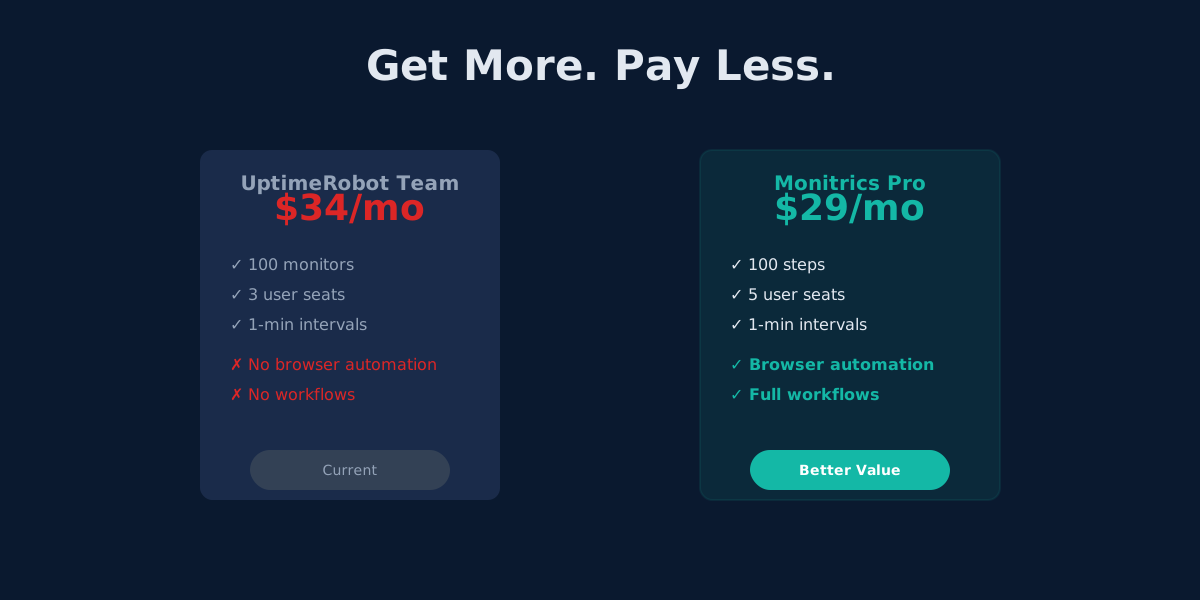
Monitrics Professional costs $19/mo with browser automation included. UptimeRobot Team costs $34/mo without it. The math speaks for itself.
UptimeRobot's Domain Expiry Problem: Why Bundled Monitoring Wins
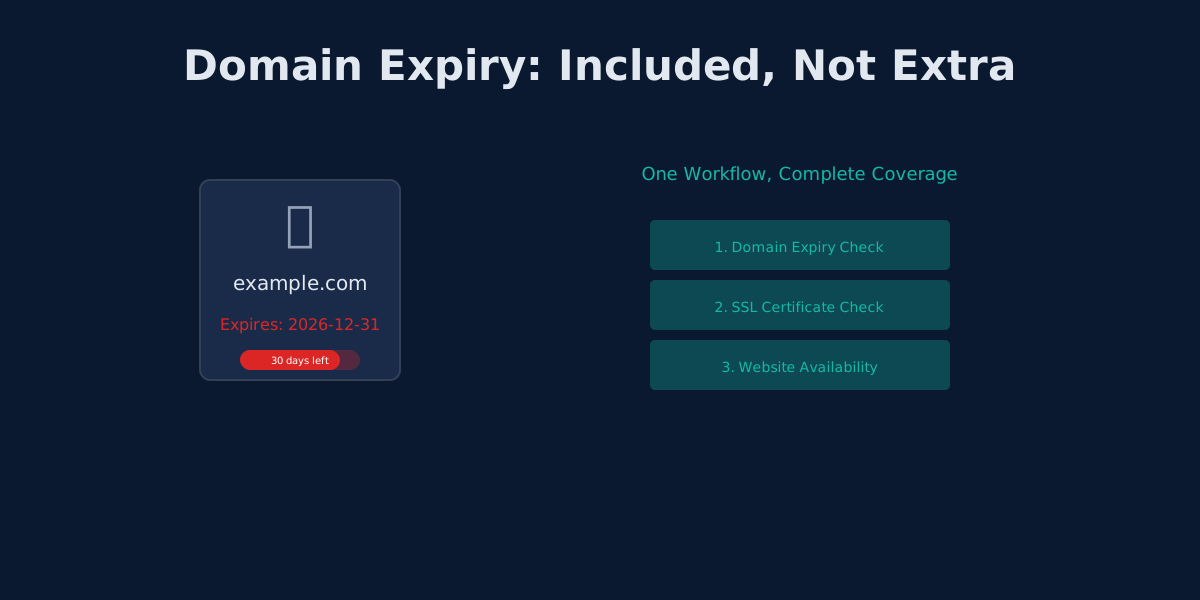
UptimeRobot separates domain, SSL, and HTTP monitoring. Monitrics bundles them into one workflow. Here's why that matters.
The Hidden Cost of UptimeRobot's Solo Plan: Pay More, Get Less
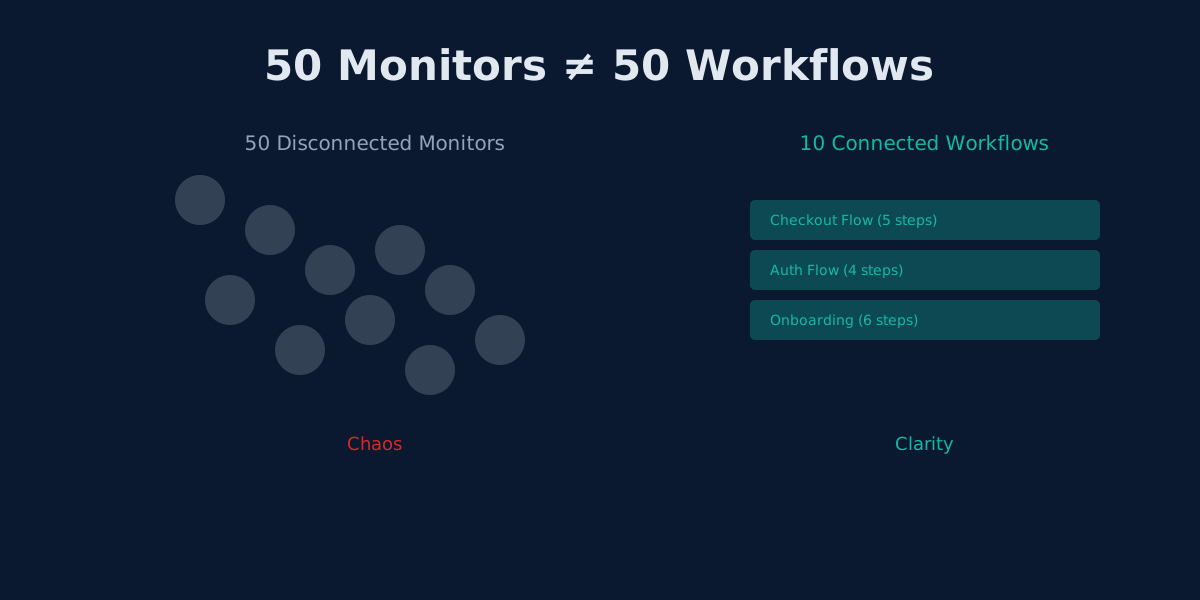
UptimeRobot Solo costs $8/mo but gives only 10 monitors—40 fewer than the free plan. Here's why that math doesn't work.