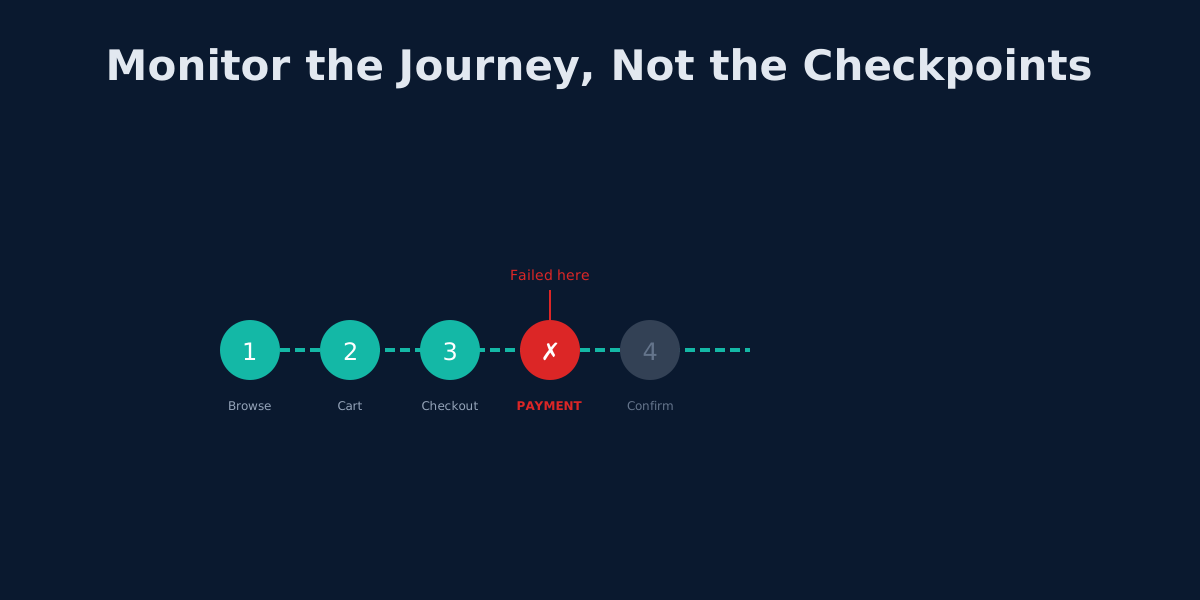
Beyond UptimeRobot: Monitoring Complete User Journeys, Not Just Endpoints
Your API returns 200 OK but users can't check out. Learn why endpoint monitoring creates blind spots and how workflow monitoring fixes them.
Every endpoint on your dashboard is green. API Gateway: 200 OK. Auth Service: 200 OK. Payment API: 200 OK. Database: responding. Frontend: loaded.
You relax. You grab lunch.
Then Slack explodes. Customer support is underwater. Users cannot complete checkout. Revenue is bleeding. And your monitoring dashboard still shows a perfect score.
This is the endpoint illusion -- the dangerous gap between "services are up" and "users can accomplish what they came to do." It is the most common blind spot in modern monitoring, and if you rely on UptimeRobot or any other endpoint-only tool, you are almost certainly exposed to it right now.
Why Individual Endpoint Checks Fall Short
Modern web applications are not single servers. A typical checkout flow touches five to ten services in sequence:
- Frontend SPA -- renders the UI, runs client-side logic
- API Gateway -- routes and rate-limits requests
- Auth Service -- validates tokens, manages sessions
- Cart Service -- tracks items, calculates totals
- Inventory Service -- checks stock levels, reserves units
- Payment Service -- charges the card via Stripe, Braintree, etc.
- Order Service -- creates the order record
- Notification Service -- sends confirmation emails
- Cache Layer -- speeds up repeated lookups
- Message Queue -- handles async processing between services
Each of these can return a healthy response to a ping while the integrated flow between them is completely broken. UptimeRobot will show ten green dots. Your users will see one red error screen.
This disconnect comes from three specific problems that endpoint monitoring cannot solve.
The Dependency Problem
Picture this:
- API Gateway: 200 OK
- Auth Service: 200 OK
- Cart Service: 200 OK
- Payment Service: 503 Service Unavailable
- Notification Service: 200 OK
Four out of five services are healthy. UptimeRobot shows 80% uptime across your monitors. But checkout is 100% broken, because payment is a hard dependency in the chain. Users add items to their cart, fill out their details, click "Pay Now," and hit a wall.
The monitors do not understand that the payment step gates the entire journey. They treat each service as an island. In reality, the checkout flow is a chain, and a chain breaks at its weakest link.
The State Problem
Endpoint monitoring checks whether a service responds. It does not check whether the data flowing between services is correct.
Every service returns 200 OK, but:
- The cart total says $49.99 while the payment service charges $0.00 because of a coupon-processing bug
- The auth token is valid but scoped to the wrong tenant, so the user sees someone else's cart
- The inventory service confirms stock, but the reservation expired three seconds before payment completed
- The order is created but with a null shipping address because the form data was silently dropped
These are real production failures. They produce no 5xx errors. They trigger no downtime alerts. They cost real revenue and real trust.
The Timing Problem
UptimeRobot checks each monitor independently on its own schedule. Consider the timeline:
- 10:00:00 -- API Gateway check passes
- 10:00:15 -- Auth Service check passes
- 10:00:30 -- Cart Service check passes
- 10:00:32 -- Payment Service goes down for 45 seconds
- 10:00:45 -- Notification Service check passes
- 10:01:00 -- Payment Service recovers
- 10:01:15 -- Payment Service check passes
The payment outage lasted 45 seconds. Dozens of users hit it. But because the failure happened between check intervals, your dashboard never showed it. The monitors were never looking at the right moment because they were never looking at the flow as a whole.
A real user hits all these services in a 10-to-30-second window. Individual checks spread across a minute cannot replicate that.
Real Failures That Only Journey Monitoring Catches
These are not hypotheticals. These are categories of failure that endpoint monitoring structurally cannot detect.
JavaScript Errors That Break the UI
What endpoint monitoring sees: Homepage returns 200 OK with the correct HTML.
What actually happened: A dependency update introduced a runtime error in the cart component. The "Add to Cart" button renders but throws an uncaught exception on click. The page is "up." The feature is dead.
Business impact: Zero purchases until someone manually reports the bug.
Silent Authentication Failures
What endpoint monitoring sees: Auth API health check returns 200 OK.
What actually happened: A configuration change broke the token refresh flow. Users can log in, but their session expires after five minutes. Every action after that silently fails, and the frontend shows a blank state instead of an error.
Business impact: Users think the product is broken. Support tickets spike. Churn follows.
Race Conditions Between Services
What endpoint monitoring sees: All services healthy. All response times normal.
What actually happened: Under load, the payment service processes the charge before the order service finishes creating the order record. The payment succeeds. The order creation fails silently. Customers are charged with no order confirmation and no way to track their purchase.
Business impact: Refund requests, chargebacks, and a trust problem that takes months to repair.
Third-Party Integration Failures
What endpoint monitoring sees: Payment API responds to health checks.
What actually happened: Stripe's webhook endpoint changed its IP range. Your firewall blocks the new IPs. Payments process, but confirmation webhooks never arrive. Orders are stuck in "pending" indefinitely.
Business impact: Fulfillment stops. Customers wait. Your payment API technically never went down.
What Journey Monitoring Looks Like in Practice
Instead of five isolated monitors, you define one workflow that walks through the checkout process the way a user would. In Monitrics, that looks like this:
{
  "name": "Checkout Journey",
  "steps": [
    {
      "name": "View Product Page",
      "type": "browser",
      "url": "https://store.example.com/products/laptop",
      "interactions": [
        { "type": "wait_for_selector", "selector": "#add-to-cart", "timeout_ms": 5000 },
        { "type": "click", "selector": "#add-to-cart" },
        { "type": "wait_for_selector", "selector": ".cart-badge", "timeout_ms": 5000 }
      ],
      "assertions": [
        { "field": "page_text", "contains": "Added to cart" }
      ]
    },
    {
      "name": "Open Cart",
      "type": "browser",
      "url": "https://store.example.com/cart",
      "interactions": [
        { "type": "get_text", "selector": ".cart-total", "var_name": "cart_total" },
        { "type": "get_text", "selector": ".item-count", "var_name": "item_count" }
      ],
      "assertions": [
        { "field": "item_count", "equals": "1" }
      ]
    },
    {
      "name": "Begin Checkout",
      "type": "browser",
      "url": "https://store.example.com/cart",
      "interactions": [
        { "type": "click", "selector": "#checkout-button" },
        { "type": "wait_for_navigation", "url": "/checkout", "timeout_ms": 10000 }
      ]
    },
    {
      "name": "Complete Payment",
      "type": "browser",
      "url": "https://store.example.com/checkout",
      "interactions": [
        { "type": "fill", "selector": "#email", "value": "monitor@example.com" },
        { "type": "fill", "selector": "#card-number", "value": "4242424242424242" },
        { "type": "fill", "selector": "#expiry", "value": "12/27" },
        { "type": "fill", "selector": "#cvc", "value": "123" },
        { "type": "click", "selector": "#pay-button" },
        { "type": "wait_for_navigation", "url": "/order/confirmation", "timeout_ms": 30000 }
      ]
    },
    {
      "name": "Verify Confirmation",
      "type": "browser",
      "url": "https://store.example.com/order/confirmation",
      "interactions": [
        { "type": "get_text", "selector": ".order-number", "var_name": "order_id" }
      ],
      "assertions": [
        { "field": "order_id", "exists": true },
        { "field": "page_text", "contains": "Thank you for your order" },
        { "field": "page_load_time", "less_than": 3000 }
      ]
    }
  ]
}
This is not five separate monitors. It is one workflow that validates the complete experience. Every step runs in sequence, in a real browser, with real interactions. If step 3 fails, you know exactly where the journey broke and you know it broke before payment was attempted.
Why Sequential Steps Change Everything
Journey monitoring is not just "running tests more often." The sequential, connected nature of workflows gives you capabilities that isolated checks cannot provide.
Context That Points to Root Cause
An isolated monitor tells you: "Payment API returned 500."
A journey workflow tells you: "Step 4 of 5 failed -- payment form submission timed out after 30 seconds during the checkout journey. Steps 1 through 3 succeeded. The cart contained 1 item at $499.99. The user was authenticated. The failure is isolated to the payment processing step."
That is the difference between an alert that wakes someone up and an alert that actually helps them fix the problem.
Variable Passing Between Steps
With Monitrics, you can extract data from one step and validate it in a later step:
Step 2: Extract cart_total = "$499.99"
Step 4: Validate payment amount matches cart_total
Step 5: Confirm order total references the same amount
This catches the entire class of "data got lost or corrupted between services" bugs. If the cart says $499.99 but the confirmation page says $0.00, the assertion fails and you know exactly where the data went wrong.
UptimeRobot monitors are isolated. There is no concept of passing data between checks because each check is a standalone operation.
Dependency-Aware Failure Detection
When steps run sequentially, a failure in step 3 means steps 4 and 5 do not execute. You immediately know the root cause is at step 3, not at steps 4 or 5.
With isolated monitors, you might see three failures at once and waste time investigating whether they are related. They are -- but endpoint monitoring has no way to tell you that.
Business Logic Assertions
Endpoint monitoring asks: "Did the server respond?"
Journey monitoring lets you ask:
- Does the cart show the correct item count after adding a product?
- Does the checkout total match the cart total plus tax plus shipping?
- Does the confirmation page display a valid order number?
- Does the confirmation email arrive within 60 seconds?
These are the questions your customers care about. If the answer to any of them is "no," the fact that every server returned 200 OK is irrelevant.
Building Your First User Journey Workflow
If you are coming from endpoint monitoring, here is a practical guide to building your first journey workflow.
1. Map Your Critical Journeys
Start by listing the flows that directly impact your business:
- Signup and onboarding -- can new users create an account and reach the product?
- Login and session management -- can returning users access their data?
- Core product action -- can users do the primary thing your product exists for?
- Checkout and payment -- can users complete a purchase?
- Account management -- can users update billing, change passwords, invite teammates?
Rank them by business impact. The flow that generates revenue goes first.
2. Break Each Journey Into Steps
For a checkout journey:
1. Load product page        (browser: navigate, wait for content)
2. Add item to cart          (browser: click button, verify feedback)
3. View cart                 (browser: navigate, extract totals)
4. Start checkout            (browser: click checkout, wait for form)
5. Enter payment details     (browser: fill form fields)
6. Submit payment            (browser: click submit, wait for redirect)
7. Verify confirmation       (browser: check order ID, verify text)
Each step should do one thing and validate one outcome.
3. Choose Step Types
Monitrics supports multiple step types within a single workflow:
- Browser steps for anything a user interacts with -- clicking, filling, navigating, reading
- HTTP steps for direct API validation -- checking a REST endpoint returns the right payload
- TCP/DNS/ICMP steps for infrastructure verification -- confirming services are reachable
A checkout workflow might be all browser steps. An API integration workflow might mix HTTP steps with browser steps for the dashboard that displays the results.
4. Add Assertions and Variables
For each step, define what "success" means beyond just "no error":
- Page content assertions -- the confirmation page contains "Order confirmed"
- Extracted variable checks -- the order ID is not empty
- Performance assertions -- page load time is under 3 seconds
- Cross-step validation -- the total on the confirmation matches the total in the cart
Variables are what turn a sequence of steps into an integrated workflow. Without them, you have a script. With them, you have a monitoring system that understands your business logic.
5. Set the Schedule and Alerts
Run the workflow on a schedule that matches the flow's importance. A checkout journey might run every 5 minutes. A settings page workflow might run every 30 minutes.
Configure alerts so the right people know immediately when a journey breaks -- not when an endpoint fluctuates.
Migrating from UptimeRobot to Journey Monitoring
If you have an existing UptimeRobot setup, here is a four-week migration plan.
Week 1: Audit and Group
Export your current UptimeRobot monitors. Group them by the user journey they belong to:
| UptimeRobot Monitor | Journey |
|---|---|
| Homepage HTTP check | Signup |
| Login page keyword check | Login |
| API /products endpoint | Checkout |
| API /cart endpoint | Checkout |
| API /payments endpoint | Checkout |
| Dashboard keyword check | Core product |
You will likely find that 15-20 isolated monitors map to 3-5 user journeys.
Week 2: Build Your First Workflow
Take your most critical journey and convert it into a Monitrics workflow:
- Create a new workflow in Monitrics
- Add browser steps that replicate how a real user moves through the flow
- Add assertions that validate business outcomes, not just HTTP status
- Connect steps with variables so data flows through the journey
- Test the workflow manually to verify it catches the failures you care about
The Monitrics Starter plan is free and includes 50 steps, which is enough for several multi-step workflows.
Week 3: Expand to Other Journeys
Repeat the process for your remaining critical flows. Most teams need three to five workflows to cover their key user journeys:
- Signup/onboarding workflow
- Login/session workflow
- Core product workflow
- Checkout/payment workflow
Week 4: Tune and Transition
- Review alert thresholds and reduce noise
- Remove redundant UptimeRobot monitors that are now covered by workflows
- Keep any UptimeRobot monitors that serve a different purpose (simple availability for status pages, etc.)
- Add performance assertions to catch degradation before it becomes an outage
Pricing: What This Actually Costs
UptimeRobot's pricing is built around isolated monitors:
| Plan | Price | Monitors |
|---|---|---|
| Free | $0/mo | 50 monitors |
| Solo | $8/mo | 10 monitors |
| Team | $34/mo | 100 monitors |
| Enterprise | $64/mo | 200 monitors |
Every monitor is a standalone check. There are no multi-step workflows, no variable passing between checks, and no browser automation.
Monitrics is built around workflow steps:
| Plan | Price | Steps | Key Feature |
|---|---|---|---|
| Starter | $0/mo | 50 steps | Multi-step workflows |
| Professional | $19/mo | 100 steps | Browser automation |
| Enterprise | $49/mo | Unlimited | Full platform |
A 5-step checkout workflow uses 5 steps in Monitrics. To approximate the same coverage in UptimeRobot, you would need 5 separate monitors -- and you still would not have sequential execution, variable passing, or browser interactions.
The Professional plan at $19/mo gives you browser automation across 100 steps. That is roughly 20 five-step workflows with real Chromium execution, which is more journey coverage than most teams need.
The Shift in Thinking
Moving from endpoint monitoring to journey monitoring is not just a tool change. It is a shift in what you consider "working."
Endpoint monitoring answers: "Are my servers responding?"
Journey monitoring answers: "Can my users accomplish their goals?"
The first question matters to your infrastructure team. The second question matters to your business. Both questions have value, but if you can only pick one -- and most teams should start with one -- the second question is the one that catches the failures your customers actually feel.
Your API returning 200 OK means nothing if users cannot check out. Your database responding to health checks means nothing if the data it returns is stale. Your frontend loading means nothing if a JavaScript error breaks the one button that matters.
Stop monitoring endpoints in isolation. Start monitoring the journeys your users actually take.
Ready to monitor what actually matters? Start with Monitrics Free -- 50 steps, multi-step workflows, no credit card required. Build your first user journey workflow in minutes and see what endpoint monitoring has been missing.
Related Articles
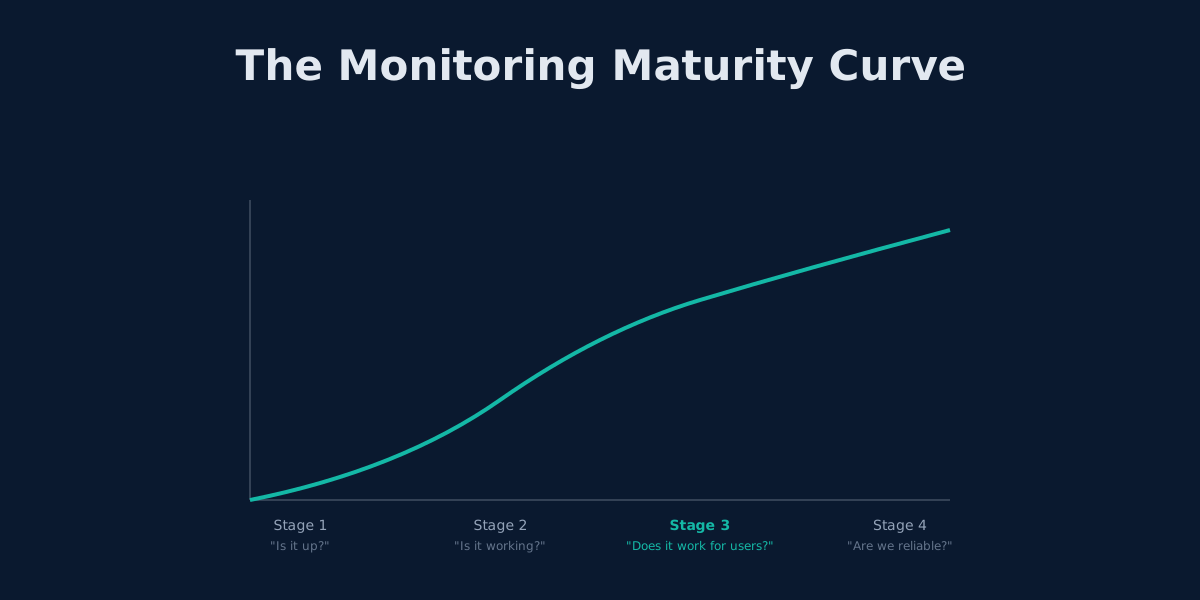
Outgrowing UptimeRobot: When Simple Monitoring Isn't Enough
UptimeRobot works for basic uptime checks. Here's how to tell when you've outgrown it and what comes next.
The 3 AM Page: How to Design Alerting That Lets You Sleep
Alert fatigue is burning out engineering teams. Learn to design wake-up-worthy alerts, implement SLO-based monitoring, and build on-call rotations that don't destroy sleep.
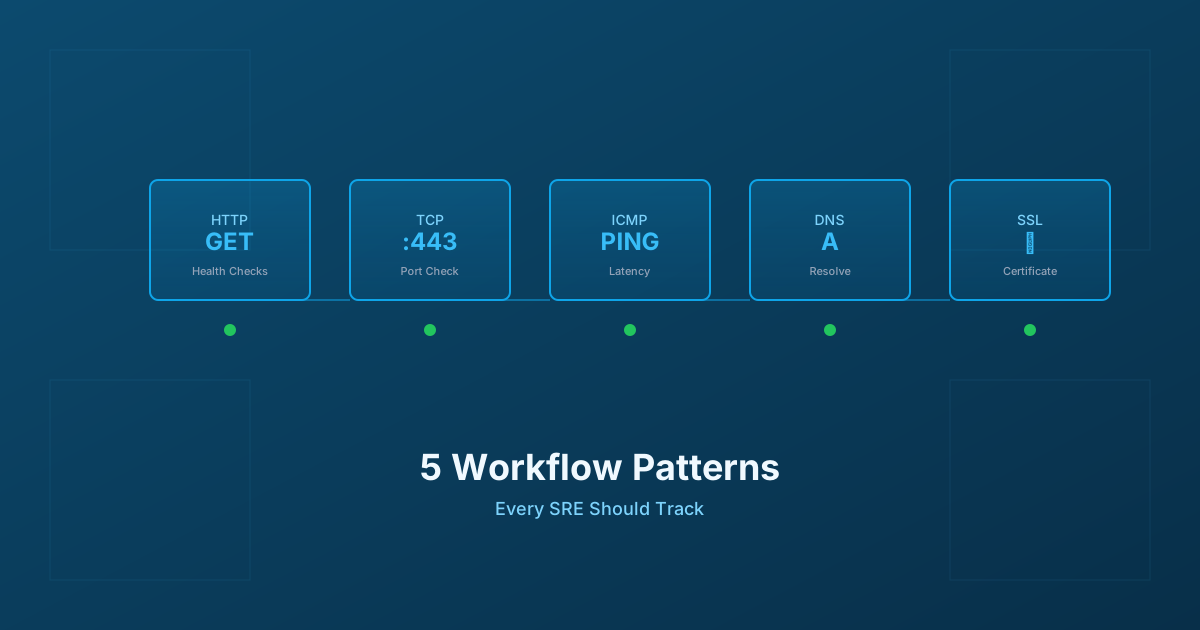
5 Workflow Monitoring Patterns Every SRE Should Track
Essential workflow monitoring patterns for Site Reliability Engineers: HTTP health checks, TCP connectivity, ICMP ping, DNS resolution, and SSL certificate monitoring with practical implementation guidance.