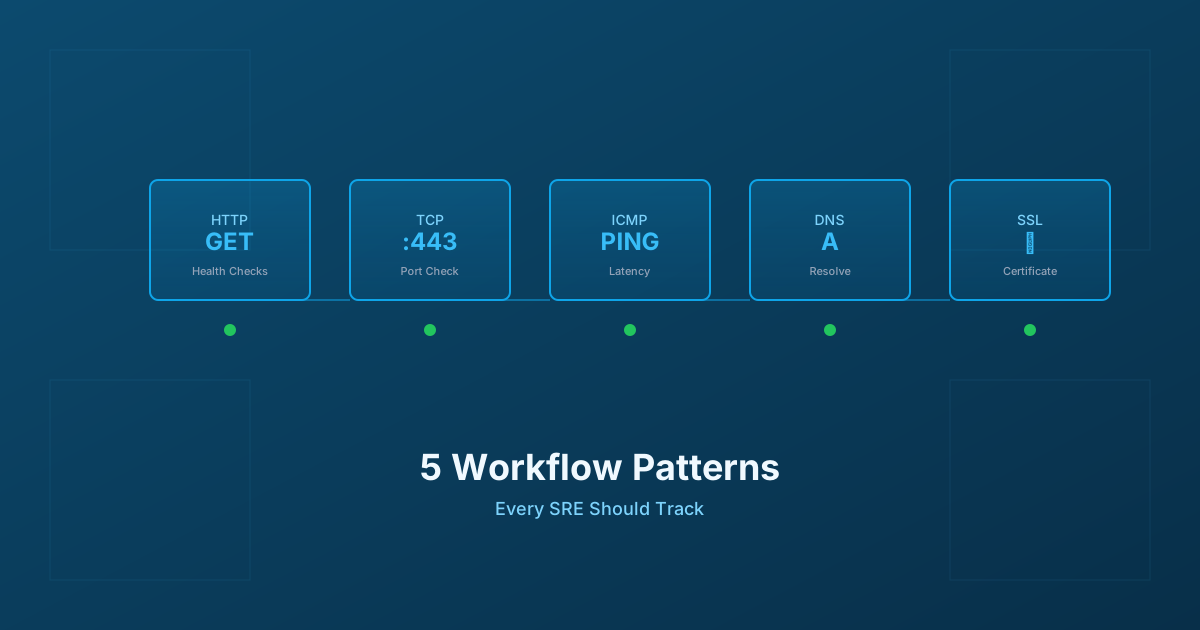
5 Workflow Monitoring Patterns Every SRE Should Track
Essential workflow monitoring patterns for Site Reliability Engineers: HTTP health checks, TCP connectivity, ICMP ping, DNS resolution, and SSL certificate monitoring with practical implementation guidance.
5 Workflow Monitoring Patterns Every SRE Should Track
Published: February 2026 | Reading Time: 10 minutes
Modern reliability engineering has moved far beyond simple uptime checks. When someone asks "is the system up?", what they really mean is "can users accomplish their goals?" Answering that question requires monitoring at multiple layers of your stack, each revealing different failure modes and performance characteristics.
After years of building and operating distributed systems, we've identified five monitoring patterns that every SRE team should implement. These aren't just nice-to-haves—they're the foundation of comprehensive system observability. Let's explore each one, understand why it matters, and examine how to implement it effectively.
HTTP Endpoint Monitoring: The Foundation You Can't Skip
HTTP health checks remain the most important monitoring pattern because they validate what users actually experience. A server can have healthy CPU, memory, and network metrics while still returning errors to users. HTTP checks catch what infrastructure metrics miss.
The art of HTTP monitoring lies in designing meaningful health endpoints. A simple ping that returns 200 OK tells you almost nothing—your web server is responding, but is your application actually functional? The most useful health checks validate dependencies: can we reach the database? Is the cache responding? Are downstream services available?
Modern health check responses have evolved to include structured information about each dependency. Instead of a binary pass/fail, a well-designed health endpoint returns the status of every critical component, their response times, and any degradation. This transforms debugging from "something is broken" to "the cache is slow and here's how slow."
When configuring HTTP monitoring, focus on percentile latencies rather than averages. An average response time of 200ms might hide the fact that 1% of your users experience 5-second delays. Track your p50 (median), p95, and p99 latencies separately. The tail latencies often reveal problems that averages mask.
For response time thresholds, consider your SLOs. If you've committed to 95% of requests completing within 200ms, your monitoring should alert when you're burning that error budget too quickly. A sustained p95 of 250ms for an hour burns budget faster than a brief spike to 500ms—your alerting should reflect that nuance.
Status code monitoring extends beyond watching for 5xx errors. Different status codes require different responses. A spike in 4xx errors might indicate a client bug, a changed API contract, or a deployment that broke backwards compatibility. Server errors demand immediate investigation; client errors demand investigation before your users notice and complain.
TCP Connectivity Monitoring: Going Beneath the Application Layer
HTTP monitoring works for web services, but many critical systems communicate over raw TCP. Your database servers, message queues, email infrastructure, and countless internal services expose TCP ports rather than HTTP endpoints. For these systems, TCP monitoring is essential.
TCP checks validate something HTTP checks often assume: that network-level connectivity exists at all. A TCP connection test verifies the port is open, the server is accepting connections, and the network path between your monitor and the target is functional. These are lower-level concerns that can fail independently of application health.
The simplest TCP check just verifies that a connection can be established. This catches network issues, firewall misconfigurations, and services that have crashed entirely. But you can go deeper: measure the time to establish the connection, validate TLS handshakes, and even send protocol-specific payloads to verify the service responds correctly.
For database monitoring, TCP checks on ports 5432 (PostgreSQL), 3306 (MySQL), or 6379 (Redis) verify that the database process is running and accepting connections. This catches different failure modes than application-level database queries—a database might accept TCP connections while refusing authentication, or accept authentication while serving stale data.
Connection quality metrics reveal performance issues that application metrics might miss. If your TCP handshake times are climbing, it suggests network congestion or server overload that will eventually impact users. If you're seeing connection timeouts or resets, something is fundamentally wrong with the network path.
TCP monitoring also feeds naturally into circuit breaker patterns. When your monitoring detects that a downstream service is failing TCP checks, your application can preemptively fail fast rather than waiting for timeouts. This improves user experience during partial outages and prevents cascade failures where one struggling service brings down its callers.
ICMP Ping Monitoring: Network Reachability at Its Most Basic
ICMP ping is the oldest monitoring pattern and remains valuable for specific use cases. When you need to know whether a host is reachable at the network layer—not whether any service is running, just whether packets can reach it—ping is the answer.
The technical mechanism is straightforward: your monitor sends an ICMP Echo Request (Type 8), and the target responds with an Echo Reply (Type 0). The round-trip time tells you the network latency, and packet loss tells you about network reliability.
Ping shines for monitoring network infrastructure itself. Routers, switches, and gateways typically don't run HTTP services, but they do respond to ping. If your core router stops responding to ping, you have a serious problem that no amount of application monitoring would detect.
Server uptime verification is another valid use case. Before investigating why an application isn't responding, a quick ping tells you whether the underlying host is even reachable. This basic triage saves time during incident response.
However, ping has significant limitations in modern cloud environments. Many cloud providers block ICMP at the edge, so ping checks may fail even when the underlying system is healthy. Ping also tells you nothing about application-layer functionality—a server can respond to ping while every service on it has crashed.
For meaningful ping monitoring, establish baselines over weeks to understand normal latency and jitter for each target. Alert when latency exceeds several standard deviations from the mean, or when packet loss exceeds your tolerance threshold. But always supplement ping with application-layer checks; ping should inform your network troubleshooting, not be your primary health signal.
DNS Monitoring: The Invisible Dependency That Breaks Everything
DNS issues have a unique characteristic: they manifest as every other kind of problem. When DNS is slow, applications are slow. When DNS fails, applications appear unreachable even though everything else is working. Yet most teams barely monitor DNS at all.
Every network request begins with DNS resolution. Before your browser can contact api.example.com, it must resolve that name to an IP address. If your DNS is slow, every request is slow. If your DNS returns the wrong answer, your traffic goes to the wrong place. If your DNS fails, nothing works.
Resolution time monitoring should track how long queries take across different record types. A records for IPv4, AAAA for IPv6, MX for email routing, CNAME for aliases—each has different performance characteristics and failure modes. Cached queries should resolve in under 10 milliseconds; recursive queries might take up to 100 milliseconds. Anything consistently slower indicates a problem.
Record validation catches a different class of issues. Is your DNS returning the IP addresses you expect? Are TTLs configured correctly? Are DNSSEC signatures valid and not about to expire? Configuration drift can cause DNS to serve incorrect answers, and those issues are almost impossible to diagnose without proactive monitoring.
DNS propagation monitoring becomes critical during changes. When you update a DNS record, the old value can persist in caches worldwide for hours or days depending on TTL configuration. After making changes, query global DNS servers to verify the new value is propagating correctly.
Common DNS issues that monitoring catches include NXDOMAIN storms where applications hammer non-existent domains, SERVFAIL responses indicating server misconfiguration, and CNAME chains that add unnecessary latency to every resolution. These issues cause user-visible problems but are invisible to application metrics.
SSL/TLS Certificate Monitoring: The Expiration Time Bomb
Certificate expiration remains a leading cause of production outages, and it's entirely preventable. Unlike the other monitoring patterns we've discussed, certificate monitoring isn't about detecting current problems—it's about predicting future ones before they happen.
The risk has intensified as certificate validity periods shorten. Industry mandates are pushing maximum validity down to 200 days by 2026, then 100 days, and eventually just 47 days by 2029. With shorter validity periods, the window between "should renew" and "expired outage" shrinks dramatically. Manual renewal processes that worked for annual certificates will fail catastrophically with 47-day certificates.
Effective certificate monitoring uses escalating alert thresholds. A 30-day warning provides time for standard renewal processes. A 14-day alert escalates to team leads if the first warning was missed. A 7-day alert reaches executives because expiration is imminent. A 1-day alert triggers emergency response.
Beyond expiration, certificate monitoring should validate the entire trust chain. Is the certificate issued by a trusted CA? Do the Subject Alternative Names cover all domains you're serving? Is the hostname in the request actually matched by the certificate? Are any intermediate certificates missing?
TLS configuration monitoring catches security issues. Your certificates might be valid, but are you serving them over protocols with known vulnerabilities? TLS 1.3 is recommended; TLS 1.2 is acceptable with strong cipher suites; anything older should be disabled. Weak cipher suites, even on current TLS versions, create security risks that automated scanning tools will flag.
For organizations with automated certificate renewal (through ACME/Let's Encrypt or similar), monitoring the renewal process itself is essential. The renewal might be automated, but if automation fails silently, you'll still experience an outage. Monitor that renewals are actually happening, not just that current certificates are valid.
Bringing It All Together: The Four Golden Signals
These five monitoring patterns feed into Google's four golden signals for any service: latency, traffic, errors, and saturation.
Latency tells you how long requests take to serve. Your HTTP monitoring provides this directly, but TCP connection times and DNS resolution times contribute to total latency. When users experience slowness, examining each layer reveals where time is being spent.
Traffic shows demand on your system. Request rates from HTTP monitoring, connection counts from TCP monitoring, and query volumes from DNS all paint a picture of how much load your infrastructure is handling. Unusual traffic patterns—both spikes and drops—warrant investigation.
Errors indicate things going wrong. HTTP status codes, TCP connection failures, DNS resolution failures, and certificate validation errors all represent different categories of failure that impact users in different ways.
Saturation reveals how "full" your services are. While not directly measured by these five patterns, the performance degradation they detect often correlates with systems approaching capacity limits.
The real power comes from implementing all five patterns simultaneously. A user complaint of "the site is slow" becomes actionable when you can check HTTP response times (normal), TCP connection times (normal), DNS resolution times (elevated), and determine that a DNS configuration change is the culprit. Without comprehensive monitoring, you're guessing.
Ready to implement comprehensive monitoring for your systems? Monitrics provides HTTP, TCP, ICMP, and DNS monitoring from multiple geographic regions, catching issues before your users experience them. Get started at Monitrics.
Related Articles
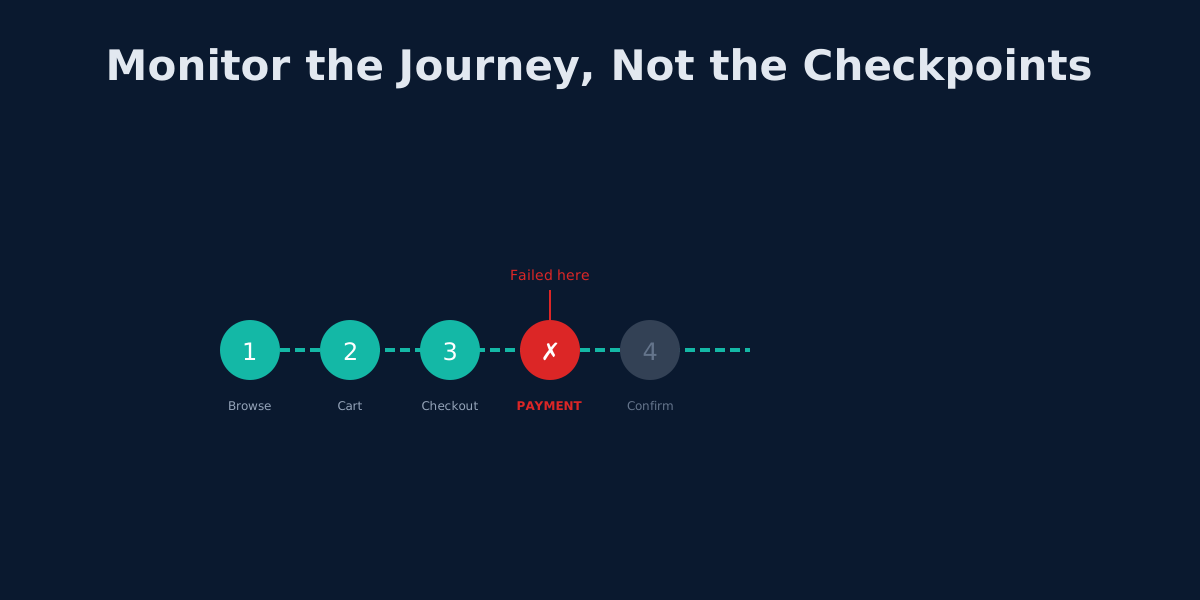
Beyond UptimeRobot: Monitoring Complete User Journeys, Not Just Endpoints
Your API returns 200 OK but users can't check out. Learn why endpoint monitoring creates blind spots and how workflow monitoring fixes them.
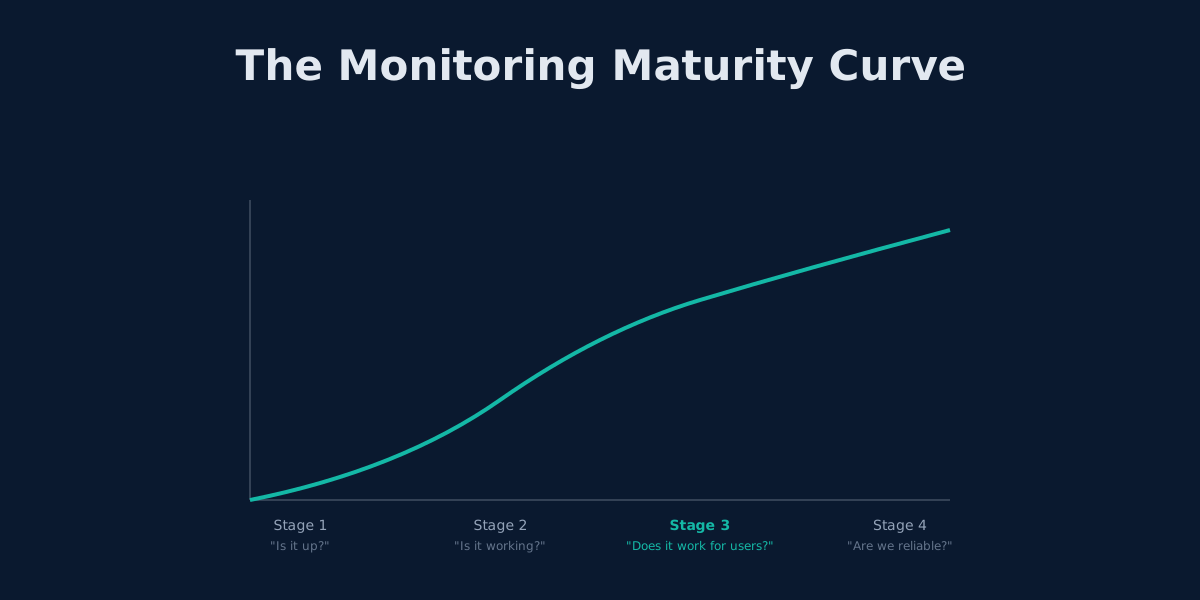
Outgrowing UptimeRobot: When Simple Monitoring Isn't Enough
UptimeRobot works for basic uptime checks. Here's how to tell when you've outgrown it and what comes next.

The 3 AM Page: How to Design Alerting That Lets You Sleep
Alert fatigue is burning out engineering teams. Learn to design wake-up-worthy alerts, implement SLO-based monitoring, and build on-call rotations that don't destroy sleep.