Outgrowing UptimeRobot: When Simple Monitoring Isn't Enough
UptimeRobot works for basic uptime checks. Here's how to tell when you've outgrown it and what comes next.
2.7 Million Users. How Many Have Outgrown It?
UptimeRobot serves 2.7 million users. That number reflects something real: UptimeRobot is accessible, straightforward, and genuinely useful for basic uptime monitoring. If all you need to know is whether your site responds to HTTP requests, it does the job well.
But applications grow. Teams grow. Customer expectations grow. And at some point, the gap between "the server responded" and "the product actually works" becomes the gap where outages hide.
This article is about recognizing that moment. Not because UptimeRobot is bad -- it is not -- but because staying with a tool you have outgrown costs more than switching ever will.
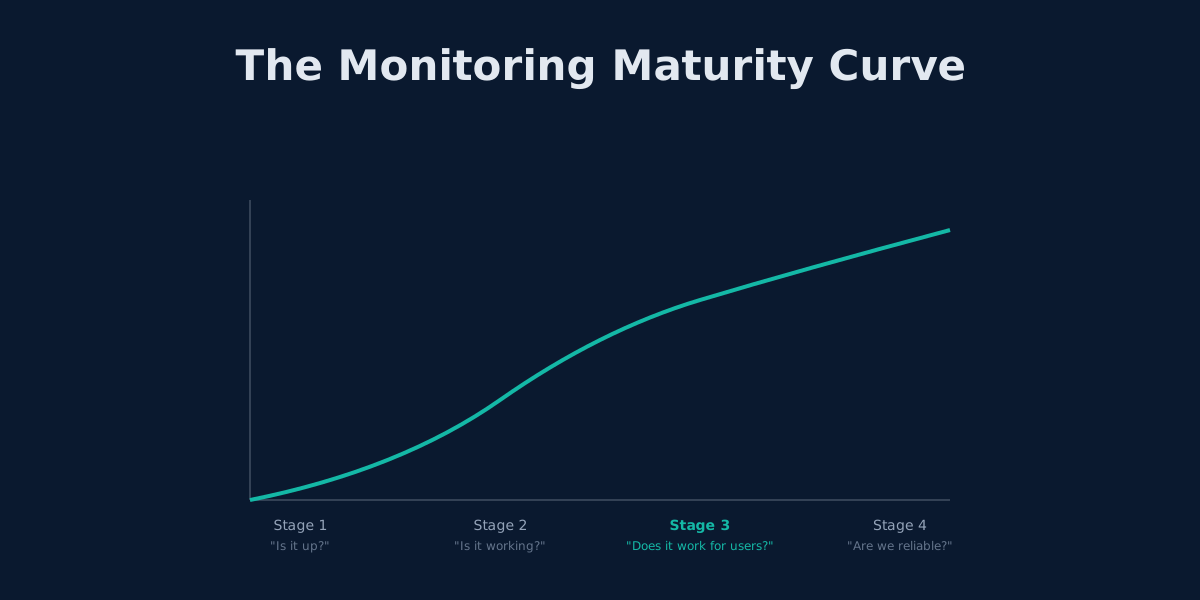
The Monitoring Maturity Model
Monitoring needs evolve through four distinct stages. Most teams progress through them naturally as their product matures, though the tools they use do not always keep pace.
Stage 1: "Is It Up?"
This is where every team starts. You point a monitor at a URL and check whether it returns a 200 status code. If it does not, you get an alert.
UptimeRobot's free tier handles this perfectly. You get 50 monitors, 5-minute check intervals, and basic alerting. For a side project, a landing page, or an early-stage startup, this is exactly right.
Typical setup: HTTP monitors on your homepage, API root, and maybe a status page.
Stage 2: "Is It Working?"
You start caring about more than availability. Does the API return valid data? Is the SSL certificate expiring soon? Are response times degrading?
At this stage, teams typically add keyword monitoring, SSL checks, and response time thresholds. UptimeRobot covers some of this, though you begin to notice limitations: you cannot validate response bodies beyond keyword presence, and you cannot chain requests together.
Typical setup: 20-40 monitors covering individual endpoints, keyword checks on critical pages, SSL expiry alerts.
Stage 3: "Does It Work for Users?"
This is the stage where UptimeRobot starts to fall short. Your API endpoint returns 200, but the checkout form is broken because a JavaScript error prevents the submit button from working. Your login page loads, but the OAuth redirect fails silently.
At Stage 3, you need browser automation, multi-step workflows, and assertions that go deeper than HTTP status codes. You need to simulate what users actually do, not just verify that servers respond.
Typical setup: Workflow monitors that execute full user journeys -- login, add to cart, checkout, verify confirmation -- with assertions at every step.
Stage 4: "Are We Reliable?"
Mature teams move beyond detecting failures to preventing them. They monitor from multiple regions, track reliability over time, enforce SLA budgets, and treat monitoring as infrastructure rather than an afterthought.
Typical setup: Multi-region workflow monitoring, error budgets, automated incident response, performance baselines.
Most UptimeRobot users sit between Stage 1 and Stage 2. If you are reading this article, you are probably approaching Stage 3 -- and that is exactly where the limitations start to bite.
7 Signs You Have Outgrown UptimeRobot
1. Your Monitors Say Green, but Users Say Broken
This is the most common and most expensive symptom. Your UptimeRobot dashboard shows 100% uptime while your support inbox fills with complaints.
It happens because:
- An endpoint returns 200 OK, but the response body contains an error message
- The HTML loads, but a JavaScript failure breaks the interactive elements
- The API responds, but with stale or incorrect data
- Individual services are up, but the integration between them is broken
UptimeRobot checks endpoints in isolation. User journeys are not isolated. A checkout flow touches your frontend, authentication service, product API, payment provider, and email service. If any link in that chain breaks, the user experience breaks. But each individual endpoint might still return 200.
This is the gap between "uptime" and "availability." Your server has uptime. Your product does not have availability.
2. Monitor Sprawl: More Monitors Than Features
Every new feature spawns a handful of monitors:
- The page itself (HTTP check)
- The API endpoint behind it (HTTP check)
- The database it depends on (TCP/port check)
- The third-party service it integrates with (HTTP check)
You started with 10 monitors. Now you have 47. You are three monitors away from UptimeRobot's free-tier limit of 50. And you are not even covering half of your actual user flows.
This is monitor sprawl. The symptom is hitting plan limits. The cause is that endpoint-based monitoring scales linearly with your architecture, while workflow-based monitoring scales with your user journeys -- which grow much more slowly.
A checkout flow that requires 8 separate UptimeRobot monitors can be covered by a single Monitrics workflow with 8 steps. The difference is not just organizational. It is the difference between "all 8 endpoints are up" and "a user can actually complete a purchase."
3. Your Most Important Features Are Unmonitored
UptimeRobot cannot log into your application. It cannot fill out forms. It cannot click buttons. It cannot follow redirects through an OAuth flow.
That means everything behind authentication -- which is typically everything your paying customers use -- is a blind spot:
- User dashboards
- Account settings
- Admin panels
- Billing and subscription management
- Any feature that requires a session
The features most critical to your revenue are the features UptimeRobot cannot reach. You are monitoring the lobby while the building is on fire.
With browser automation, Monitrics can navigate login flows, fill credentials, interact with authenticated pages, and verify that what users see after logging in actually works.
4. Alert Fatigue Has Set In
You used to jump when an UptimeRobot alert came in. Now you glance at your phone, assume it is a false positive, and go back to what you were doing.
This is alert fatigue, and it is dangerous. It happens when:
- Transient network issues trigger alerts that resolve before you can investigate
- Individual endpoint flaps cause cascading notifications
- You monitor so many things that the signal-to-noise ratio collapses
- Alerts lack context, so every notification requires manual investigation to determine severity
The irony is that adding more monitors to improve coverage makes alert fatigue worse. More monitors means more potential false positives, which means more noise, which means more ignored alerts, which means you miss the real failures.
Workflow-based monitoring reduces alert fatigue structurally. Instead of getting separate alerts for 8 endpoints, you get one alert that says "the checkout flow is broken at step 4 (payment processing)" -- with context about what failed and why.
5. You Need to Know Which Step Failed and Why
When UptimeRobot reports a failure, you get a URL, a status code, and a timestamp. Then the investigation begins.
Was it a transient issue? Is it still down? What does this endpoint do in the context of the user journey? Are other endpoints affected? What is the user impact?
You spend 10 minutes answering questions that your monitoring should have answered for you.
Workflow monitoring provides failure context by design. When a multi-step workflow fails, you know:
- Which step failed (step 4 of 7: payment submission)
- What the previous steps returned (cart total, user session, product IDs)
- Whether earlier steps are degraded (login took 3 seconds instead of 200ms)
- The business impact (users cannot complete purchases)
That context is the difference between a 5-minute fix and a 45-minute investigation.
6. Microservices Made Endpoint Monitoring Meaningless
If your architecture has evolved from a monolith to microservices, you have a new problem: the number of things to monitor has exploded, but the relationships between them matter more than their individual status.
A typical microservices checkout flow might involve:
- API gateway
- Authentication service
- Product catalog service
- Inventory service
- Cart service
- Payment service
- Order service
- Notification service
Each service might be healthy individually. But if the cart service cannot reach the inventory service due to a network policy change, checkouts fail silently. UptimeRobot will show 8 green monitors. Your users will see a broken checkout.
Workflow monitoring tests the path, not the nodes. It catches integration failures that endpoint monitoring cannot see.
7. Your Product Has Complex User Journeys
If your product involves any of the following, endpoint monitoring is insufficient:
- Multi-step forms that persist state across pages
- Payment flows with third-party redirects (Stripe, PayPal)
- File uploads followed by processing and confirmation
- Real-time features (WebSocket connections, live updates)
- Multi-tenant workflows where different customers see different behavior
- Onboarding sequences with email verification or approval steps
These are not edge cases. These are the core flows that define whether your product works. And none of them can be validated by checking a single URL.
The Solo Plan Trap
Here is something that catches many UptimeRobot users off guard.
UptimeRobot's free tier gives you 50 monitors. If you need more features -- like 1-minute intervals, custom HTTP headers, or maintenance windows -- you might consider upgrading to the Solo plan.
The Solo plan costs $8 per month. But it only includes 10 monitors. That is 40 fewer monitors than the free tier.
Read that again: you pay $8/month and lose 80% of your monitors.
To get back to 50+ monitors with advanced features, you need the Team plan at $34/month (100 monitors) or the Enterprise plan at $64/month (200 monitors). And none of these plans include browser automation, multi-step workflows, or variable passing between steps.
For comparison, Monitrics pricing:
| Plan | Price | What You Get |
|---|---|---|
| Starter | Free | 50 steps, HTTP/TCP/DNS/ICMP checks |
| Professional | $19/mo | 100 steps, browser automation, variables, assertions |
| Enterprise | $49/mo | Unlimited steps, priority support, advanced features |
At $19/month -- less than UptimeRobot's $34/month Team plan -- you get browser automation, workflow orchestration, variable passing between steps, and assertions that validate actual behavior. At $49/month, you get unlimited steps, which means you never have to worry about monitor count again.
The issue is not that UptimeRobot is expensive. The issue is that you pay more for features that still do not solve the fundamental problem: you are monitoring endpoints, not user experiences.
The Migration Path: From Checks to Workflows
Moving from UptimeRobot to workflow-based monitoring does not have to be a big-bang migration. It works best as a gradual transition across five phases.
Phase 1: Audit Your Current Monitors
Export or list all your UptimeRobot monitors. Group them by the user journey they relate to:
Login Journey:
  - GET /login (Monitor #1)
  - POST /api/auth (Monitor #2)
  - GET /dashboard (Monitor #3)

Checkout Journey:
  - GET /products (Monitor #4)
  - POST /api/cart (Monitor #5)
  - GET /checkout (Monitor #6)
  - POST /api/payment (Monitor #7)
  - GET /order/confirmation (Monitor #8)

Signup Journey:
  - GET /signup (Monitor #9)
  - POST /api/users (Monitor #10)
  - GET /onboarding (Monitor #11)
You will likely find that 30-50 individual monitors map to 5-8 user journeys.
Phase 2: Identify What Cannot Be Monitored Today
For each user journey, note the gaps:
- Steps that require authentication
- Steps that depend on data from previous steps (a cart ID, a session token, a confirmation code)
- Steps that involve browser interaction (clicking, filling forms, waiting for elements)
- Steps where you need to validate visual elements or page content
These gaps are your highest-risk blind spots -- and the strongest case for workflow monitoring.
Phase 3: Build Your First Workflow
Start with your most critical user journey. For most applications, this is either the login flow or the primary conversion flow (signup, checkout, or subscription).
Convert the related monitors into a single workflow with connected steps. Each step can pass data to the next using variables:
{
  "name": "Checkout Flow",
  "steps": [
    {
      "type": "http",
      "method": "POST",
      "url": "/api/auth",
      "assertions": [{ "field": "status", "operator": "eq", "value": 200 }],
      "extract": { "token": "response.body.token" }
    },
    {
      "type": "http",
      "method": "POST",
      "url": "/api/cart",
      "headers": { "Authorization": "Bearer {token}" },
      "assertions": [{ "field": "status", "operator": "eq", "value": 201 }]
    }
  ]
}
Phase 4: Add Browser Steps for Critical Paths
For journeys where the UI matters -- and it almost always matters -- add browser automation steps:
{
  "type": "browser",
  "url": "https://app.example.com/checkout",
  "interactions": [
    { "type": "fill", "selector": "#email", "value": "test@example.com" },
    { "type": "fill", "selector": "#card-number", "value": "4242424242424242" },
    { "type": "click", "selector": "#submit-payment" },
    { "type": "wait_for_selector", "selector": ".confirmation-message" },
    { "type": "get_text", "selector": ".order-id", "var_name": "order_id" }
  ]
}
This single step replaces 3-4 individual UptimeRobot monitors and validates something none of them could: that a real user can actually complete the checkout.
Phase 5: Run in Parallel, Then Cut Over
Keep your UptimeRobot monitors running alongside your new workflows for 2-4 weeks. Compare the results:
- How many UptimeRobot alerts were real issues vs. false positives?
- How many workflow alerts caught issues UptimeRobot missed entirely?
- How much faster was your response time with workflow failure context?
Most teams find that workflows catch 2-3 issues per week that endpoint monitors miss. After the parallel period, you can confidently decommission the UptimeRobot monitors that are now covered by workflows.
The Cost of Waiting
Every month you stay on monitoring that does not match your product's complexity, you accumulate risk:
- Silent failures that affect users but never trigger an alert
- Slower incident response because alerts lack context
- Customer churn from reliability problems you did not detect
- Engineer burnout from investigating false positives at 3 AM
- Missed SLAs because your monitoring cannot measure what you promised
These are not hypothetical costs. If you have experienced even one incident where users reported a problem before your monitoring did, you have already paid them.
When to Make the Switch
You do not need to wait for a crisis. But there are clear signals that the time has come:
You should seriously consider moving beyond UptimeRobot when:
- You have 20+ monitors -- managing them individually is becoming overhead
- You ship weekly or faster -- your monitoring needs to keep pace with your deployments
- You have paying customers -- reliability is no longer optional, it is a business requirement
- You have had an undetected outage -- the worst kind of outage, because you found out from your users
- Your free tier is full -- and the upgrade path gives you fewer monitors for more money
If three or more of these apply, you are past the tipping point.
UptimeRobot Is a Starting Point, Not a Destination
UptimeRobot earned its 2.7 million users by being the best answer to a simple question: "Is my site up?" That question is important, and UptimeRobot answers it well.
But your product has grown past that question. You need to know whether users can log in, whether checkouts complete, whether the onboarding flow works end to end, whether the features your paying customers depend on are functioning correctly.
That is a different question. And it requires a different kind of monitoring.
The move from endpoint checks to workflow monitoring is not about replacing a tool. It is about matching your monitoring to the complexity of what you have built. Your application evolved. Your monitoring should too.
Ready to move beyond basic uptime checks? Start with Monitrics for free -- 50 steps included, no credit card required. Build your first workflow in minutes and see what your endpoint monitors have been missing.
Related Articles
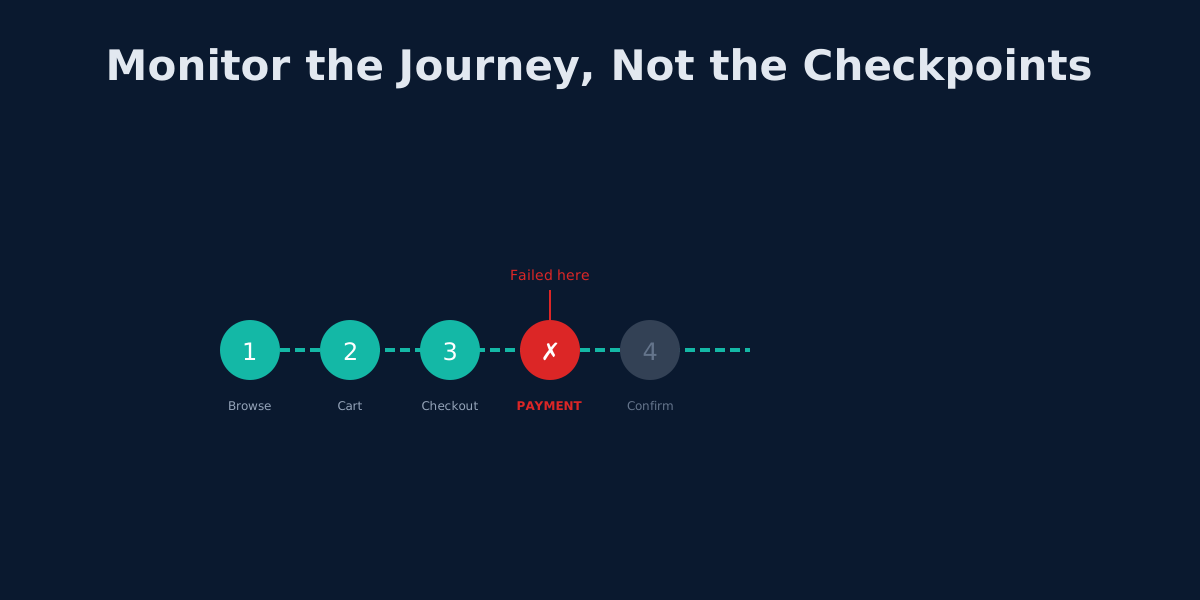
Beyond UptimeRobot: Monitoring Complete User Journeys, Not Just Endpoints
Your API returns 200 OK but users can't check out. Learn why endpoint monitoring creates blind spots and how workflow monitoring fixes them.
The 3 AM Page: How to Design Alerting That Lets You Sleep
Alert fatigue is burning out engineering teams. Learn to design wake-up-worthy alerts, implement SLO-based monitoring, and build on-call rotations that don't destroy sleep.
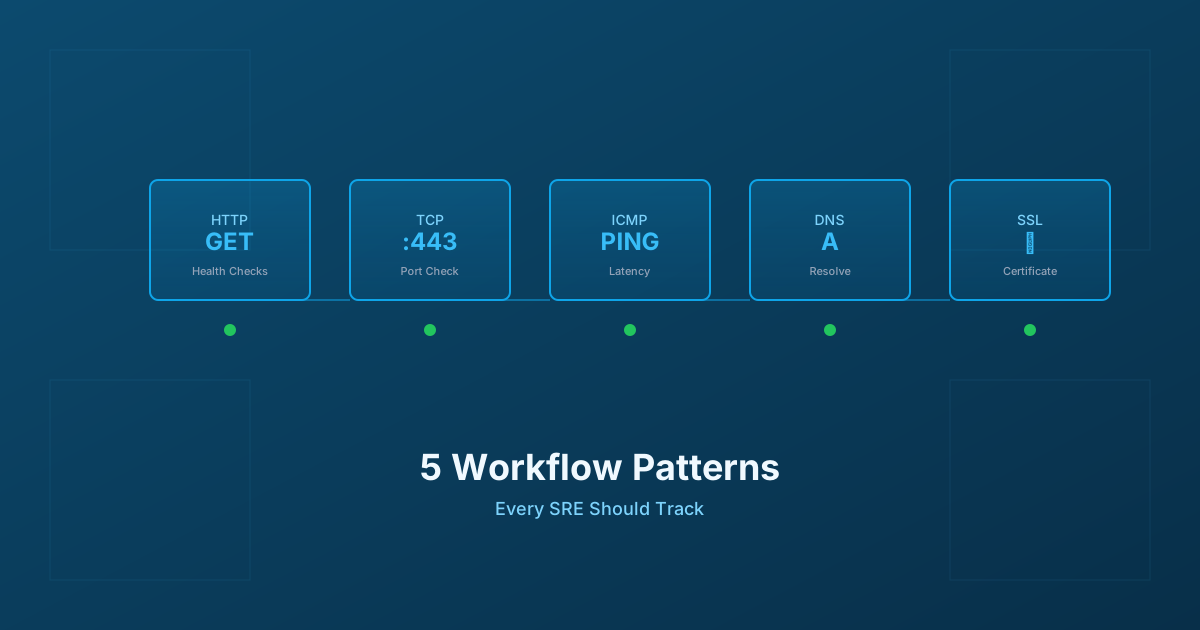
5 Workflow Monitoring Patterns Every SRE Should Track
Essential workflow monitoring patterns for Site Reliability Engineers: HTTP health checks, TCP connectivity, ICMP ping, DNS resolution, and SSL certificate monitoring with practical implementation guidance.