UptimeRobot's Team Plan: Why More Seats Don't Mean Better Collaboration
UptimeRobot Team adds 3 user seats for $34/mo. Monitrics adds workflow collaboration for $19/mo. The difference matters.
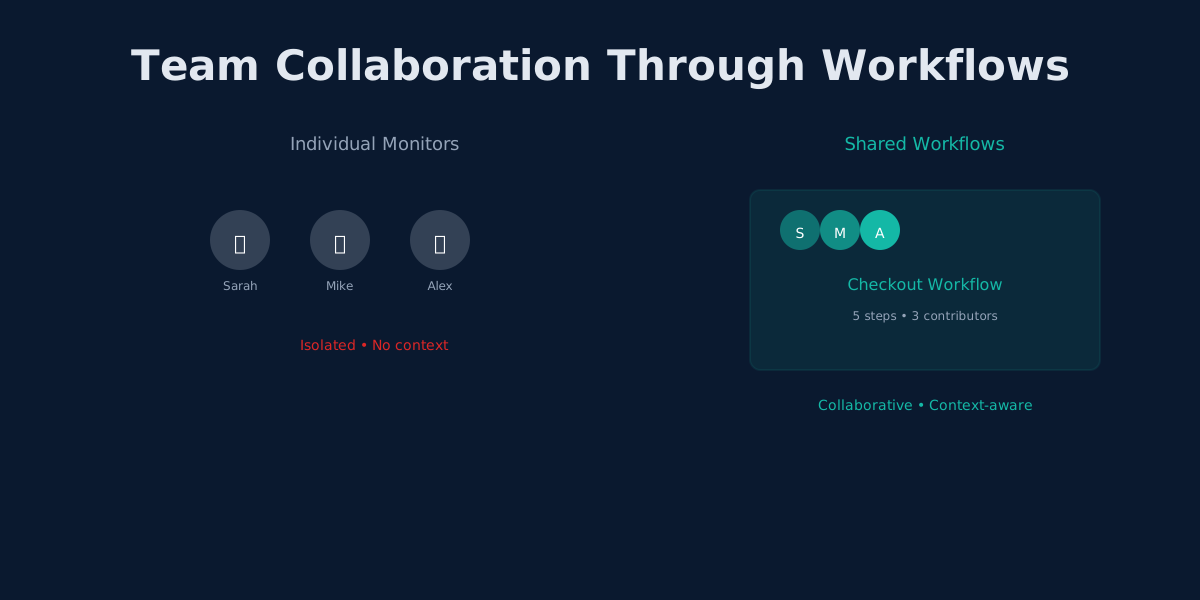
Three Engineers, Three Dashboards, Zero Shared Context
It is Wednesday afternoon. Your checkout flow is broken. Customers are abandoning carts, and support tickets are piling up.
Sarah checks the frontend monitors she owns. All green. Mike checks the payment API monitors he set up last month. All green. Alex pulls up the database and queue monitors. Green across the board.
Every individual endpoint is responding. Every ping comes back healthy. But the checkout flow is completely broken because the payment gateway is returning a success status code with an error body that nobody is validating.
Three engineers. Three separate sets of monitors. Three green dashboards. One broken product.
This scenario plays out more often than anyone likes to admit. The team upgraded to the Team plan specifically so everyone could see the same dashboard. But seeing the same dashboard does not help when the dashboard only shows isolated checks that each look fine on their own.
The problem is not visibility. Everyone can see the monitors. The problem is that the monitors themselves are the wrong abstraction for team collaboration. They check individual endpoints in isolation. They cannot check whether a multi-step flow actually works from the user's perspective. And when every monitor is green but the product is broken, the team is worse off than having no monitoring at all, because they have false confidence.
This is what happens when "team monitoring" means nothing more than sharing login access to the same collection of isolated checks. And it is exactly the problem that UptimeRobot's Team plan fails to solve.
What You Actually Get on UptimeRobot's Team Plan
UptimeRobot's pricing tiers tell a clear story about what the product values, and what it does not.
Free plan ($0/mo): 50 monitors, 5-minute intervals, zero team seats. One person, one dashboard.
Solo plan ($8/mo): 10 monitors, 1-minute intervals. Here is the part that catches people off guard: the Solo plan has zero login seats. You can add notify-only contacts who receive alerts, but nobody else can log in and see the dashboard. Your teammate can get a text message that something is down, but they cannot log in to investigate, view history, or adjust thresholds. It is a single-operator tool with a broadcast notification system bolted on.
Team plan ($34/mo): 100 monitors, 1-minute intervals, 3 login seats. Additional seats cost roughly $15/month each.
Enterprise plan ($64/mo): 200 monitors, 30-second intervals, 5 seats.
Notice the pattern: each tier adds monitors and seats, but the fundamental monitoring model never changes. You always get isolated, independent checks. The jump from Solo to Team is significant: $8 to $34, a 325% price increase. What do you get for that? More monitors and the ability for three people to log in.
What you do not get on any plan: workflows, variable passing between checks, or browser automation. The monitors on the Team plan work exactly like the monitors on the Free plan. They are isolated. They cannot share data. They cannot model a user journey.
This is the core issue. The Team plan is a pricing tier, not a collaboration feature. You are paying for access, not for a fundamentally better way to monitor. The underlying architecture, independent monitors that each check a single thing, does not change regardless of how many seats you buy.
The Three Problems Teams Actually Face
Adding login seats to a monitoring tool does not solve collaboration. It just gives more people the ability to stare at the same disconnected list of checks.
Think about it this way: giving three engineers access to a shared spreadsheet does not mean they are collaborating on financial analysis. They need shared formulas, linked cells, and a structure that connects individual data points into meaningful insights. Monitoring works the same way. The real problems with team monitoring run deeper than access control.
The Ownership Problem
When monitoring is built around individual checks, ownership fragments naturally. Each engineer creates monitors for the services they are responsible for:
Sarah (Frontend):
  - Landing page uptime
  - Signup page response time
  - Dashboard load check

Mike (Backend):
  - User API health
  - Payment API health
  - Order processing endpoint

Alex (Infrastructure):
  - Database connectivity
  - Redis cache ping
  - Message queue port check
Nine monitors. Three owners. Zero coverage of the actual user journey that spans all of them.
When the signup-to-first-purchase flow breaks at the boundary between Sarah's frontend and Mike's API, whose monitor catches it? Nobody's. The failure lives in the gap between ownership boundaries.
This is not a hypothetical edge case. It is the default outcome when monitoring is organized around infrastructure components instead of user behavior. Every team that grows past two or three engineers hits this wall. The monitors multiply, the ownership fragments, and the gaps between them become the most dangerous blind spots in your system.
The Context Problem
Mike gets an alert at 2 AM: "Payment API response time exceeded 3000ms."
His instinct is to check the payment service logs, look at database query performance, maybe restart the service. He spends 45 minutes investigating before discovering that the auth service (which Sarah monitors) started returning tokens slowly, causing a cascade of timeouts downstream.
Mike's monitor told him what failed. It could not tell him why, because it had no visibility into the steps that happened before the payment API was called.
In a workflow, step 1 (auth) feeding into step 2 (payment) would have made the root cause obvious. The workflow would show: step 1 response time spiked from 200ms to 4500ms, step 2 timed out waiting for the token. Root cause identified without leaving the alert notification.
With isolated monitors, every alert requires a manual investigation to build context that the tool should have provided. Multiply this by the number of incidents per month, and you start to see why teams with isolated monitors spend so much more time in war rooms than teams with workflow-based monitoring.
The Handoff Problem
Alex is on vacation. An infrastructure alert fires for the message queue. The on-call engineer sees the alert but has no idea what depends on that queue, what the normal baseline looks like, or what Alex would check first.
With isolated monitors, institutional knowledge lives in people's heads. When those people are unavailable, whether on vacation, in a meeting, or having left the company, the knowledge goes with them.
A workflow that models the path from "user submits order" through "message queued" through "order processed" through "confirmation email sent" carries its own context. Anyone on the team can look at the workflow, see which step failed, and understand what that means for the user experience.
The handoff problem also compounds over time. As team members rotate, get promoted, or leave, the undocumented knowledge about each monitor erodes. Six months from now, nobody remembers why monitor #34 exists or what threshold was chosen for monitor #71. Workflows resist this decay because their structure is the documentation: the sequence of steps describes the user journey by definition.
The Real Cost of the Team Plan
Let us put the numbers side by side.
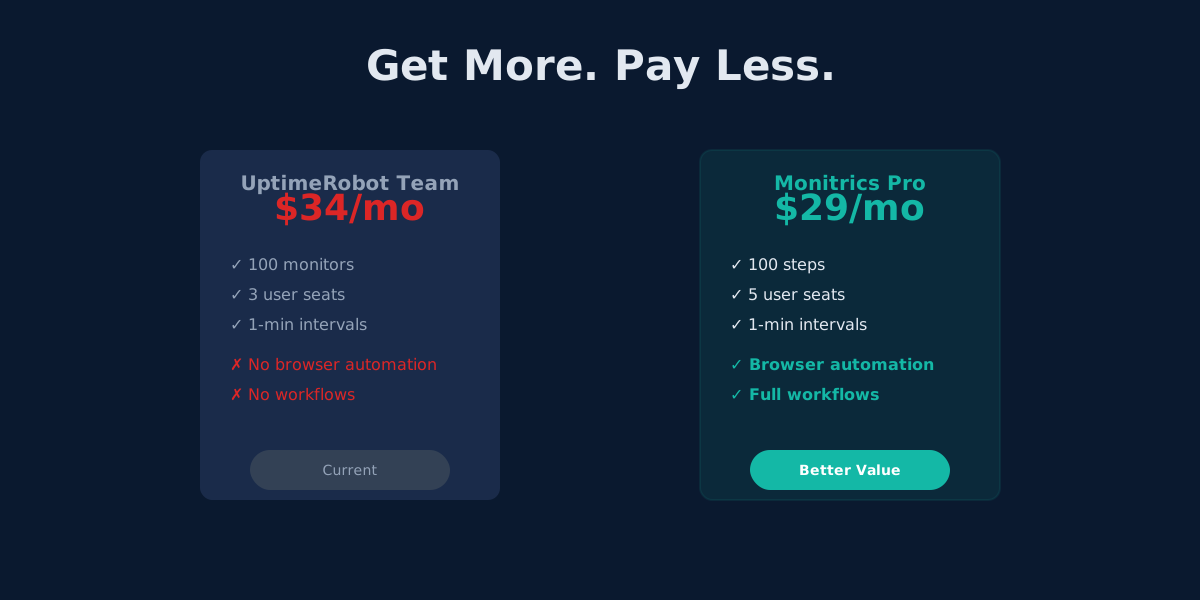
UptimeRobot Team gives you 3 login seats for $34/month. If you need a fourth engineer to have dashboard access, that is roughly $15 more per month. A five-person team on UptimeRobot costs approximately $64/month (their Enterprise plan), and you still get only isolated monitors with no workflow capabilities.
Consider what that money buys across a year.
UptimeRobot Team for a three-person team: $408/year for 100 disconnected monitors. Need to add a fourth engineer? That bumps you to roughly $49/month, or $588/year. Add a fifth and you are looking at $64/month on Enterprise, or $768/year.
Monitrics Professional gives you 5 team members for $19/month, which works out to $228/year. Every team member can view, edit, and collaborate on shared workflows. You also get browser automation and variable passing between steps, features that UptimeRobot does not offer on any plan at any price.
That is a savings of $180 to $540 per year depending on your team size, and you gain workflow capabilities that fundamentally change how monitoring works.
| UptimeRobot Team | Monitrics Professional | |
|---|---|---|
| Monthly cost | $34/mo | $19/mo |
| Team members | 3 login seats | 5 team members |
| Extra seats | ~$15/mo each | Included |
| Monitoring units | 100 monitors | 100 steps |
| Check intervals | 1-minute | 1-minute |
| Workflows | Not available | Full multi-step workflows |
| Variable passing | Not available | Between steps |
| Browser automation | Not available | Included |
| Shared context | Separate monitor lists | Shared workflow view |
The pricing difference is substantial enough on its own. But the capability gap is where the real divergence happens. UptimeRobot's 100 monitors give you 100 independent checks. Monitrics' 100 steps give you the building blocks for workflows that model complete user journeys, pass variables between steps, and run browser automation. These are fundamentally different approaches to the same problem, and the workflow approach becomes more valuable the larger your team gets.
What Workflow-Based Collaboration Looks Like
The difference between "team access to monitors" and "team collaboration on workflows" is not cosmetic. It changes how incidents play out, how new engineers get up to speed, and how confidently your team can deploy changes.
Here are three scenarios that illustrate the gap.
Scenario: Post-Deployment Validation
Your team deploys a new version of the checkout service on Thursday morning.
With isolated monitors: Each engineer checks their own monitors. Frontend looks good, API responds, database is up. Everyone gives a thumbs up in Slack. Two hours later, customer support reports that users cannot complete purchases. It turns out the new deployment changed a response field name that the frontend depends on. No individual monitor caught it because no individual monitor tests the full flow.
With shared workflows: The "Complete Purchase" workflow runs automatically on its regular schedule and catches the regression within minutes of deployment. Step 1 (load product page) passes. Step 2 (add to cart) passes. Step 3 (enter payment details via browser automation) passes. Step 4 (submit order) fails: the expected confirmation message is missing from the response body.
The team sees exactly where the flow broke. The workflow's variable chain shows that the product ID from step 2 was passed correctly to step 3, and the cart total from step 3 was passed to step 4. The failure is isolated to the order confirmation logic. The deployment is rolled back within minutes, not hours, and the team knows exactly which component to fix before redeploying.
Scenario: New Engineer Onboarding
A new engineer joins the team and needs to understand what is being monitored and why.
With isolated monitors: The new engineer sees a flat list of 80 monitors with names like "prod-api-health," "checkout-db," and "email-svc-3." They have no idea how these relate to each other, which are critical, or what user journeys they protect. They spend days asking colleagues for context.
With shared workflows: The new engineer sees workflows named "User Registration Flow," "Purchase Journey," and "Password Reset Path." Each workflow tells a story: step 1 loads the signup page, captures a CSRF token, passes it to step 2 which submits the registration form, which triggers step 3 that checks for the verification email callback.
The monitoring setup is self-documenting because workflows model real user behavior. The new engineer does not need a week of shadow sessions to understand what is being monitored. The workflows explain themselves through their structure.
Scenario: 2 AM Incident Response
An alert fires in the middle of the night. The on-call engineer was not the person who set up the monitoring.
With isolated monitors: The alert says "Monitor #47 is down." The engineer has to look up what monitor 47 checks, then manually check related monitors to build a picture of what is going on. They spend 20 minutes gathering context before they can even start troubleshooting.
With shared workflows: The alert says "User Login workflow failed at step 3: session token validation returned 401." The workflow shows that steps 1 and 2 (DNS resolution and login page load) passed, so the infrastructure and frontend are fine. The failure is specifically in token validation. The engineer knows exactly where to look.
The difference in mean time to resolution between these two approaches is not marginal. Teams that have context embedded in their alerts resolve incidents in minutes instead of hours. Over a year of on-call rotations, that adds up to a meaningful reduction in engineer fatigue and customer impact.
Why Monitors Cannot Become Workflows
Some teams try to work around UptimeRobot's limitations by creating naming conventions, shared spreadsheets, or Slack channels that group related monitors together. You might see monitors named "CHECKOUT-01-cart-api," "CHECKOUT-02-payment-api," "CHECKOUT-03-confirmation" in an attempt to impose order on a flat list.
This is a reasonable impulse, but it does not solve the fundamental problem. Naming conventions are documentation, not functionality. They help humans understand intent, but they do not change how the tool operates.
Isolated monitors cannot:
-
Pass data between checks. If your login returns a session token that your API calls need, you cannot feed that token from one monitor to another. You have to hardcode test credentials or skip authentication entirely.
-
Enforce execution order. Monitors run independently on their own schedules. You cannot say "run the login check first, then use the result to check the dashboard." If the dashboard check runs before the login check, you get a false failure.
-
Attribute failures to root causes. When three monitors fail simultaneously, you know something is wrong. But you do not know if the first failure caused the other two or if they are all symptoms of a fourth problem. Workflows with sequential steps show you exactly where the chain broke.
-
Validate what users see. HTTP status codes and response times tell you whether a server is responding. They do not tell you whether the page renders correctly, whether the button is clickable, or whether the form submission actually works. Browser automation fills this gap, and UptimeRobot does not offer it on any plan.
-
Scale with your team gracefully. As you add engineers, you add more monitors. But more monitors means more fragmentation, more overlap, and more gaps. The monitor-per-engineer model creates linear growth in complexity. When you have 10 engineers and 200 monitors, nobody has a complete picture anymore. Workflows grow in depth (more steps per journey) rather than breadth (more disconnected checks), which keeps the system manageable as the team scales.
Building Team Workflows on Monitrics
Here is what a team-oriented monitoring setup looks like in practice. The goal is not to replicate your existing monitors as workflows. It is to rethink what you are monitoring based on what your users actually do.
Map User Journeys First
Instead of asking "which endpoints should we monitor," ask "which user journeys matter most?" Start with the flows that generate revenue or handle sensitive operations:
- User registration and email verification
- Login and session management
- Product search and purchase
- Password reset
- Admin operations
Each of these becomes a workflow with sequential steps that mirror what a real user does. The workflow is not a collection of health checks. It is a simulation of real behavior: load this page, submit this form, verify this response, check this confirmation.
Let Steps Share Context
A workflow for purchase validation might look like this:
- Step 1 (HTTP): Call the auth endpoint, capture the access token into a variable
- Step 2 (HTTP): Use that token to call the product API, capture a product ID
- Step 3 (HTTP): Add the product to the cart using both the token and the product ID
- Step 4 (Browser): Load the checkout page, fill in payment details, submit the form
- Step 5 (HTTP): Verify the order confirmation endpoint returns the expected data
Each step feeds context to the next. If step 3 fails, you know authentication and product listing work fine. The problem is specifically in the cart service. No guesswork required.
Try doing this with isolated monitors. You would need to hardcode an access token (which expires), skip the product lookup (so you are testing with stale data), and hope that the checkout endpoint you are pinging is actually representative of what users experience. Variables and step chaining are not nice-to-have features. They are what make the difference between testing infrastructure and testing user journeys.
Assign Workflows to Teams, Not Individuals
When workflows belong to the team rather than to whoever happened to create them, you avoid the ownership fragmentation problem entirely. Any team member can see the workflow, understand its purpose, and respond to its alerts.
This matters most during incidents. When the on-call engineer can see the full workflow context, mean time to resolution drops because they do not have to rebuild the mental model from scratch. It also matters during planning. When the team can see all their workflows in one place, they can identify gaps in coverage, eliminate redundancy, and prioritize what to monitor next based on business impact rather than individual preference.
Use Browser Automation for What HTTP Cannot Cover
Some failures only show up in the browser. A 200 response from your checkout endpoint means nothing if the JavaScript fails to render the payment form. Browser automation steps in Monitrics let you:
- Click through multi-page flows the way a real user would
- Fill in forms with test data and submit them
- Wait for specific elements to appear on the page
- Capture text content from the DOM for assertions
- Validate that the user experience actually works end to end
This is the difference between "the server responded" and "the feature works." And when the entire team can see these browser-based steps alongside the HTTP and DNS checks in a single workflow, everyone shares the same understanding of what "working" actually means for your users.
The Scaling Question
It is worth considering where each approach takes you as your team grows.
On UptimeRobot, scaling means buying more seats. Going from 3 to 5 engineers pushes you to the Enterprise plan at $64/month. Going beyond 5 means contacting sales for custom pricing. And at every tier, the monitors remain isolated. More seats, same architecture, same blind spots.
On Monitrics, the Professional plan already includes 5 team members. The Enterprise plan at $49/month removes the limit entirely: unlimited team members, unlimited steps.
As your team grows from 5 to 15 to 50 engineers, the cost stays flat. More importantly, every new team member inherits the full context of every workflow from day one. There is no per-seat tax on collaboration.
The architectural difference matters more as you scale. A team of 3 with 30 isolated monitors can probably keep everything in their heads. A team of 15 with 200 isolated monitors cannot. But a team of 15 with 40 well-structured workflows absolutely can, because the workflows carry their own context. Each workflow is a self-contained description of a user journey that any engineer can read, understand, and respond to without needing tribal knowledge.
Migrating from UptimeRobot Team
If your team is currently on UptimeRobot's Team plan, transitioning to workflow-based monitoring does not have to be disruptive.
Week 1: Audit and group. Export or list your current monitors. Group them by the user journey they relate to. You will likely find clusters: several monitors that all touch the authentication flow, several that relate to checkout, and so on. You will also probably find redundant monitors that multiple team members created independently. This audit alone is valuable because it reveals how fragmented your monitoring has become and where the gaps are.
Week 2: Build your first workflows. Start with your most critical user journey, usually the one that generates revenue or handles user authentication. Convert the cluster of related monitors into a single workflow with sequential steps. Add variable passing where one step's output feeds into the next step's input. Run the workflow alongside your existing monitors for a few days to validate that it catches everything the individual monitors catch, plus the gaps between them.
Week 3: Expand and refine. Convert the remaining monitor clusters into workflows. Add browser automation steps where HTTP checks are not sufficient, particularly for any flow that involves JavaScript-rendered content, form submissions, or multi-page navigation. Set up notification targets so alerts go to the right Slack channels, email groups, or PagerDuty services.
Week 4: Decommission. Once your workflows cover everything your monitors did (and more), cancel the UptimeRobot Team plan. You are now paying $15 less per month, supporting two additional team members, and monitoring actual user journeys instead of isolated endpoints.
Most teams find that the migration actually reduces their total number of monitoring checks. Twenty isolated monitors that each ping a different endpoint often collapse into four or five workflows that cover the same ground with better coverage. Fewer things to manage, more ground covered, better collaboration. That is the payoff of workflow-based monitoring.
One common concern during migration is losing historical data. UptimeRobot tracks uptime percentages and response times for individual monitors. When you switch to Monitrics, you start building a new history based on workflow executions. The data model is different and richer, since you get per-step timing, variable values, and failure attribution rather than just "up" or "down." Plan for a brief overlap period where both systems run in parallel so you have continuity in your reporting.
What Teams Actually Need from Monitoring
After talking to dozens of engineering teams about their monitoring setups, a few common needs emerge repeatedly:
Shared understanding. Every engineer on the team should be able to look at the monitoring setup and understand what user journeys are covered, where the gaps are, and what a specific failure means for the business. Isolated monitors make this nearly impossible. Workflows make it the default.
Clear failure attribution. When something breaks, the team needs to know which component failed, not just which endpoint returned an error. Sequential workflows with variable passing narrow the blast radius of investigation from "something is wrong somewhere" to "step 3 failed because step 2 returned an unexpected value."
Reduced coordination overhead. Every minute spent in Slack asking "is anyone looking at this?" or "does anyone know what this monitor checks?" is a minute not spent fixing the problem. Monitoring tools should reduce coordination costs, not create them.
Onboarding that does not depend on tribal knowledge. New engineers should be productive within days, not weeks. When monitoring is structured as workflows that mirror user behavior, the new engineer can read the workflows and understand the system. When monitoring is a flat list of 100 cryptically named monitors, they need a tour guide.
UptimeRobot's Team plan addresses none of these needs. It provides login access. Monitrics addresses all of them through workflow-based architecture.
The Bottom Line
UptimeRobot's Team plan solves an access problem: more people can log in to the same dashboard. It does not solve a collaboration problem, and it certainly does not solve a monitoring architecture problem.
Three engineers looking at the same list of disconnected monitors is not teamwork. It is three people doing the same limited thing separately, each with their own blind spots and no shared framework for understanding what matters.
Real monitoring collaboration requires shared context. It requires workflows that model what users actually do. It requires steps that pass data to each other so failures are attributed to specific components, not investigated from scratch every time an alert fires.
If your team has outgrown isolated monitors but has not yet found a tool that supports genuine collaboration, the root cause is probably architectural. Per-seat pricing on top of per-monitor architecture does not create teamwork. Workflow-based monitoring does, because the workflow itself becomes the shared artifact that everyone on the team understands, contributes to, and responds to.
The question is not "how many seats do we need?" The question is "does our monitoring tool support the way teams actually work?" If the answer is workflows, shared context, and clear failure attribution, then the tool needs to be built around those concepts from the ground up. Bolting user seats onto isolated monitors is not enough.
Monitrics Professional provides 5 team members for $19/month with full workflow capabilities. UptimeRobot Team provides 3 login seats for $34/month with the same isolated monitors you get on every other plan.
More seats do not mean better collaboration. Shared workflows do.
Start with the Monitrics free tier to build your first workflow. Invite your team. See what it feels like when monitoring is a team activity rather than a collection of individual efforts. The free tier includes 50 steps and 5-minute intervals, which is enough to model your most critical user journey and experience the difference firsthand.
Related Articles
- Beyond UptimeRobot: User Journey Monitoring - Why complete flows matter
- UptimeRobot Alternative: Browser Automation for Less - Pricing comparison
- UptimeRobot vs Monitrics: Complete Comparison - Feature breakdown
Ready for real team collaboration? Start with Monitrics Free and invite your team. Build shared workflows that capture institutional knowledge and give every engineer the context they need.
Related Articles
UptimeRobot Alternative: Browser Automation at Half the Price
Monitrics Professional costs $19/mo with browser automation included. UptimeRobot Team costs $34/mo without it. The math speaks for itself.
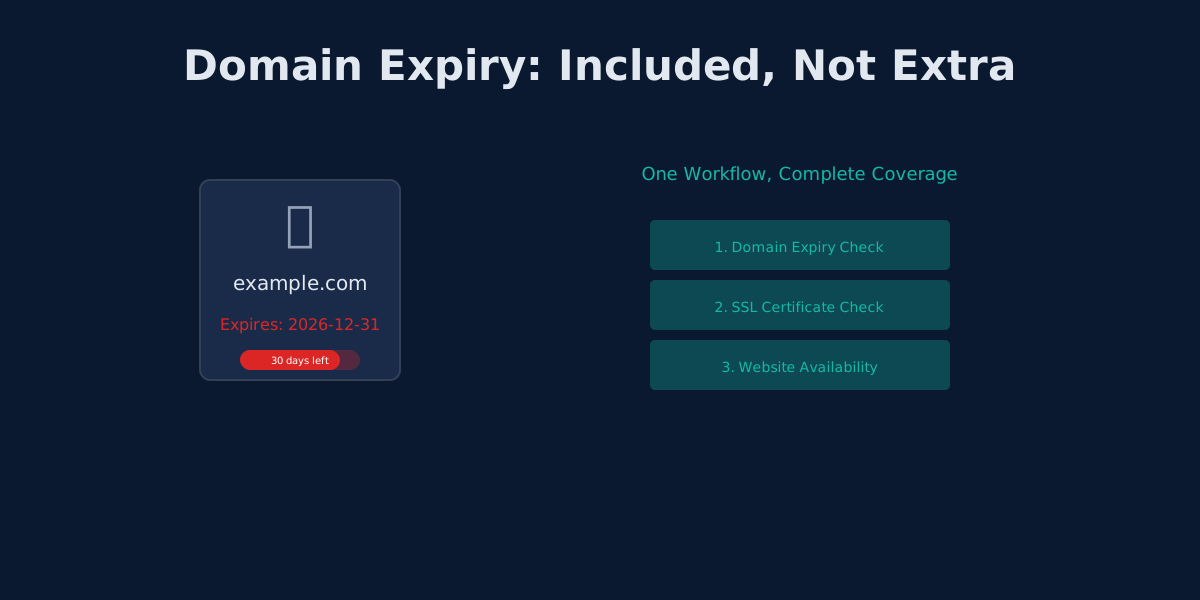
UptimeRobot's Domain Expiry Problem: Why Bundled Monitoring Wins
UptimeRobot separates domain, SSL, and HTTP monitoring. Monitrics bundles them into one workflow. Here's why that matters.
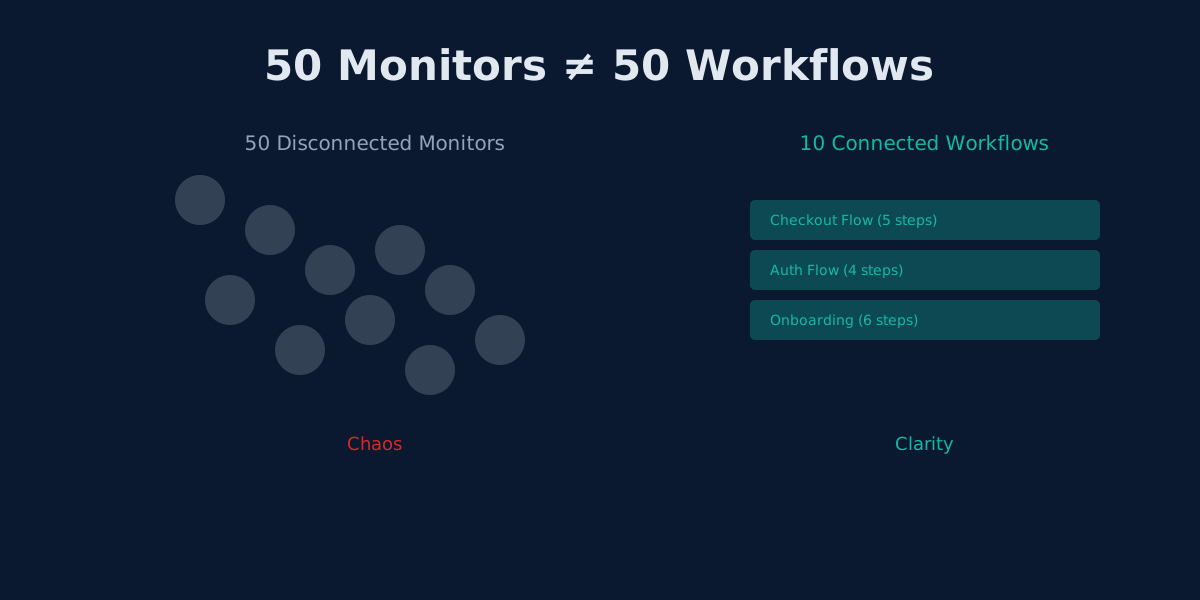
The Hidden Cost of UptimeRobot's Solo Plan: Pay More, Get Less
UptimeRobot Solo costs $8/mo but gives only 10 monitors—40 fewer than the free plan. Here's why that math doesn't work.