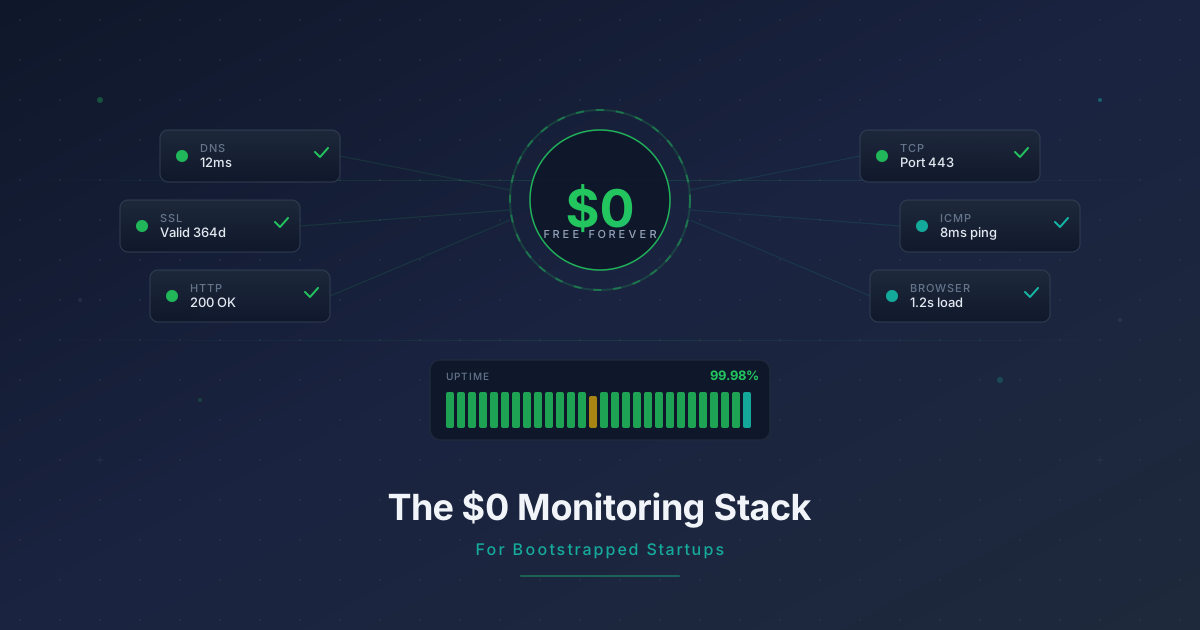
The $0 Monitoring Stack for Bootstrapped Startups
Build complete website monitoring for free with HTTP, DNS, SSL, domain expiry, and multi-step workflow checks. A practical guide for bootstrapped founders.
You shipped your SaaS. You have paying customers -- maybe five, maybe fifty. Revenue is trickling in, but every dollar matters. You know you need monitoring because downtime means churn, and churn at this stage can kill a product. But the popular monitoring tools want $50, $100, or more per month. That is real money when your MRR is still in the hundreds.
Here is the good news: you do not need to spend anything to build a monitoring stack that covers every critical layer of your infrastructure. This guide walks through exactly how to do it with 50 free steps.
What "Complete Monitoring" Actually Means for a Bootstrapped Startup
Before setting anything up, it helps to understand what you are actually protecting against. Enterprise teams talk about observability platforms and SLO frameworks. You need something simpler: five layers of checks that catch the problems most likely to cost you customers.
The five layers
-
DNS resolution -- If your DNS is misconfigured or your provider has an outage, nobody can reach your site. This is the foundation everything else depends on.
-
SSL certificate and domain expiry -- An expired SSL certificate shows a scary browser warning that sends visitors running. An expired domain is even worse. Both are entirely preventable.
-
Endpoint health -- Your homepage, API, and critical pages need to respond with the right status codes. A 502 error on your pricing page is money walking out the door.
-
API correctness -- A 200 status code is not enough. If your login endpoint returns 200 but the response body contains an error message, you have a problem that simple uptime checks miss.
-
User flow testing -- Can a real user actually sign up, log in, and use your product? Multi-step workflow checks simulate these flows and catch issues that no single-endpoint check can find.
Most free monitoring tools cover layer 3 and nothing else. That leaves you blind to the failures that are hardest to detect and most damaging to your business.
Building Your Stack on Monitrics Free
The Monitrics Starter plan gives you 50 steps at no cost, with 5-minute check intervals, 7 days of data retention, and 1 notification channel. That is more than enough to cover all five layers for a typical bootstrapped SaaS.
Let us walk through each layer and the specific step types you will use.
Layer 1: DNS checks
DNS issues are rare but catastrophic. A DNS step verifies that your domain resolves correctly and returns the expected records.
Step type: DNS
Host: yourdomain.com
Record type: A
Expected value: (your server IP)
You want at least one DNS check per domain you operate. If you have app.yourdomain.com and api.yourdomain.com on separate infrastructure, check both.
Steps used: 2-3
Layer 2: SSL and domain expiry
SSL certificates from Let's Encrypt auto-renew, but auto-renewal fails more often than you would think. A misconfigured server, a changed DNS record, or a permissions issue can silently break renewal. You will not notice until a customer screenshots that browser warning and posts it on Twitter.
Domain expiry checks work similarly. Set them up and forget about them -- until the day they save you from a lapsed registration.
Step type: Domain Expiry
Domain: yourdomain.com
Alert threshold: 14 days before expiry
For SSL monitoring, an HTTP step with SSL verification handles this naturally. When the certificate is invalid or about to expire, the check fails.
Step type: HTTP
URL: https://yourdomain.com
Method: GET
Verify SSL: true
Steps used: 2-3
Layer 3: Endpoint health
This is the bread and butter of any monitoring setup. Check every page and API endpoint that matters to your business.
For a typical SaaS, that means:
- Homepage -- your marketing site
- App entry point -- the main authenticated page
- API health endpoint -- if you have one (you should)
- Critical API routes -- login, signup, core product endpoints
- Webhook receivers -- if you process incoming webhooks
Step type: HTTP
URL: https://yourdomain.com
Method: GET
Expected status: 200
Timeout: 10s
Step type: HTTP
URL: https://api.yourdomain.com/health
Method: GET
Expected status: 200
For API endpoints that require authentication, you can include headers:
Step type: HTTP
URL: https://api.yourdomain.com/v1/status
Method: GET
Headers:
  Authorization: Bearer (your-api-key)
Expected status: 200
Steps used: 5-8
Layer 4: API correctness with assertions
A status code alone does not tell you the whole story. Assertions let you inspect the response body and verify that your API is actually returning correct data.
Step type: HTTP
URL: https://api.yourdomain.com/v1/products
Method: GET
Expected status: 200
Assertions:
  - Response body contains: "products"
  - Response time < 2000ms
This catches the class of bugs where your server responds with 200 OK but returns an empty array, an error object, or garbage data. These are the bugs that slip past simple uptime monitors and frustrate your users silently.
Steps used: 3-5
Layer 5: Multi-step workflow checks
TCP and ICMP steps round out your toolkit for infrastructure-level checks.
Step type: TCP
Host: your-database-host.com
Port: 5432
Timeout: 5s
Step type: ICMP
Host: yourdomain.com
TCP checks are particularly useful for verifying that specific services (databases, Redis, mail servers) are accepting connections on the expected ports. ICMP checks confirm basic network reachability.
Steps used: 2-4
Multi-Step Workflows: Chain Checks Together
Individual checks are useful, but workflows let you chain them into sequences that model real user behavior. This is where Monitrics really shines on the free tier.
A workflow executes steps in order, passing context between them. If any step fails, the entire workflow fails and you get notified. This means you are not just checking that individual components are alive -- you are verifying that they work together correctly. A passing workflow tells you that the chain of dependencies your users rely on is intact from end to end.
This approach catches a whole category of failures that single-step monitors miss: the API is up but the database connection pool is exhausted, the homepage loads but the CDN is serving stale assets, the auth service responds but token validation is broken downstream.
Here are two practical examples:
Example: Full stack health check
Workflow: "Production Health"
Step 1: DNS check - verify yourdomain.com resolves
Step 2: HTTP GET https://yourdomain.com - verify homepage loads (status 200)
Step 3: HTTP GET https://api.yourdomain.com/health - verify API is up
Step 4: HTTP POST https://api.yourdomain.com/v1/auth/verify - verify auth works
  Assertion: response body contains "valid"
This single workflow uses 4 steps and validates your entire stack from DNS to application logic. If DNS breaks, you know immediately. If the site loads but the API is down, you know that too. If everything is up but authentication is broken, you catch it before your users do.
Example: Critical payment flow
Workflow: "Payment Pipeline"
Step 1: HTTP GET https://api.yourdomain.com/health - API is reachable
Step 2: HTTP GET https://api.yourdomain.com/v1/plans - plans endpoint returns data
  Assertion: response body contains "price"
Step 3: TCP check on your payment processor webhook port
Workflows give you confidence that your revenue-critical paths are working end to end, not just that individual servers are responding to pings.
Choosing Your One Free Notification Channel
The Starter plan includes one notification channel. Choose wisely -- this is the channel that wakes you up when something breaks.
Best for: Founders who check email constantly and want a paper trail.
Email is reliable and universal. Every monitoring alert becomes a searchable record in your inbox. The downside is latency -- email is not instant, and it is easy to miss alerts in a busy inbox.
Slack
Best for: Teams (even teams of one) that live in Slack.
If Slack is already your command center, putting monitoring alerts there means you see them immediately. Create a dedicated #alerts channel so they do not get buried in conversation. The downside is that Slack notifications can be muted, snoozed, or lost in channel noise.
Telegram
Best for: Solo founders who want instant mobile push notifications without the overhead of Slack.
Telegram bots deliver notifications fast and reliably. Setup takes a few minutes, and you get push notifications on your phone without needing a Slack workspace. For a solo founder, this is often the best choice.
The practical recommendation
If you are a solo founder, go with Telegram. It delivers the fastest mobile notifications with the least setup friction. If you are a small team already on Slack, use that. Save email for when you upgrade and can add a second channel.
Whichever channel you choose, test it immediately after setup. Trigger a deliberate failure (point an HTTP check at a URL you know will 404) and confirm the notification arrives. There is nothing worse than discovering your alert channel is misconfigured during an actual incident.
What 50 Steps Actually Covers
Let us do the math for a real-world bootstrapped SaaS with multiple projects.
Project 1: Main SaaS product (18 steps)
| Check | Type | Steps |
|---|---|---|
| DNS resolution | DNS | 1 |
| Domain expiry | Domain Expiry | 1 |
| SSL validity (via HTTPS) | HTTP | 1 |
| Homepage | HTTP | 1 |
| App login page | HTTP | 1 |
| API health endpoint | HTTP | 1 |
| Auth endpoint + assertion | HTTP | 1 |
| Core product endpoint + assertion | HTTP | 1 |
| Webhook receiver | HTTP | 1 |
| Database connectivity | TCP | 1 |
| Full stack workflow (4 steps) | Workflow | 4 |
| Payment flow workflow (4 steps) | Workflow | 4 |
Project 2: Marketing site and blog (8 steps)
| Check | Type | Steps |
|---|---|---|
| DNS resolution | DNS | 1 |
| Homepage | HTTP | 1 |
| Blog index | HTTP | 1 |
| Pricing page + assertion | HTTP | 1 |
| Sitemap availability | HTTP | 1 |
| Domain expiry | Domain Expiry | 1 |
| ICMP reachability | ICMP | 1 |
| Key page workflow (1 step) | Workflow | 1 |
Project 3: API / microservice (12 steps)
| Check | Type | Steps |
|---|---|---|
| DNS resolution | DNS | 1 |
| Health endpoint | HTTP | 1 |
| Auth endpoint + assertion | HTTP | 1 |
| Core CRUD endpoints (3) | HTTP | 3 |
| Database TCP check | TCP | 1 |
| Redis TCP check | TCP | 1 |
| API integration workflow (4 steps) | Workflow | 4 |
Total: 38 steps
That leaves 12 steps of headroom for adding checks as your product grows. You could monitor a fourth project, add more granular API assertions, or build additional workflow chains -- all without spending a cent.
This is not a stripped-down demo experience. Thirty-eight steps covering three projects with DNS, SSL, endpoint, API, and workflow checks is more monitoring than most early-stage startups have, paid or otherwise.
The key insight is that workflows let you pack multiple validations into a single logical unit. A 4-step workflow that checks DNS, loads the homepage, hits the API, and verifies authentication gives you deep coverage without burning through your step budget.
When to Upgrade
The free tier is genuinely useful, not a teaser. But there are clear signals that you have outgrown it:
You need faster check intervals. Five-minute intervals mean up to five minutes of downtime before you are alerted. When your MRR crosses the point where five minutes of downtime costs more than $19, the Professional plan's 1-minute intervals pay for themselves.
You have hit 50 steps. If you are contorting your monitoring setup to stay under the limit -- skipping checks you know you need, combining things that should be separate -- it is time to upgrade. The Professional plan gives you 100 steps.
You need browser automation. The free tier covers HTTP, DNS, TCP, ICMP, and Domain Expiry steps. But if you need to simulate a real user clicking through your signup flow or filling out a checkout form, browser automation steps (available on Professional) let you test actual user journeys with Playwright.
You want longer data retention. Seven days of metrics is enough for day-to-day monitoring but not for spotting trends. If you want to track response time degradation over weeks or compare performance across deployments, the 30-day retention on Professional (or 90 days on Enterprise) gives you that visibility.
You need multi-region checks. The free tier monitors from a single region. If your users are global and you need to verify that your CDN, edge functions, or regional deployments are working from multiple geographies, the Professional plan's 12+ regions give you that coverage.
You are building a team. The moment you have a second person who needs access to your monitoring dashboard, the Professional plan's support for 5 team members becomes essential.
The upgrade math
At $19 per month, the Professional plan costs less than most founders spend on coffee. If your SaaS has even a handful of paying customers, the cost of 10 minutes of undetected downtime -- in churn, in support tickets, in reputation damage -- almost certainly exceeds $19. The free tier gets you started. The paid tier is for when monitoring shifts from "nice to have" to "critical infrastructure."
Start Monitoring Today
Building a monitoring stack does not need to be expensive or complicated. With 50 free steps, you can cover DNS, SSL, domain expiry, endpoint health, API correctness, and multi-step workflows for multiple projects. That is more coverage than most startups have at ten times the budget, because they are paying for tools that only check one layer.
The best time to set up monitoring is before you need it. The second best time is now.
Create your free Monitrics account and have your entire stack monitored in under 15 minutes. No credit card required.
Related Articles
- Monitoring Checklist for Solo SaaS Founders -- A step-by-step checklist for what to monitor when you are running everything yourself.
- Your SSL Certificate Will Expire -- Why SSL expiry monitoring matters more than you think, and how to set it up properly.
- Side Project to SaaS: When Free Monitoring Stops Being Enough -- The signals that tell you it is time to invest in monitoring as your project grows.
Related Articles
Automate Your Morning Checks: Stop Manually Testing Your App
Solo founders waste 15-30 minutes every morning clicking through their app. Automate those checks with browser workflows that run every minute.
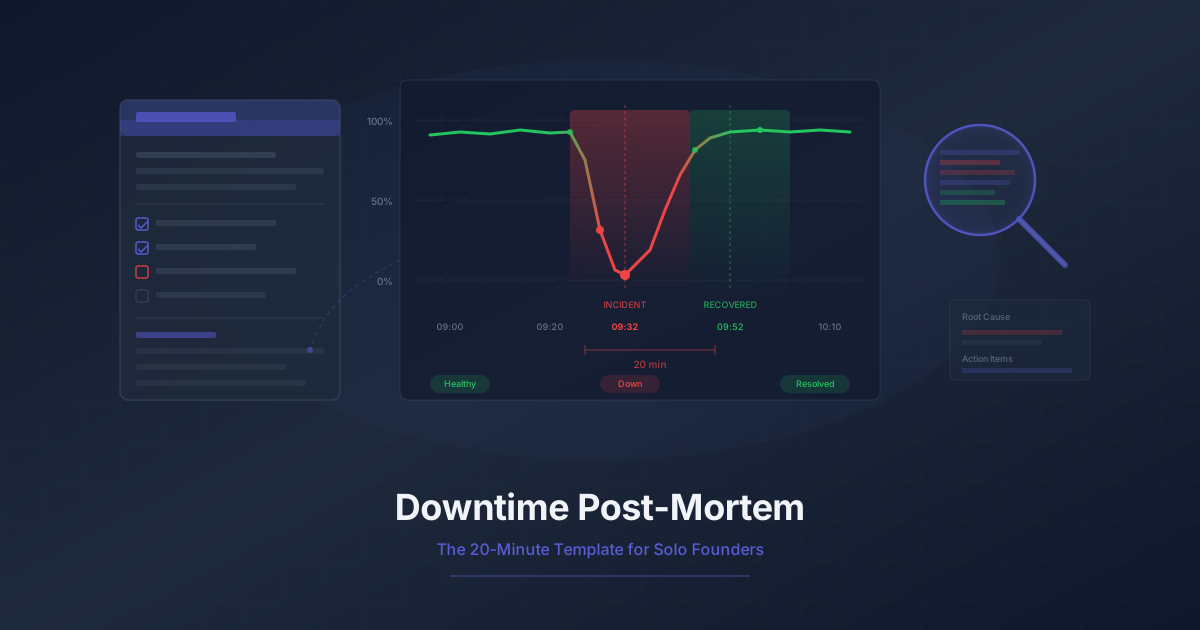
Downtime Post-Mortem Template for Solo Founders
A streamlined 20-minute post-mortem process for one-person teams. Use monitoring data to reconstruct what happened and prevent it from recurring.
Running 3 Projects? How to Monitor Them All Without Losing Your Mind
Most indie hackers run multiple projects. Learn how to centralize monitoring across all of them without tool sprawl or alert chaos.