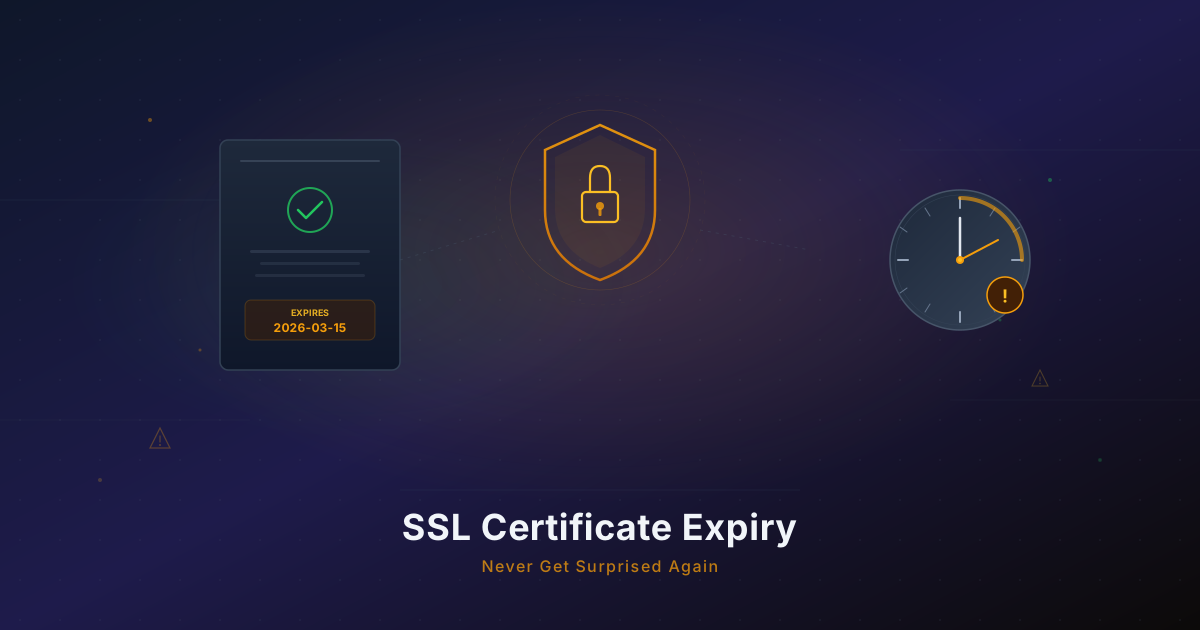
Your SSL Certificate Will Expire. Here's How to Never Get Surprised.
SSL auto-renewal fails more often than you think. Set up certificate expiry monitoring with alerts in 5 minutes to avoid downtime and lost trust.
The Morning Everything Looked Fine (Until It Didn't)
It was a Tuesday at 7:42 AM. Sarah, a solo founder running a SaaS invoicing tool, woke up to a Slack message from a customer: "Your site says my connection is not private. I'm not entering my credit card there."
She pulled up her site on her phone. Chrome was showing the full-page warning: NET::ERR_CERT_DATE_INVALID. The padlock was gone. The trust was gone. And customers were gone.
Her Let's Encrypt certificate had expired 14 hours earlier, at 5:30 PM the previous day. Auto-renewal had been failing silently for three weeks. The certbot logs showed the reason: a DNS TXT record validation was failing because she had migrated her DNS to Cloudflare two months ago and forgot to update the ACME challenge configuration.
By the time she fixed it, she had lost a full day of signups and received four cancellation emails. All because a background process failed quietly and nothing was watching it.
This story plays out every single day across thousands of websites. And it is almost always preventable.
The frustrating part is that SSL certificate expiry is entirely predictable. Every certificate has an exact expiry date stamped right into it. There is no mystery about when it will happen. The only mystery is whether the automated system responsible for renewing it will actually work when the time comes. And if it does not, whether anyone will notice before users do.
Most monitoring tools check whether your site is up. Very few check whether your site will still be up next week.
Why SSL Auto-Renewal Fails
Most developers set up Let's Encrypt or a similar ACME-based certificate authority once, confirm it works, and never think about it again. The assumption is that auto-renewal will handle everything forever. That assumption is dangerous.
Here are the most common reasons auto-renewal silently fails:
DNS Provider Changes
You migrated from Route 53 to Cloudflare. Or from Namecheap DNS to your hosting provider's nameservers. Your ACME client was configured to create DNS TXT records using the old provider's API. The renewal attempt fails because it cannot create the validation record, but the certificate does not expire for another 60 days. By the time it does expire, you have long forgotten about the migration.
Rate Limits
Let's Encrypt enforces rate limits: 50 certificates per registered domain per week, 5 duplicate certificates per week, and 5 failed validations per hour. If you are running multiple staging environments, test deployments, or preview URLs on the same domain, you can hit these limits without realizing it. Your production renewal gets queued behind rate limit cooldowns.
Misconfigured ACME Challenges
HTTP-01 challenges require your server to respond on port 80 at /.well-known/acme-challenge/. If you have a reverse proxy, firewall rule, or CDN configuration that blocks or redirects this path, validation fails. This is especially common after infrastructure changes like adding a WAF or switching from Nginx to Caddy.
Cloud Provider Gotchas
AWS Certificate Manager handles renewal automatically, but only for certificates attached to active load balancers or CloudFront distributions. If you detach a certificate, or if your load balancer is in a different account than the certificate, renewal stops. Google Cloud and Azure have similar edge cases with their managed certificate services.
Certbot Version Issues
Older versions of certbot can break after system updates. Python dependency conflicts, deprecated plugins, and changed default behaviors across versions are all real problems. If you set up certbot two years ago and your server has been receiving unattended OS upgrades, there is a meaningful chance the renewal toolchain is no longer functioning correctly.
Permissions and File System Issues
Certbot needs write access to specific directories. Server migrations, container rebuilds, or security hardening can change file permissions in ways that block certificate renewal. The renewal cron job runs, fails to write the new certificate, and exits silently.
Docker and Container Rebuilds
If you run certbot inside a container, certificate state needs to persist across container rebuilds. A common pattern is mounting /etc/letsencrypt as a volume, but if that volume gets deleted during a cleanup, or if the container orchestrator rebuilds the container on a new node without the volume, all certificate state is lost. The next renewal attempt starts from scratch and may hit rate limits or fail validation.
Hosting Provider Auto-Renewal Gaps
Managed hosting platforms like Vercel, Netlify, and Heroku handle SSL automatically for most cases. But custom domains, especially those with complex DNS setups or multi-level subdomains, can fall through the cracks. The platform's auto-renewal works for 95% of domains and silently fails for the other 5%. If your domain is in that 5%, you will not know until users complain.
The common thread across all of these failures is that they are silent. Nothing alerts you. Nothing breaks visibly. The existing certificate continues to work until its expiry date, and then everything breaks at once.
What Monitrics Checks With the Domain Expiry Step
Monitrics includes a dedicated Domain Expiry step type designed to catch exactly these problems before they become outages. When you add a Domain Expiry step to a workflow, it checks three things:
SSL Certificate Expiry Date
The step connects to your domain over TLS, inspects the certificate chain, and records the exact expiry date of your SSL certificate. It calculates the number of days remaining and makes that value available for assertions.
Days Until Certificate Expiry
You can set assertions on the number of days remaining. For example: alert me if the certificate expires in fewer than 30 days. This gives you a graduated warning system. You get notified while there is still plenty of time to investigate and fix the renewal pipeline.
Domain Registration Expiry
Beyond SSL, the step also checks when your domain registration itself expires. This is a separate but equally critical date. If your domain lapses, your entire online presence disappears, not just the encryption layer. The step queries WHOIS data and reports the domain registration expiry date alongside the certificate data.
This means a single workflow step monitors both your SSL certificate and your domain registration, two of the most common silent failure modes for web properties.
Setting Up SSL Monitoring in 5 Minutes
Here is a step-by-step walkthrough of setting up certificate expiry monitoring in Monitrics.
Step 1: Create a New Workflow
Log into Monitrics and click New Workflow. Give it a descriptive name like "Production SSL & Domain Monitoring" and assign it to the appropriate project.
Step 2: Add a Domain Expiry Step
Click Add Step and select Domain Expiry as the step type. Enter your domain name:
example.com
That is it for the basic configuration. Monitrics will automatically check the SSL certificate and domain registration for this domain.
Step 3: Add Assertions
This is where the real value is. Add an assertion to alert you before the certificate actually expires:
certificate_days_remaining >= 14
This assertion will cause the step to fail (and trigger your alerts) if the certificate has fewer than 14 days left. You can add multiple assertions for graduated warnings:
certificate_days_remaining >= 30    # Early warning
certificate_days_remaining >= 14    # Urgent warning
certificate_days_remaining >= 7     # Critical alert
For domain registration, add:
domain_days_remaining >= 30
Step 4: Set a Schedule
For certificate monitoring, you do not need to check every minute. A daily or twice-daily schedule is perfectly adequate. Set the workflow to run every 12 hours. This keeps your step usage low while still catching issues well before they become emergencies.
Why every 12 hours and not once a day? Because if a certificate renewal fails at 2 AM and you check at midnight, you will not know until the following midnight -- a 24-hour gap. With 12-hour checks, your maximum detection gap is 12 hours, and combined with a 14-day assertion threshold, that still gives you nearly two weeks of buffer.
Step 5: Configure Notifications
Add a notification target -- email, Slack, PagerDuty, Telegram, or a custom webhook. When the assertion fails (certificate expiry is approaching), you will get an alert with full context: which domain, how many days remaining, and the exact expiry date.
That is the entire setup. Five minutes, and you have monitoring that would have prevented Sarah's Tuesday morning disaster.
What Happens When an Assertion Fails
When the certificate_days_remaining assertion fails, Monitrics triggers your notification pipeline. The alert includes:
- The domain name that triggered the failure
- The exact expiry date of the certificate
- The number of days remaining so you know how urgent it is
- The assertion that failed so you can see which threshold was breached
- The workflow context including results from other steps in the same workflow
This context matters. Instead of a generic "certificate expiring soon" email, you get an alert that tells you exactly what is happening and how much time you have. If you have DNS and HTTP steps in the same workflow, you also know whether the rest of your infrastructure is healthy, which helps you triage faster.
Combining SSL Monitoring With DNS Checks
Certificate renewal failures often stem from DNS issues. A powerful pattern is to combine Domain Expiry steps with DNS steps in the same workflow. This catches a broader class of problems.
Verify DNS Records Have Not Changed
Add a DNS step to your workflow that checks your domain's critical records:
Type: A
Domain: example.com
Expected: 203.0.113.10
If someone accidentally changes your A record, or if a DNS migration goes wrong, this step catches it immediately. And since it is in the same workflow as your certificate check, you get a single alert with full context about both the DNS state and the certificate state.
Catch Migration Issues Early
When you move DNS providers, add a DNS step that verifies the new provider is serving the correct records:
Type: CNAME
Domain: www.example.com
Expected: example.com
Type: MX
Domain: example.com
Expected: mail.example.com
If a DNS migration breaks your MX records, your email stops working. If it breaks your CNAME, your www subdomain stops resolving. These are the exact kinds of issues that also break ACME certificate validation, so catching them early prevents both DNS outages and future certificate renewal failures.
A Complete Domain Health Workflow
A well-rounded domain monitoring workflow might look like this:
- Domain Expiry step -- check SSL certificate and domain registration expiry
- DNS step (A record) -- verify the domain resolves to the correct IP
- DNS step (CNAME) -- verify www subdomain is configured
- HTTP step -- confirm the site responds with a 200 status and valid content
All four steps run in sequence. If any one fails, you get a notification with the full chain of results. You know not just that something is wrong, but where in the stack the problem is.
This is the advantage of workflow-based monitoring over isolated checks. When your SSL certificate expires, is it because the certificate itself was not renewed? Or because DNS changed and the ACME challenge failed? Or because your server is down entirely? A workflow with multiple step types gives you the diagnostic context to answer that question in a single alert, rather than correlating multiple disconnected notifications.
Alert Thresholds: The 30-14-7 Pattern
The most effective approach to certificate expiry alerting is a graduated warning system. Rather than a single "your certificate expired" alert after the damage is done, set up multiple thresholds that give you time to respond.
30-Day Warning: Informational
At 30 days before expiry, send an alert to a low-priority channel (email or a Slack channel). This is your "heads up" notice. If auto-renewal is working correctly, the certificate should renew within the next few days and this warning will resolve on the next check.
If the 30-day warning persists across multiple checks, something is wrong with your renewal pipeline. You have a full month to investigate without any urgency.
14-Day Warning: Action Required
At 14 days, escalate the alert. This should go to a higher-priority channel. If you are still seeing this warning, auto-renewal has definitely failed and manual intervention is required. Two weeks is enough time to debug any renewal issue, even if it requires changing DNS providers or reconfiguring your ACME client.
7-Day Warning: Critical
At 7 days, treat this as a critical incident. Send it to PagerDuty or whatever your on-call rotation uses. At this point, you need to either fix the renewal pipeline or manually issue a certificate. Seven days is tight but still enough time to resolve the issue without an outage.
Why Not Just Alert at Expiry?
Because by then it is too late. Users are already seeing the "Your connection is not private" warning. Search engines are already flagging your site. Payment processors may be rejecting transactions if your checkout page serves an expired certificate.
The graduated approach also helps you distinguish between "auto-renewal is slightly delayed" and "auto-renewal is completely broken." If you get a 30-day warning that resolves on the next check, your renewal pipeline is working but ran a little late. If the warning persists for days, you have a real problem that needs investigation. This distinction is impossible if you only alert at the moment of expiry.
The entire point of monitoring is to catch problems before they affect users.
Common Let's Encrypt Pitfalls and How Monitoring Catches Them
Let's Encrypt is excellent. It has made HTTPS accessible to everyone. But its 90-day certificate lifecycle and automated renewal model create specific failure modes that deserve attention.
The 90-Day Trap
Let's Encrypt certificates expire after 90 days, compared to 1-2 years for paid certificates. This shorter lifecycle is intentional (it reduces the window of compromise if a key is stolen), but it means renewal must work reliably every 60-90 days. Paid certificates can survive a broken renewal pipeline for months. Let's Encrypt cannot.
How monitoring catches it: A 30-day assertion on a daily check means you will know within 24 hours if renewal did not happen on schedule. With a 90-day certificate, Let's Encrypt recommends renewing at the 60-day mark. If your monitoring asserts on 30 days remaining, you have a full 30-day window between "renewal should have happened" and "monitoring alerts you," which is more than enough time for a failed renewal to surface.
Wildcard Certificate Complexity
Wildcard certificates (*.example.com) require DNS-01 validation, which is more complex than HTTP-01. You need API access to your DNS provider, and the API credentials must remain valid. If your DNS provider rotates API keys or changes their API, wildcard renewal breaks.
How monitoring catches it: The Domain Expiry step checks the actual certificate served by your domain. If the wildcard certificate fails to renew and falls back to a non-wildcard cert (or no cert), the step detects the changed or expired certificate immediately.
Staging vs Production Mix-Ups
Let's Encrypt has a staging environment for testing. Staging certificates are not trusted by browsers. A surprisingly common mistake is accidentally configuring production to use the staging ACME endpoint. Everything appears to work in logs, but browsers show certificate errors because the issuer is not trusted.
How monitoring catches it: The Domain Expiry step connects to your domain the same way a browser does. If the certificate is issued by an untrusted CA, the step reports it. You catch the misconfiguration before your users do.
Multiple Servers, One Certificate
If you run multiple servers behind a load balancer, you need to ensure the renewed certificate is deployed to all of them. A common failure mode: certbot renews the certificate on Server A, but Servers B and C still serve the old certificate. The load balancer randomly routes users to servers with valid and expired certificates, creating intermittent errors that are maddening to debug.
How monitoring catches it: Run your workflow from multiple regions (available on the Professional plan with 12+ regions). Each check might hit a different server behind the load balancer. If one server is serving an expired certificate, multi-region monitoring catches the inconsistency.
Certificate Chain Issues
A valid certificate is not enough on its own. The full certificate chain (your certificate, the intermediate certificate, and the root certificate) must be correctly configured. If your server only sends the leaf certificate without the intermediate, some browsers and older devices will reject the connection. This is a common issue after manual certificate installation or when switching web servers.
How monitoring catches it: The Domain Expiry step validates the certificate the same way a client would. If the chain is broken or incomplete, the check reflects what real users would experience, not what your server's local certificate file says.
Forgotten Subdomains
Your main domain might have robust auto-renewal, but what about api.example.com, staging.example.com, app.example.com, or mail.example.com? Each subdomain needs its own certificate (unless you use a wildcard), and each has its own renewal pipeline. It is common for the primary domain to be well-monitored while subdomains quietly expire.
How monitoring catches it: Create a workflow with Domain Expiry steps for each critical subdomain. One workflow can monitor your entire domain portfolio with a step for each subdomain, all reporting to the same notification channel.
What It Costs
Certificate monitoring does not need to be expensive. Here is how Monitrics pricing maps to SSL monitoring:
- Starter (Free): $0/month. 50 steps, 5-minute intervals, 7-day data retention, 1 notification channel. A single Domain Expiry step running twice daily uses minimal step budget. You can monitor dozens of domains on the free plan.
- Professional: $19/month. 100 steps, 1-minute intervals, 30-day data retention, browser automation, 12+ monitoring regions, 5 team members. Multi-region checks catch load balancer inconsistencies. 30-day data retention lets you track certificate renewal patterns over time.
- Enterprise: $49/month. Unlimited steps, 30-second intervals, 90-day data retention, unlimited everything. Full coverage for organizations managing hundreds of domains.
For most solo founders and small teams, the free plan is more than enough to monitor all your certificates and domains.
To put this in perspective: if you have 10 domains to monitor, that is 10 Domain Expiry steps. Running each twice daily means 20 step executions per day. On the free plan with 50 steps, you have plenty of room left over for HTTP uptime checks, DNS verification, and other monitoring. Certificate monitoring is one of the highest-value, lowest-cost things you can add to your monitoring stack.
Stop Hoping Auto-Renewal Works
SSL certificate expiry is not a theoretical risk. It is a specific, predictable failure mode that affects real businesses every day. The tools that are supposed to prevent it -- certbot, cloud-managed certificates, hosting provider auto-renewal -- all have failure modes that fail silently.
The cost of an expired certificate is not just a few hours of downtime. It is lost customer trust. It is a browser warning that tells visitors your site might be dangerous. It is abandoned shopping carts, canceled subscriptions, and support tickets from confused users. For SaaS products that handle sensitive data or payments, an expired certificate can trigger compliance reviews and damage your reputation with partners.
All of that from a problem that has a known expiry date, weeks or months in advance.
The fix is straightforward: monitor the actual certificate your domain serves, assert on the days remaining, and get alerted while there is still time to act.
You can set this up in five minutes on the Monitrics free plan. Create your account, add a Domain Expiry step, set a 30-day assertion, and stop wondering whether your certificates are actually renewing. No credit card required.
Quick Checklist
Before you close this tab, here is a quick checklist to make sure your SSL monitoring is solid:
- Primary domain has a Domain Expiry step with a 30-day certificate assertion
- All subdomains serving traffic (api, app, staging, www) are monitored
- Domain registration expiry is asserted with at least a 30-day threshold
- DNS records are verified in the same workflow to catch migration issues
- HTTP response is checked after the Domain Expiry step to confirm the site is reachable
- Notifications are configured to reach you on at least two channels (email + Slack, for example)
- Schedule is set to run at least twice daily
- Multi-region checks are enabled if you run behind a load balancer (Professional plan)
Print this out, tape it next to your monitor, or save it in your project wiki. Every item you check off is one less way your SSL can surprise you.
Related Articles
- The $0 Monitoring Stack for Bootstrapped Startups -- How to build comprehensive monitoring without spending a dollar, including SSL, uptime, and DNS checks.
- Monitoring Checklist for Solo SaaS Founders -- A complete checklist of what to monitor when you are the only engineer, from certificates to payment flows.
- Don't Just Check Status Codes -- Why assertions on response content catch real bugs that simple up/down monitoring misses.
Related Articles
Automate Your Morning Checks: Stop Manually Testing Your App
Solo founders waste 15-30 minutes every morning clicking through their app. Automate those checks with browser workflows that run every minute.
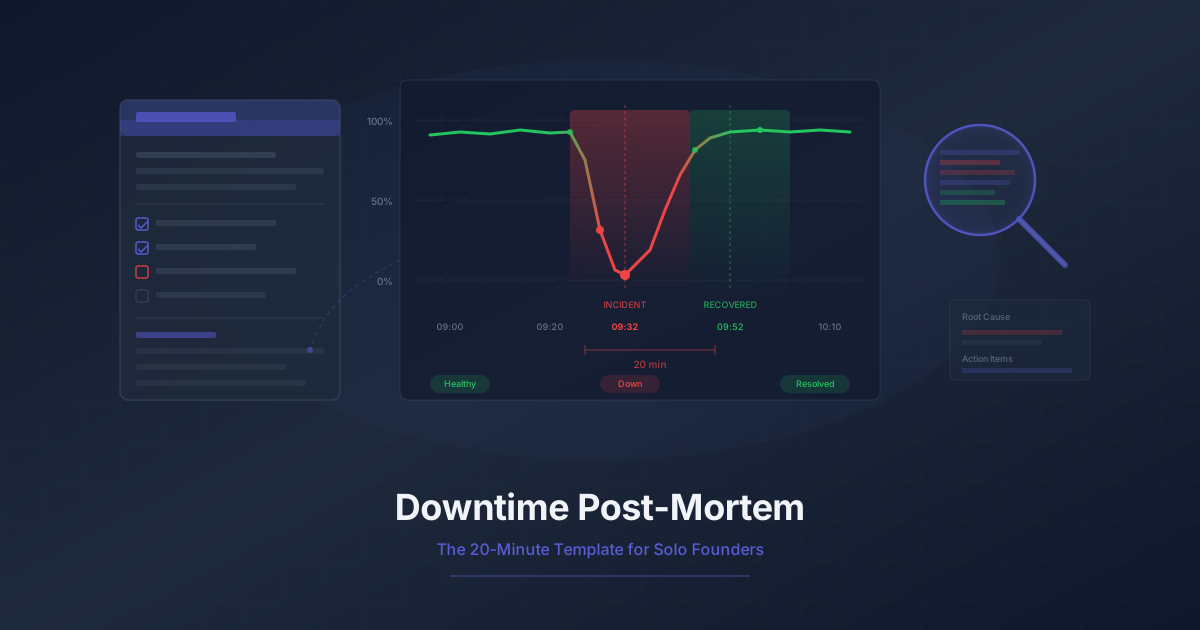
Downtime Post-Mortem Template for Solo Founders
A streamlined 20-minute post-mortem process for one-person teams. Use monitoring data to reconstruct what happened and prevent it from recurring.

Running 3 Projects? How to Monitor Them All Without Losing Your Mind
Most indie hackers run multiple projects. Learn how to centralize monitoring across all of them without tool sprawl or alert chaos.