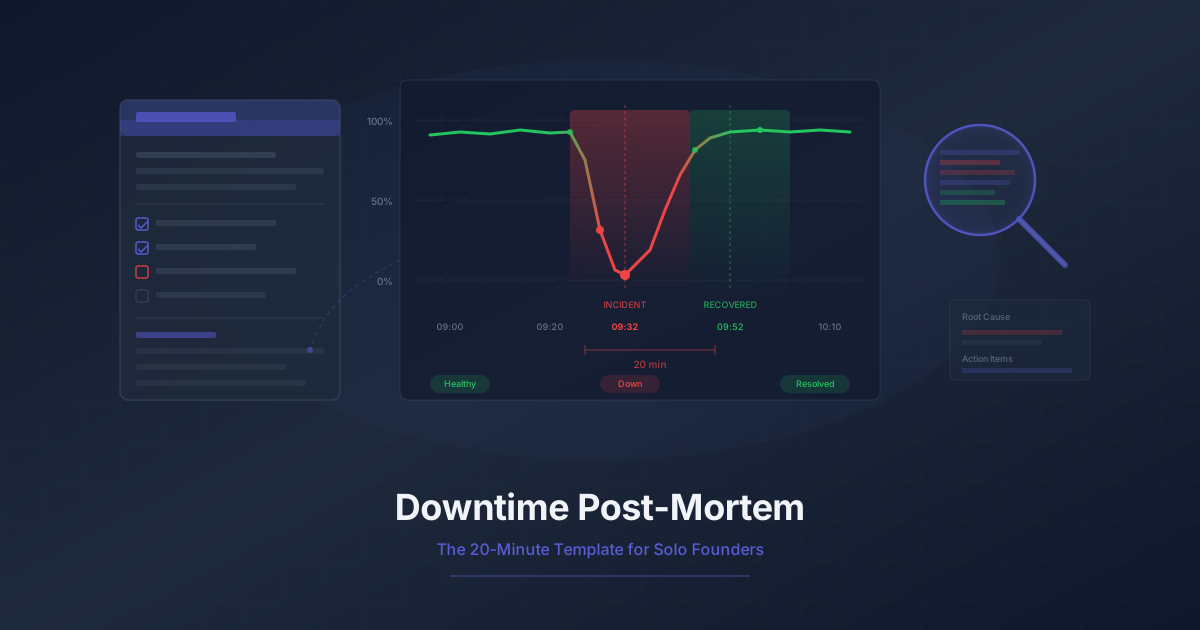
Downtime Post-Mortem Template for Solo Founders
A streamlined 20-minute post-mortem process for one-person teams. Use monitoring data to reconstruct what happened and prevent it from recurring.
Your app went down at 2 AM. You woke up to a flood of alert emails, scrambled to find the cause, pushed a fix, and went back to sleep. Crisis over.
Except it is not over. Three weeks from now, the same thing happens again. You scramble again. Push another fix. Lose another night of sleep. This cycle is familiar to every solo founder who has ever run a production service.
Enterprise teams run hour-long post-mortems with ten people in a room, a facilitator, a scribe, and a follow-up meeting to review action items. You do not have ten people. You do not have an hour. But you still need to learn from your incidents, or you will keep reliving them.
Here is the 20-minute version.
Why Solo Founders Skip Post-Mortems
It is completely understandable. When you are the only person building, shipping, supporting, and marketing your product, spending time looking backward feels like a luxury. The incident is resolved. Customers are happy again. There are features to build and bugs to fix.
But skipping post-mortems has a compounding cost:
- The same incidents recur. Without understanding root causes, you patch symptoms. The underlying problem stays dormant until it triggers again under slightly different conditions.
- You forget the details. Two weeks after an incident, you will not remember the exact sequence of events. The monitoring data that could tell you what happened starts aging out of your retention window.
- You never improve your monitoring. Each incident reveals a gap in what you are watching. Without capturing that insight, you miss the chance to add a check that would catch the next problem earlier -- or prevent it entirely.
- Your confidence erodes. When you do not understand why things break, every deployment feels like a gamble. Post-mortems build the kind of understanding that lets you ship with confidence.
The goal is not bureaucracy. It is spending 20 minutes now to save hours later.
The 20-Minute Post-Mortem Template
Every post-mortem answers five questions. That is it. You do not need a meeting, a slide deck, or a formal process. You need a text file and 20 minutes of focused thought.
Question 1: What happened?
Write a plain-language summary of the incident in two to three sentences. Describe what the user experienced, not what broke internally.
Example: "The checkout flow returned 500 errors for all users. Customers could browse the site but could not complete purchases. The payment processing endpoint was unreachable."
Resist the urge to jump to causes here. Just describe the observable symptoms.
Question 2: When did it happen?
Build a timeline with four key timestamps:
- Incident start: When the problem actually began (not when you noticed it)
- Detection time: When monitoring alerted you or a customer reported it
- Acknowledgment time: When you started investigating
- Resolution time: When the fix was deployed and verified
The gap between incident start and detection is your detection lag. The gap between detection and resolution is your response time. Both of these are numbers you want to shrink over time.
Question 3: What was the impact?
Quantify the damage. Even rough estimates are valuable:
- How many users were affected?
- How long were they affected?
- Was any data lost?
- Did it affect revenue? By approximately how much?
- Did any customers reach out about it?
For a solo SaaS, "the checkout was broken for 45 minutes during peak US hours, affecting an estimated 30 sessions" is more useful than "the site was down for a while."
Question 4: Why did it happen?
This is the root cause analysis. Use the "5 Whys" technique -- keep asking "why" until you reach something structural:
- Why did checkout fail? The payment endpoint returned 503 errors.
- Why was the payment endpoint returning 503s? The database connection pool was exhausted.
- Why was the connection pool exhausted? A background job was holding connections open for minutes instead of seconds.
- Why was the background job holding connections? A recent code change added a query inside a loop without proper connection management.
- Why was this not caught before deployment? There were no load tests that exercised that code path.
You do not always need all five levels. Sometimes the root cause is shallow ("the SSL certificate expired because the renewal cron job was not running"). The point is to push past the surface-level answer.
Question 5: What prevents recurrence?
List specific, actionable items. Each one should be something you can do in a single work session:
- Add a monitoring check for database connection pool usage
- Add a load test for the background job code path
- Set up an alert when connection pool exceeds 80% capacity
- Refactor the background job to use short-lived connections
Be honest about what you will actually do. Three items you complete are worth more than ten items that sit in a backlog forever.
Using Monitoring Data to Reconstruct the Timeline
This is where your monitoring setup pays for itself. When an incident happens, your workflow execution history becomes the forensic record.
Workflow failure data
Your monitoring workflows tell you exactly when things started going wrong. Look at the failure timeline:
- Which workflow failed first?
- Was it a single step that failed, or did multiple workflows fail simultaneously?
- Did the failure start suddenly or gradually?
A sudden, simultaneous failure across multiple workflows points to infrastructure issues -- a server crash, a network partition, a DNS problem. A gradual degradation that starts in one workflow and spreads suggests an application-level issue like a memory leak or connection pool exhaustion.
When alerts fired
Your alert history tells you how quickly your monitoring caught the problem. Compare the first workflow failure timestamp to the first alert timestamp. If there is a significant gap, your alerting rules may need tuning:
- Are you alerting on the first failure, or waiting for consecutive failures?
- Is your check interval fast enough to catch the class of issues you experienced?
- Did the alert go to a channel you actually check at that hour?
Response time degradation
Sometimes services do not fail outright -- they slow down. Your workflow execution data captures response times for every step. Look for patterns:
- Did response times gradually increase before the outage?
- Were response times elevated for hours before you noticed?
- Did the degradation affect all endpoints or specific ones?
A slow degradation that precedes a hard failure is a signal that you need threshold-based alerts, not just pass/fail checks. If your API normally responds in 200ms and it crept up to 2 seconds over three hours before finally timing out, a response time alert at 500ms would have given you hours of advance warning.
Free Tier: The 7-Day Data Window
On the Monitrics Starter plan (free, 50 steps, 5-minute intervals), you get 7 days of data retention and 1 notification channel. This is enough data to reconstruct most incidents -- but it comes with a constraint.
You need to do your post-mortem within a week of the incident.
That might sound obvious, but here is how it usually plays out: the incident happens on Tuesday, you fix it Tuesday night, Wednesday you are catching up on the work you missed, Thursday and Friday are packed with feature work, the weekend passes, and by next Monday the data is gone.
Make it a rule: post-mortem within 48 hours, no exceptions. The 7-day window gives you a buffer, but treat it as a hard deadline, not a comfortable timeline.
At the free tier, your 5-minute check intervals mean your detection lag has a floor of 5 minutes. For many solo SaaS products, this is perfectly acceptable. Your users are unlikely to notice a 5-minute blip, especially if you resolve the underlying issue quickly.
The single notification channel means you need to choose wisely. Email is reliable but slow. Slack or a webhook to your phone gives you faster response times. Pick the channel that reaches you fastest during the hours your users are most active.
Professional Tier: The 30-Day Data Window
At $19/month, the Monitrics Professional plan gives you 100 steps, 1-minute check intervals, 30 days of data retention, browser automation, 12+ monitoring regions, and 5 team members. For post-mortems, the two features that matter most are the extended retention and faster intervals.
Catch slow-developing issues
Some problems develop over days or weeks. A memory leak that grows by 10MB per day. A database table that is slowly approaching a size where queries degrade. A third-party API that has been intermittently flaky for two weeks before it goes fully down.
With 30 days of data, you can look back and see patterns that were invisible in a 7-day window. Your post-mortem might reveal that the "sudden" outage was actually preceded by two weeks of gradually increasing response times.
Compare week-over-week
Thirty days of data lets you compare this week's performance to last week's. This is invaluable for answering questions like:
- "Is this normal traffic for a Monday morning, or is something wrong?"
- "Did response times change after last week's deployment?"
- "Are we seeing the same intermittent failures we saw two weeks ago?"
One-minute detection
With 1-minute check intervals, your detection lag drops from a 5-minute floor to a 1-minute floor. For incidents that cost you revenue every minute they persist -- like a broken checkout or a failed login flow -- that difference adds up quickly.
Browser automation for flow verification
Browser automation steps let you verify entire user flows, not just individual endpoints. After an incident, you can check whether your monitoring actually tested the flow that broke. If it did not, your post-mortem action items should include adding a browser workflow that covers it.
The Post-Mortem Document
Here is a copy-paste template you can use for every incident. Save it as a markdown file in your project repository, a Notion page, or wherever you keep operational notes.
# Post-Mortem: [Brief incident description]

**Date:** YYYY-MM-DD
**Severity:** [Critical / Major / Minor]
**Duration:** [Total downtime or degradation period]

## What happened

[2-3 sentence plain-language summary of what users experienced]

## Timeline

| Time (UTC) | Event |
|---|---|
| HH:MM | Incident began (first signs of degradation) |
| HH:MM | Monitoring alert fired |
| HH:MM | Investigation started |
| HH:MM | Root cause identified |
| HH:MM | Fix deployed |
| HH:MM | Full resolution confirmed |

## Impact

- **Users affected:** [number or estimate]
- **Duration:** [minutes/hours]
- **Revenue impact:** [estimate or "none"]
- **Data loss:** [yes/no, details if yes]
- **Customer reports:** [number]

## Root cause

[Detailed explanation using 5 Whys or similar technique]

## What went well

- [Things that worked during the incident]

## What could be improved

- [Things that were slow, confusing, or missing]

## Action items

- [ ] [Specific action 1] -- due [date]
- [ ] [Specific action 2] -- due [date]
- [ ] [Specific action 3] -- due [date]

## Monitoring changes

- [ ] [New check or alert to add]
- [ ] [Existing check to modify]
A few notes on this template:
Include "What went well." It is easy to focus only on what broke. But if your monitoring caught the issue in under a minute, or your deployment process let you push a fix quickly, note that. It tells you what to protect and preserve.
Due dates on action items. Without dates, action items become wishes. Give yourself a deadline, even if it is generous. "Add connection pool monitoring by Friday" is infinitely more likely to happen than "add connection pool monitoring someday."
Monitoring changes get their own section. This is the most important part of the template for long-term improvement, which is why it is called out separately from general action items.
Building Post-Mortem Habits
The hardest part of post-mortems is not the process -- it is the consistency. Here is how to make them stick.
Schedule 20 minutes after every incident
When you resolve an incident, immediately block 20 minutes on your calendar for the next day. Not next week. The next day. Your memory is freshest, the data is available, and the motivation to prevent recurrence is strongest.
If the incident happens at 2 AM and you are running on no sleep, the post-mortem can wait until the next afternoon. But it should not wait until next week.
Keep a running incident log
Maintain a single document or folder where all your post-mortems live. Over time, this becomes incredibly valuable:
- You can search it when a new incident feels familiar
- You can review it quarterly to spot recurring themes
- You can show it to investors, co-founders, or early hires as evidence of operational maturity
A simple folder structure works:
incidents/
  2026-02-24-checkout-500-errors.md
  2026-02-10-dns-resolution-failure.md
  2026-01-28-ssl-certificate-expiry.md
Lower the bar for what counts as an incident
You do not need a full outage to justify a post-mortem. Consider writing brief ones for:
- Elevated error rates that resolved on their own
- Performance degradation that lasted more than 30 minutes
- Near-misses where you caught something just in time
- Customer-reported issues that your monitoring missed
The near-misses are especially valuable. They reveal gaps in your monitoring without the pain of actual downtime.
Review quarterly
Once every three months, spend 30 minutes reading through your incident log. Look for patterns:
- Are the same systems failing repeatedly?
- Are your detection times improving or getting worse?
- Are you completing your action items?
- Are incidents becoming less frequent or more frequent?
This quarterly review is where the cumulative value of post-mortems becomes visible. Individual post-mortems prevent specific recurrences. The collection of them shows you the trajectory of your operational reliability.
Turning Post-Mortems into Monitoring Improvements
Every post-mortem should produce at least one new or improved monitoring check. This is the rule that transforms post-mortems from documentation exercises into an active feedback loop.
Common patterns
"We did not know it was down." Add a monitoring workflow that checks the specific endpoint or flow that failed. If you already had one, reduce the check interval or tighten the failure threshold.
"We knew it was down but the alert was slow." Switch from consecutive-failure alerting to single-failure alerting for critical flows. Consider upgrading to 1-minute intervals for your most important checks.
"We knew it was down but did not see the alert." Change your notification channel. If email was too slow, add Slack or a webhook that triggers a push notification. If the incident happened outside working hours, make sure your alert channel reaches you 24/7.
"The endpoint was up but the feature was broken." Simple HTTP status checks are not enough for this endpoint. Add assertion-based checks that verify response content, or add a browser automation workflow that tests the actual user flow.
"It was a slow degradation, not a sudden failure." Add response time threshold alerts. If your typical response time is 200ms, set an alert at 500ms. This gives you early warning before things get bad enough for users to notice.
After each post-mortem
Walk through this checklist before closing the post-mortem:
- Is there a monitoring workflow that would have detected this incident?
- If yes, did it detect it? How quickly?
- If no, what new workflow would catch it?
- Did the alert reach you through an effective channel?
- Was the check interval fast enough?
Add the answers to your post-mortem action items and implement them before the next deployment.
Start Building the Habit
You do not need a complex incident management platform to do effective post-mortems. You need a template, 20 minutes of focus, and monitoring data to fill in the gaps your memory misses.
The free Monitrics Starter plan gives you 50 monitoring steps, 5-minute intervals, and 7 days of data retention -- enough to reconstruct most incidents and start building a post-mortem practice. If you find yourself needing longer data retention for trend analysis or faster intervals for quicker detection, the Professional plan at $19/month extends your window to 30 days with 1-minute intervals.
The first post-mortem is the hardest. The second one takes half the time. By the fifth, it is a reflex. And by then, your incident log has become one of the most valuable documents in your entire operation.
Start monitoring with Monitrics for free and give your next post-mortem the data it deserves.
Related Articles
- Your Users Are in Tokyo -- Why multi-region monitoring matters when your users are distributed globally.
- Monitoring Checklist -- A comprehensive checklist for solo SaaS founders setting up monitoring from scratch.
- The $0 Monitoring Stack -- Build complete monitoring coverage without spending a dollar using the free tier.
Related Articles
Automate Your Morning Checks: Stop Manually Testing Your App
Solo founders waste 15-30 minutes every morning clicking through their app. Automate those checks with browser workflows that run every minute.
Running 3 Projects? How to Monitor Them All Without Losing Your Mind
Most indie hackers run multiple projects. Learn how to centralize monitoring across all of them without tool sprawl or alert chaos.
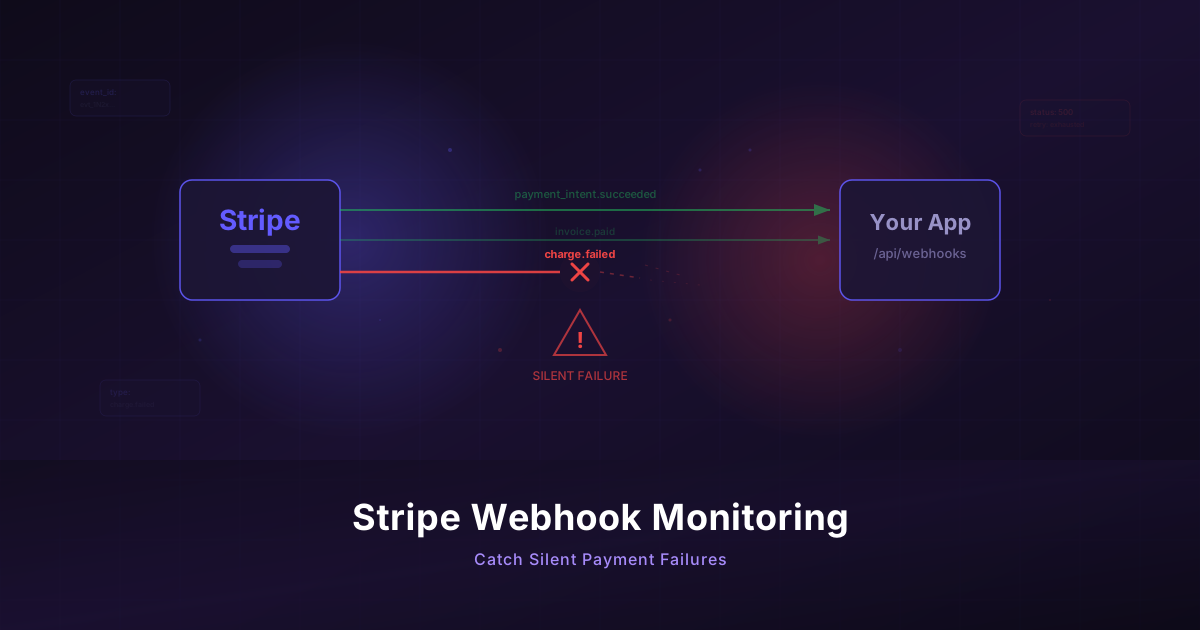
Monitor Your Stripe Webhooks Before They Silently Fail
Stripe webhooks fail invisibly and cost you revenue. Build a monitoring workflow to catch payment failures before your customers notice.