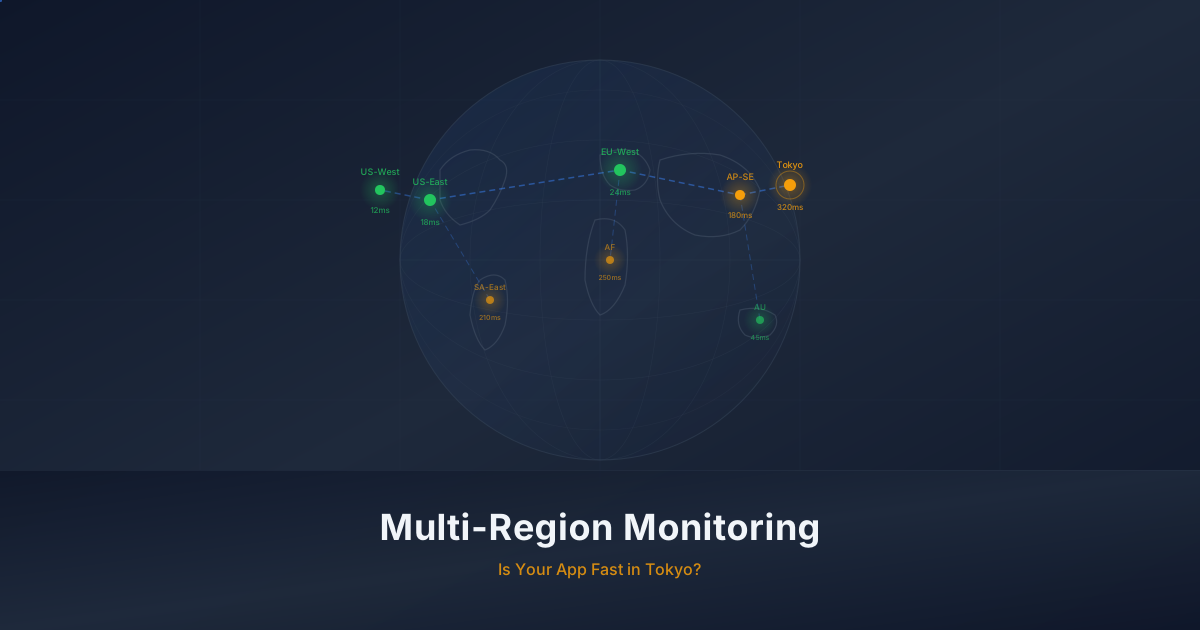
Your Users Are in Tokyo. Is Your App Fast There?
Solo founders test from one location but serve global users. Multi-region monitoring reveals latency blind spots that hurt retention and revenue.
Published: February 2026 | Reading Time: 8 minutes
Your app works great from your laptop in San Francisco. Pages load fast, API calls return in milliseconds, and everything feels snappy. You ship features, check your analytics, and notice something interesting: 30% of your users are in Asia. Another 15% are in Europe. You have never tested what their experience actually looks like.
This is one of the most common blind spots for solo founders and small teams. You build, test, and monitor from a single location, and you assume the experience is the same everywhere. It almost never is.
The single-region blind spot
When you run your app locally or check it from a single monitoring location, you are seeing one perspective. Your perspective. The DNS resolves through your local resolver. The CDN serves you from the nearest edge node. The database query travels a short network path. Everything is optimized for you.
Your user in Tokyo has a completely different experience. Their DNS resolution might take longer because your authoritative nameserver is in Virginia. The CDN might not have your assets cached at the Tokyo edge node. The API call has to travel across the Pacific Ocean and back, adding 150-200 milliseconds of pure physics-imposed latency before any server processing happens.
Most founders only discover this when they start losing users in specific regions, or when someone in a different country emails to say the app feels slow. By that point, you have already lost the users who did not bother to write.
Why this happens
It is not negligence. It is a natural consequence of how solo founders work:
- You develop and test locally
- Your uptime monitoring runs from a single region (often US-East)
- Your staging environment is in the same region as production
- You check your app from your own browser, on your own network
- Performance testing, if you do it at all, happens from the same location
The result is a monitoring setup that tells you everything is fine while a significant portion of your users experience something very different.
Why latency matters more than uptime
Most monitoring focuses on uptime. Is the server responding? Is it returning a 200 status code? These are important questions, but they miss the bigger picture for user experience.
Google's research has consistently shown that page load time directly impacts user behavior:
- 53% of mobile users abandon a site that takes longer than 3 seconds to load
- Every 100ms of added latency costs roughly 1% in conversion rate
- Users perceive anything over 400ms as noticeably slow
For a solo SaaS founder, this translates directly to revenue. If your app loads in 800ms from San Francisco but takes 3.2 seconds from Singapore, you are not just providing a worse experience to your Asian users. You are actively losing them.
The tricky part is that your uptime monitoring shows 100%. The server responded. The status code was correct. The health check passed. But the user bounced because the experience felt sluggish.
Uptime is table stakes. Latency is the real metric.
A user who sees a loading spinner for 4 seconds does not care that your server is "up." From their perspective, your app is broken. They will try a competitor before they wait for your page to finish loading.
This is especially true for SaaS products where users have alternatives. If your project management tool takes 3 seconds to load from Europe but a competitor loads in under a second, the competitor wins. Not because they have better features, but because they feel faster.
What multi-region monitoring reveals
When you start monitoring from multiple geographic locations, you uncover issues that are completely invisible from a single vantage point. Here are the most common discoveries.
CDN misconfigurations
Your CDN should be serving static assets from edge nodes close to your users. But CDN configuration is surprisingly easy to get wrong:
- Cache headers might be set incorrectly, causing the CDN to fetch from origin on every request
- Certain asset types might not be cached at all
- Some regions might not have your content populated on edge nodes
- Your CDN plan might not include edge locations in all the regions you serve
Multi-region monitoring catches these issues because you can see the difference between a cache hit (fast, served from edge) and a cache miss (slow, fetched from origin) across different locations.
DNS resolution differences
DNS does not work the same everywhere. Resolution times vary significantly by region:
DNS Resolution Times (example):
US-East:     12ms   (authoritative server nearby)
EU-West:     45ms   (one hop further)
AP-Tokyo:    89ms   (multiple hops, higher latency)
AP-Sydney:   112ms  (furthest from authoritative server)
If your DNS provider does not have points of presence in regions where your users are, every page load starts with a penalty before any content is fetched.
Database query latency
This is the big one for SaaS apps. Your database is in a single region. Every API call that queries the database incurs a round-trip to that region. For users close to the database, this is negligible. For users on the other side of the world, it adds up fast.
A typical page might make 3-5 API calls on load. If each call adds 150ms of network latency for a user in Asia, that is 450-750ms of added load time just from network distance. Add server processing time and you are easily over 2 seconds.
Cold starts and serverless latency
If you are running on serverless infrastructure (Lambda, Cloud Functions, Vercel Serverless), cold starts add another variable. Cold start times differ by region, and monitoring from multiple locations reveals which regions have worse cold start behavior due to lower traffic keeping fewer instances warm.
TLS handshake overhead
Every new HTTPS connection requires a TLS handshake, which involves multiple round trips. From nearby locations, this adds maybe 20-30ms. From distant locations, each round trip takes 100ms+, and a full TLS 1.2 handshake requires two round trips. That is 200ms+ before any data transfers.
TLS 1.3 improves this with a single round-trip handshake, but you need to verify that your server and CDN actually negotiate TLS 1.3 from all regions. Some older CDN edge nodes or regional configurations might fall back to TLS 1.2, adding an extra round trip that only affects users in specific locations.
Setting up multi-region checks in Monitrics
Monitrics Professional plan ($19/month) gives you access to 12+ monitoring regions across the globe. Here is how to set up multi-region monitoring that actually tells you something useful.
Step 1: Identify where your users are
Before you configure anything, check your analytics. Google Analytics, Plausible, or whatever you use will show you where your users are located. You need three pieces of information:
- Your top 3-5 user regions by traffic volume
- Any regions where you are actively marketing or expanding
- Regions where you have noticed higher bounce rates or lower engagement
Step 2: Create a workflow with regional coverage
In Monitrics, create a workflow that tests the critical path of your application. This might include:
- An HTTP step checking your main page or API endpoint
- A DNS step verifying resolution from each region
- A browser automation step that simulates a real user interaction (login, load dashboard, etc.)
Select monitoring regions that match your user base. If 30% of your users are in Asia, include Tokyo and Singapore. If you have European users, include Frankfurt and London.
Step 3: Set up assertions that catch latency issues
Do not just check for a 200 status code. Add assertions that catch performance problems:
HTTP Step Assertions:
- Status code equals 200
- Response time less than 1500ms
- Response body contains expected content
The response time assertion is the key one. Set it based on what is acceptable for your users, not what you see from your local machine. A good starting point:
- Under 500ms: Excellent experience
- 500ms - 1500ms: Acceptable but could be better
- 1500ms - 3000ms: Users will notice the delay
- Over 3000ms: You are losing users
Step 4: Configure meaningful alerts
Set up notifications so you know when a specific region degrades. You want to know when Tokyo response times spike, not just when the global average increases. Regional degradation often gets hidden in global averages.
Reading latency data
Once your multi-region monitoring is running, you will start seeing data that tells a story. Here is how to read it.
Establish baselines first
Let your monitoring run for at least a week before making changes. You need to understand what normal looks like for each region. Normal for US-East might be 200ms. Normal for AP-Tokyo might be 600ms. Both are fine as long as they are consistent.
What you are looking for is not the absolute number but the pattern:
- Consistent latency: Your baseline. This is physics plus your infrastructure.
- Periodic spikes: Usually correlate with traffic patterns, batch jobs, or maintenance windows.
- Gradual increase: Something is degrading. Maybe cache hit rates are dropping or database queries are getting slower.
- Sudden jump: Something changed. A deployment, a configuration change, a provider issue.
Spotting regional degradation
The most valuable insight from multi-region monitoring is when one region degrades while others remain stable. This tells you the problem is regional, not global, which dramatically narrows the debugging scope.
Common patterns:
| Pattern | Likely Cause |
|---|---|
| One region slow, others fine | CDN edge issue, regional DNS, or routing problem |
| All regions slow simultaneously | Origin server issue, database problem, bad deployment |
| Gradual increase in distant regions | Growing payload size (latency amplified by distance) |
| Intermittent spikes in one region | Network congestion, ISP peering issues |
What is acceptable latency?
This depends on your application, but here are general guidelines for page load time by region relative to your origin:
- Same region as origin: Under 500ms
- Same continent, different region: Under 1 second
- Different continent: Under 2 seconds
- Opposite side of the world: Under 3 seconds
If you are exceeding these, there are usually concrete fixes available.
Common fixes multi-region monitoring uncovers
Once you have the data, the fixes are often straightforward. Here are the most common issues and their solutions.
CDN not caching properly
Symptom: Similar response times from all regions, close to origin server response time.
Fix: Check your cache headers. Make sure static assets have appropriate Cache-Control headers. Verify that your CDN is actually configured to cache the content types you expect.
# Good cache headers for static assets
Cache-Control: public, max-age=31536000, immutable

# For API responses that can be cached briefly
Cache-Control: public, max-age=60, s-maxage=300
Missing edge locations
Symptom: One or two regions significantly slower than others.
Fix: Check if your CDN has edge locations in those regions. Some CDN plans restrict which edge locations are available. You might need to upgrade your CDN plan or switch providers for better coverage in specific regions.
Database too far from users
Symptom: API calls are slow from distant regions, but static assets load fine.
Fix: This is the hardest problem to solve, but you have options:
- Read replicas in regions with significant user traffic
- Edge caching for API responses that do not change frequently
- Geographic routing to direct users to the nearest application instance
- Aggressive client-side caching to reduce the number of API calls
For a solo founder, the pragmatic first step is usually edge caching for read-heavy API responses. You do not need a globally distributed database to serve your first 1,000 users in Asia. You need smart caching.
Large payload sizes
Symptom: Latency increases proportionally with distance, and response sizes are large.
Fix: Reduce payload size. Enable gzip/brotli compression. Paginate API responses. Only return the fields the client needs. Optimize images. Every kilobyte you remove from the response saves more time for distant users than for nearby ones because the data has further to travel.
No connection reuse
Symptom: Every request from distant regions is significantly slower than expected, even with CDN.
Fix: Enable HTTP/2 or HTTP/3, which multiplex requests over a single connection. Ensure your CDN supports connection reuse. Use preconnect hints for critical origins:
<link rel="preconnect" href="https://api.yourapp.com" />
<link rel="preconnect" href="https://cdn.yourapp.com" />
Starting small: pick 3 regions that matter
You do not need to monitor from every region on day one. Start with three that matter most to your business.
How to choose your three regions
-
Your origin region (where your servers are). This is your baseline. If things are slow here, everything else will be worse.
-
Your largest non-local user base. Check your analytics. If 20% of your users are in Europe, pick Frankfurt or London.
-
Your fastest-growing or most strategic market. If you are seeing growth in Asia, pick Tokyo or Singapore. If you are expanding to Australia, pick Sydney.
A practical example
Say you are a solo founder with a SaaS app hosted in US-East (Virginia). Your analytics show:
- 55% of users in North America
- 25% of users in Europe
- 15% of users in Asia
- 5% elsewhere
Your three monitoring regions would be:
- US-East (baseline, covers your largest market)
- EU-West / Frankfurt (covers your European users)
- AP-Tokyo (covers your Asian users)
Run this for a month. Look at the data. You will almost certainly find at least one region where the experience is worse than you expected. Fix that, then consider adding more regions as your user base grows.
What this costs
On the Monitrics Professional plan at $19/month, you get:
- 100 monitoring steps across your workflows
- 1-minute check intervals for timely detection
- 12+ global regions to choose from
- 30-day data retention to spot trends over time
- Browser automation for testing real user flows
- 5 team members if you have collaborators
For a solo founder, 100 steps across 3 regions is plenty to monitor your critical paths with geographic diversity. You do not need the Enterprise plan ($49/month) unless you need 30-second intervals or unlimited steps.
The compound effect of small latency gains
One thing worth noting: latency improvements compound. When you fix a CDN misconfiguration that saves 200ms, reduce payload size to save another 100ms, and enable connection reuse to save 150ms, those gains stack. A user in Tokyo who was waiting 3.5 seconds might now see your app load in under 1.5 seconds. That is the difference between a bounce and an engaged session.
Each fix on its own might seem minor. But multi-region monitoring shows you the full picture, and when you address several issues together, the cumulative impact on distant users is dramatic. This is why the data matters more than any single optimization.
The bottom line
Your users do not care where your servers are. They care how fast your app feels from where they are sitting. Multi-region monitoring bridges the gap between what you see from your desk and what your users experience around the world.
The data is almost always surprising. Founders who set up multi-region monitoring for the first time consistently find at least one region where performance is significantly worse than expected. The good news is that most of the fixes are straightforward once you know where to look.
Start with three regions. Look at the data. Fix what you find. Your users in Tokyo will thank you by sticking around.
If you are ready to see how your app performs from your users' perspective, create a free Monitrics account and upgrade to the Professional plan to unlock multi-region monitoring across 12+ global locations.
Related Articles
- Side Project to SaaS -- How monitoring needs evolve as your side project becomes a real business.
- Monitoring Checklist for Solo SaaS -- A practical checklist covering everything a solo SaaS founder should monitor from day one.
- Downtime Post-Mortem Template -- A structured template for learning from outages when you are the only engineer.
Related Articles

Automate Your Morning Checks: Stop Manually Testing Your App
Solo founders waste 15-30 minutes every morning clicking through their app. Automate those checks with browser workflows that run every minute.
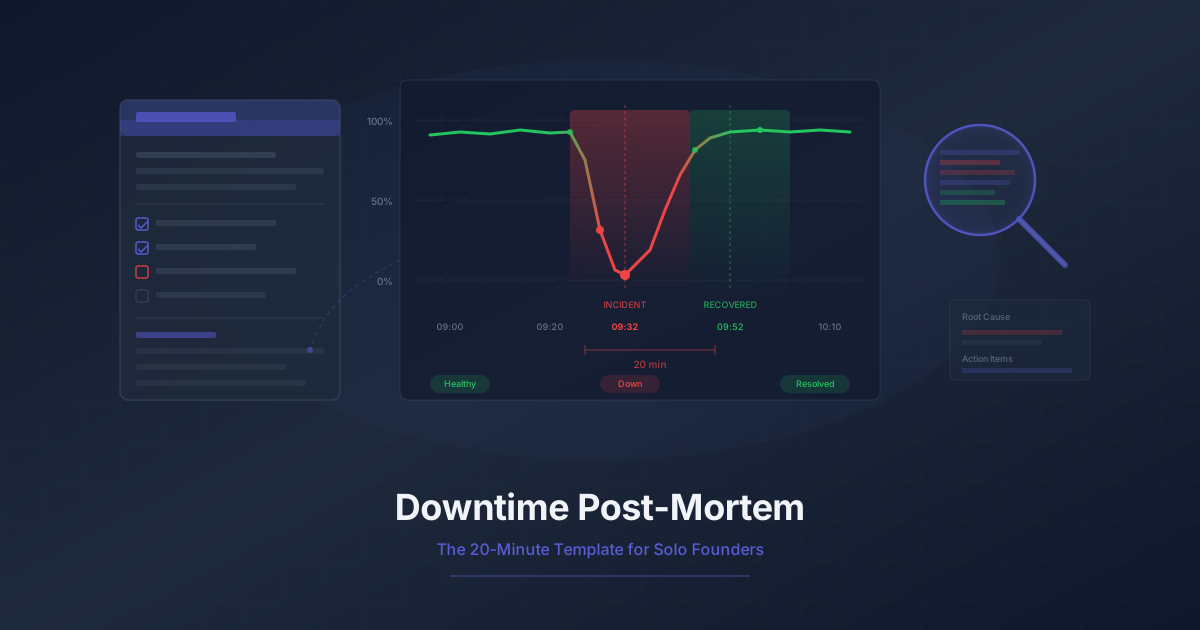
Downtime Post-Mortem Template for Solo Founders
A streamlined 20-minute post-mortem process for one-person teams. Use monitoring data to reconstruct what happened and prevent it from recurring.
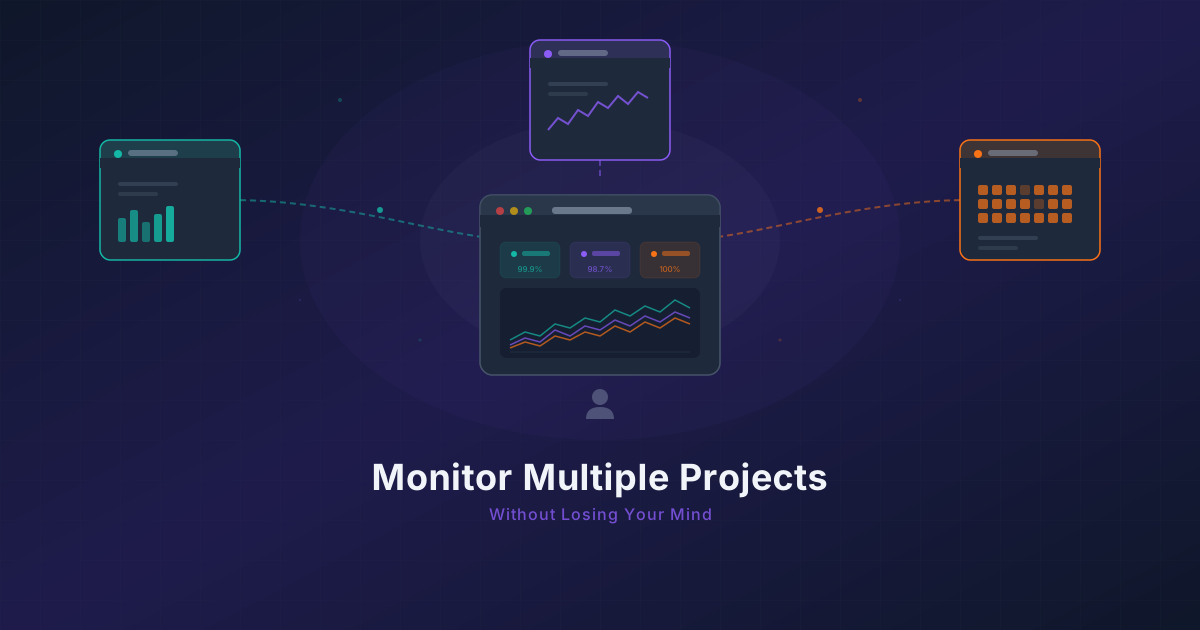
Running 3 Projects? How to Monitor Them All Without Losing Your Mind
Most indie hackers run multiple projects. Learn how to centralize monitoring across all of them without tool sprawl or alert chaos.