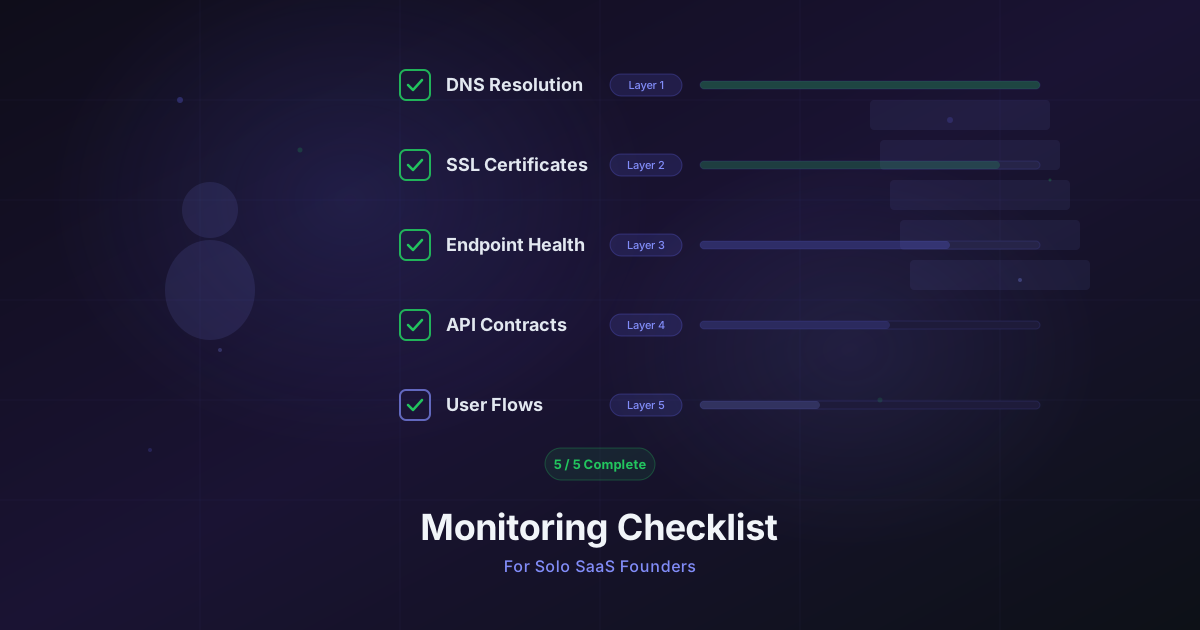
Monitoring Checklist for Solo SaaS Founders
A practical 5-layer monitoring checklist for solo SaaS founders. Set up DNS, SSL, endpoint, API, and user flow monitoring in one afternoon.
You shipped your SaaS. You have paying users. Your Stripe dashboard shows recurring revenue. But right now, at this exact moment, can you say with confidence that everything is working? That your login page loads, your API returns correct data, and your payment flow completes successfully?
If you hesitated, you are not alone. Most solo founders operate in a monitoring blind spot for months -- relying on customer complaints as their primary alerting system. That works until it doesn't. A silent DNS misconfiguration, an expired SSL certificate, or a broken checkout flow can cost you customers before you even know something went wrong.
This checklist gives you a practical, layered approach to monitoring your SaaS. Five layers, ordered by priority, designed to be set up in a single afternoon. No enterprise complexity. No six-figure observability platform. Just the checks that actually matter when you are the entire engineering team.
The Five Layers of Solo SaaS Monitoring
Think of monitoring as a stack. Each layer catches a different category of failure, and failures at lower layers cascade upward. A DNS outage takes down everything above it. An expired SSL certificate makes your perfectly healthy API unreachable. You need coverage at every level.
Here is the full picture before we dig into each layer:
| Layer | What It Catches | Check Type | Priority |
|---|---|---|---|
| 1. DNS | Domain resolution failures | DNS checks | Critical |
| 2. SSL / Domain Expiry | Certificate and registration lapses | Domain expiry checks | Critical |
| 3. Endpoint Health | Pages and services being down | HTTP checks | High |
| 4. API Correctness | Broken responses, wrong data | HTTP + assertions | High |
| 5. User Flows | Multi-step journeys failing | Browser automation | Medium |
Layer 1 -- DNS: Is Your Domain Even Resolving?
DNS is the foundation of everything. If your domain does not resolve, nothing else matters. Your app, your API, your marketing site, your email -- all of it depends on DNS working correctly.
What to check
- A record for your root domain (e.g.,
yoursaas.comresolves to your server IP or load balancer) - CNAME record for
wwwand any subdomains (app.yoursaas.com,api.yoursaas.com) - MX records if you send transactional email from your domain (password resets, invoices)
Why this breaks silently
DNS changes propagate slowly and inconsistently. You might update a record, see it working from your machine, and assume everything is fine -- while users in other regions are still hitting a stale cache. Worse, if your domain registrar has an outage or your DNS provider hiccups, you will not know until users start complaining.
What a DNS check looks like
A DNS monitoring step resolves your domain at regular intervals and verifies the returned records match expectations. If the A record for api.yoursaas.com suddenly returns nothing, or resolves to the wrong IP, you get alerted immediately.
Check: DNS resolve api.yoursaas.com
Expected: A record returns 203.0.113.50
Interval: Every 5 minutes
Alert: If resolution fails or IP changes
Steps needed: 2-4 (one per critical hostname)
Layer 2 -- SSL and Domain Expiry: The Silent Killers
SSL certificate expiration is one of the most preventable yet common causes of SaaS downtime. When your certificate expires, browsers show a terrifying security warning. Most users will not click through it -- they will leave and may never come back.
Domain registration expiry is even worse. If your domain lapses, someone else can register it. This is not theoretical. It has happened to established companies.
What to check
- SSL certificate expiry for every hostname you serve traffic on (
yoursaas.com,app.yoursaas.com,api.yoursaas.com) - Domain registration expiry for your root domain
- Certificate chain validity -- intermediate certificates can expire independently
When to alert
Do not wait until the day your certificate expires. Set up alerts with enough lead time to act:
- 30 days before expiry -- informational, add renewal to your task list
- 14 days before expiry -- warning, this needs attention soon
- 7 days before expiry -- critical, drop what you are doing and fix this
The auto-renewal trap
"But I have auto-renewal enabled." Good. It usually works. But auto-renewal can fail silently for many reasons: expired payment method on your registrar account, DNS validation failures for Let's Encrypt, a misconfigured cert-manager in Kubernetes, or a provider outage during the renewal window. Monitoring confirms that auto-renewal actually did its job.
Steps needed: 2-3 (one per domain/subdomain with SSL)
Layer 3 -- Endpoint Health: Are Your Pages Loading?
This is what most people think of as "uptime monitoring." Is the page returning a 200 status code? Is it responding within an acceptable time? These are basic but essential checks.
What to check
- Marketing site (
yoursaas.com) -- this is your storefront - App login/dashboard (
app.yoursaas.com) -- what paying users see first - API health endpoint (
api.yoursaas.com/health) -- your backend's self-reported status - Key public pages -- pricing page, docs, status page
What to assert
At this layer, you are checking for basic availability:
Check: HTTP GET https://app.yoursaas.com/login
Expected: Status 200
Timeout: 10 seconds
Interval: Every 5 minutes
Alert: If status != 200 or timeout exceeded
Response time matters
A page that returns 200 but takes 12 seconds to respond is effectively down for impatient users. Set response time thresholds that reflect real user expectations:
- Marketing pages: under 3 seconds
- App pages: under 5 seconds
- API health endpoints: under 1 second
If response time crosses these thresholds consistently, something is wrong -- even if the status code is fine.
Steps needed: 3-6 (one per critical endpoint)
Layer 4 -- API Correctness: Is the Response Actually Right?
A 200 status code does not mean your API is working correctly. Your endpoint might return 200 with an empty array when it should have data. It might return a cached error message wrapped in a 200 response. It might return the wrong version of your schema after a bad deployment.
This layer adds assertions -- rules that verify the response body, headers, and structure are what you expect.
What to check
- Authentication endpoints -- does login return a valid token structure?
- Core data endpoints -- does your main list/read endpoint return data in the expected format?
- Payment/billing endpoints -- are pricing and subscription queries returning correct data?
- Webhook receivers -- do your inbound webhook endpoints accept and acknowledge payloads?
Assertion examples
Here is what meaningful API assertions look like:
Check: POST https://api.yoursaas.com/auth/login
Body: { "email": "monitor@yoursaas.com", "password": "..." }
Assertions:
  - Status equals 200
  - Response body contains "access_token"
  - Response header "content-type" contains "application/json"
  - Response time under 2000ms
Check: GET https://api.yoursaas.com/v1/plans
Assertions:
  - Status equals 200
  - Response body contains "monthly_price"
  - Response body JSON path "$.plans" is array
  - Response body JSON path "$.plans.length" greater than 0
The dedicated monitoring account
Create a dedicated user account in your SaaS specifically for monitoring. This account should have access to all the endpoints you want to check but should be clearly labeled so you can exclude it from analytics and billing metrics. Use a strong, unique password and store the credentials in your monitoring tool's secrets management.
Steps needed: 4-8 (one per critical API endpoint)
Layer 5 -- User Flows: Does the Journey Actually Work?
This is the most powerful layer and the one most solo founders skip. Layers 1-4 check individual endpoints in isolation. Layer 5 simulates what a real user does -- a sequence of actions that must all succeed for the experience to work.
What to check
- Signup flow -- can a new user register, verify email, and reach the dashboard?
- Login flow -- can an existing user log in and see their data?
- Core workflow -- can a user perform the primary action your SaaS exists for?
- Payment flow -- can a user upgrade, enter payment details, and see the confirmation? (Use Stripe test mode for this.)
What a browser automation workflow looks like
Unlike HTTP checks, browser automation runs a real Chromium browser. It navigates pages, clicks buttons, fills forms, waits for elements to appear, and verifies the results -- exactly like a user would.
Workflow: Login and verify dashboard
Steps:
  1. Navigate to https://app.yoursaas.com/login
  2. Fill email field with "monitor@yoursaas.com"
  3. Fill password field
  4. Click "Sign In" button
  5. Wait for selector ".dashboard-container" (max 10s)
  6. Get text from ".user-greeting"
  7. Assert greeting contains "monitor"
This catches failures that no amount of endpoint monitoring will find: a JavaScript error that breaks the login button, a CSS change that hides a critical element, a third-party script that blocks page rendering, a session management bug that silently logs users out.
Start with your money path
If you can only automate one flow, make it the path that generates revenue. For most SaaS products, that is either the signup-to-payment flow or the core action that delivers value to paying users. A broken signup flow means zero new customers. A broken core workflow means existing customers churn.
Steps needed: 2-4 (one multi-step workflow per critical journey)
The Afternoon Setup Plan
You do not need to set up all five layers simultaneously. Here is a prioritized plan with realistic time estimates for a solo founder.
Hour 1: Foundation (Layers 1-2)
| Task | Time | Steps Used |
|---|---|---|
| Set up DNS checks for root domain and app subdomain | 10 min | 2 |
| Set up DNS check for API subdomain | 5 min | 1 |
| Set up SSL expiry monitoring for all hostnames | 10 min | 2-3 |
| Configure notification channel (email or Slack) | 5 min | -- |
| Total | 30 min | 5-6 |
Hour 2: Availability (Layer 3)
| Task | Time | Steps Used |
|---|---|---|
| Add HTTP checks for marketing site and app | 10 min | 2 |
| Add HTTP check for API health endpoint | 5 min | 1 |
| Add HTTP checks for key public pages | 10 min | 2-3 |
| Set response time thresholds | 5 min | -- |
| Total | 30 min | 5-6 |
Hour 3: Correctness and Flows (Layers 4-5)
| Task | Time | Steps Used |
|---|---|---|
| Create dedicated monitoring account in your SaaS | 10 min | -- |
| Add API assertions for auth endpoint | 10 min | 1 |
| Add API assertions for core data endpoint | 10 min | 1 |
| Build browser workflow for login flow | 15 min | 1 (multi-step) |
| Build browser workflow for core user journey | 15 min | 1 (multi-step) |
| Total | 60 min | 4 |
Grand total: about 2 hours, 14-16 steps.
How Many Steps You Actually Need
Let's do the math for a typical solo SaaS with one marketing site, one app subdomain, and one API subdomain.
Minimal coverage (the essentials)
| Layer | Checks | Steps |
|---|---|---|
| DNS | Root domain + app subdomain | 2 |
| SSL/Domain | Root + app + API certificates | 3 |
| Endpoint Health | Marketing site + app + API health | 3 |
| API Correctness | Auth + one core endpoint | 2 |
| User Flows | Login flow | 1 |
| Total | 11 steps |
This fits comfortably within the Monitrics Starter plan (free) -- which gives you 50 steps at 5-minute intervals with 7-day data retention and 1 notification channel. Eleven steps is well under the limit, leaving you room to grow as you add features.
Solid coverage (recommended)
| Layer | Checks | Steps |
|---|---|---|
| DNS | Root + app + API + mail | 4 |
| SSL/Domain | All hostnames + domain registration | 4 |
| Endpoint Health | All pages + API health + docs | 6 |
| API Correctness | Auth + core endpoints + payments | 4 |
| User Flows | Login + signup + core workflow | 3 |
| Total | 21 steps |
Still well within the free tier. You will only need to think about upgrading when you want faster check intervals (1-minute instead of 5-minute), longer data retention for trend analysis, browser automation for user flow testing, or multi-region checks to verify performance globally.
When to upgrade
The Monitrics Professional plan ($19/mo) makes sense when:
- You need 1-minute check intervals instead of 5-minute (faster incident detection)
- You want browser automation for user flow monitoring (Layer 5)
- You need 30-day data retention to spot trends and performance regressions
- You want checks from 12+ global regions (important if you have international users)
- You are bringing on a co-founder or contractor who needs dashboard access (up to 5 team members)
At 100 steps with 1-minute intervals, Professional covers even complex SaaS products with multiple services and user flows.
For SaaS products that have grown beyond solo-founder stage, the Enterprise plan ($49/mo) provides unlimited steps, 30-second intervals, 90-day data retention, and unlimited team members.
What Happens When You Skip a Layer
Each layer protects against a specific failure mode. Here is what skipping each one looks like in practice:
Skip DNS monitoring: Your DNS provider has a partial outage. Users in certain regions cannot reach your app. You do not find out for hours because it works fine from your machine.
Skip SSL monitoring: Your Let's Encrypt auto-renewal fails silently. Three months later, your certificate expires on a Saturday morning. Users see a security warning. Your signup rate drops to zero until you notice on Monday.
Skip endpoint monitoring: A deployment introduces a bug that crashes your app server. The process restarts automatically, but it crashes again every few minutes. Users experience intermittent failures that are difficult to reproduce and report.
Skip API assertions: A database migration removes a column that your API still references. The endpoint returns 200 but with null values where data should be. Users see blank screens or broken features.
Skip user flow monitoring: A third-party authentication library updates and breaks the login button's click handler. The login page loads fine. The API is healthy. Every check passes. But no one can actually log in.
Each layer adds a few minutes of setup time and catches a category of failure that the layers below it cannot.
Getting Started Today
The best monitoring setup is the one you actually build. Perfectionism is the enemy here -- you do not need 100% coverage on day one. Start with Layer 1 and work down the list. Each layer you add meaningfully reduces your risk of silent failures.
A basic five-layer setup takes a single afternoon and can run entirely on a free tier. That is a remarkably good return on a couple hours of your time, especially when the alternative is finding out about outages from frustrated customers.
If you are ready to set up your monitoring stack, create a free Monitrics account and work through this checklist. The free Starter plan gives you 50 steps -- more than enough to cover all five layers for a solo SaaS product.
Related Articles
- The $0 Monitoring Stack -- How to build comprehensive monitoring without spending a dollar.
- Your SSL Certificate Will Expire -- A deep dive into SSL and domain expiry monitoring.
- Automate Your Morning Checks -- Replace your manual morning routine with automated workflows.
Related Articles
Automate Your Morning Checks: Stop Manually Testing Your App
Solo founders waste 15-30 minutes every morning clicking through their app. Automate those checks with browser workflows that run every minute.
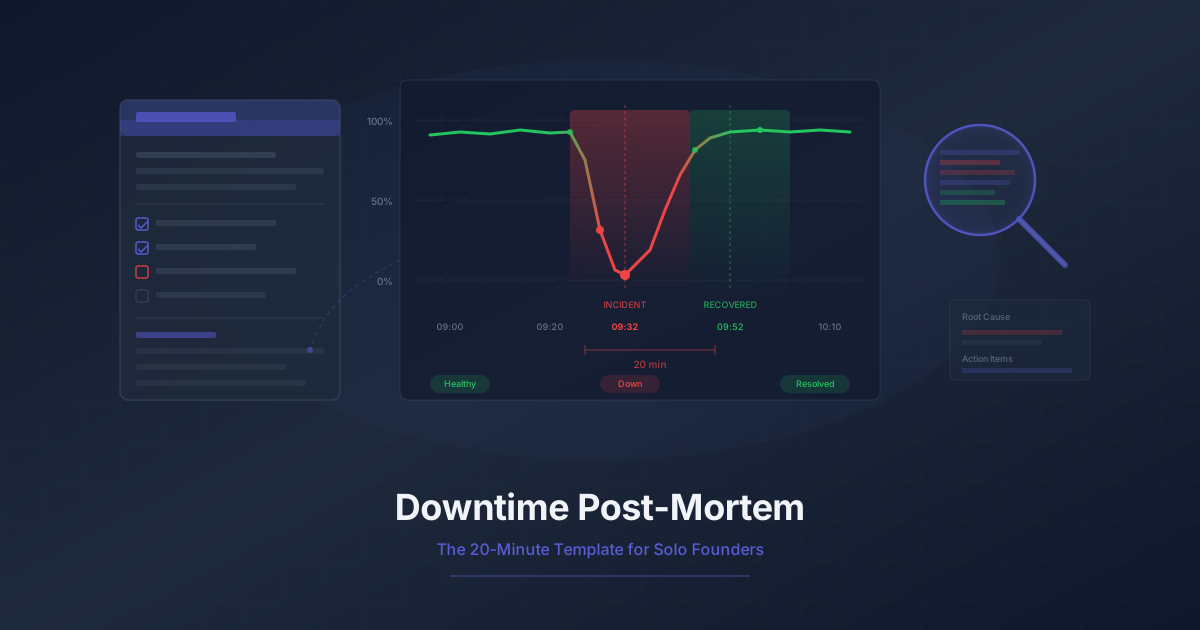
Downtime Post-Mortem Template for Solo Founders
A streamlined 20-minute post-mortem process for one-person teams. Use monitoring data to reconstruct what happened and prevent it from recurring.
Running 3 Projects? How to Monitor Them All Without Losing Your Mind
Most indie hackers run multiple projects. Learn how to centralize monitoring across all of them without tool sprawl or alert chaos.